
FAQ
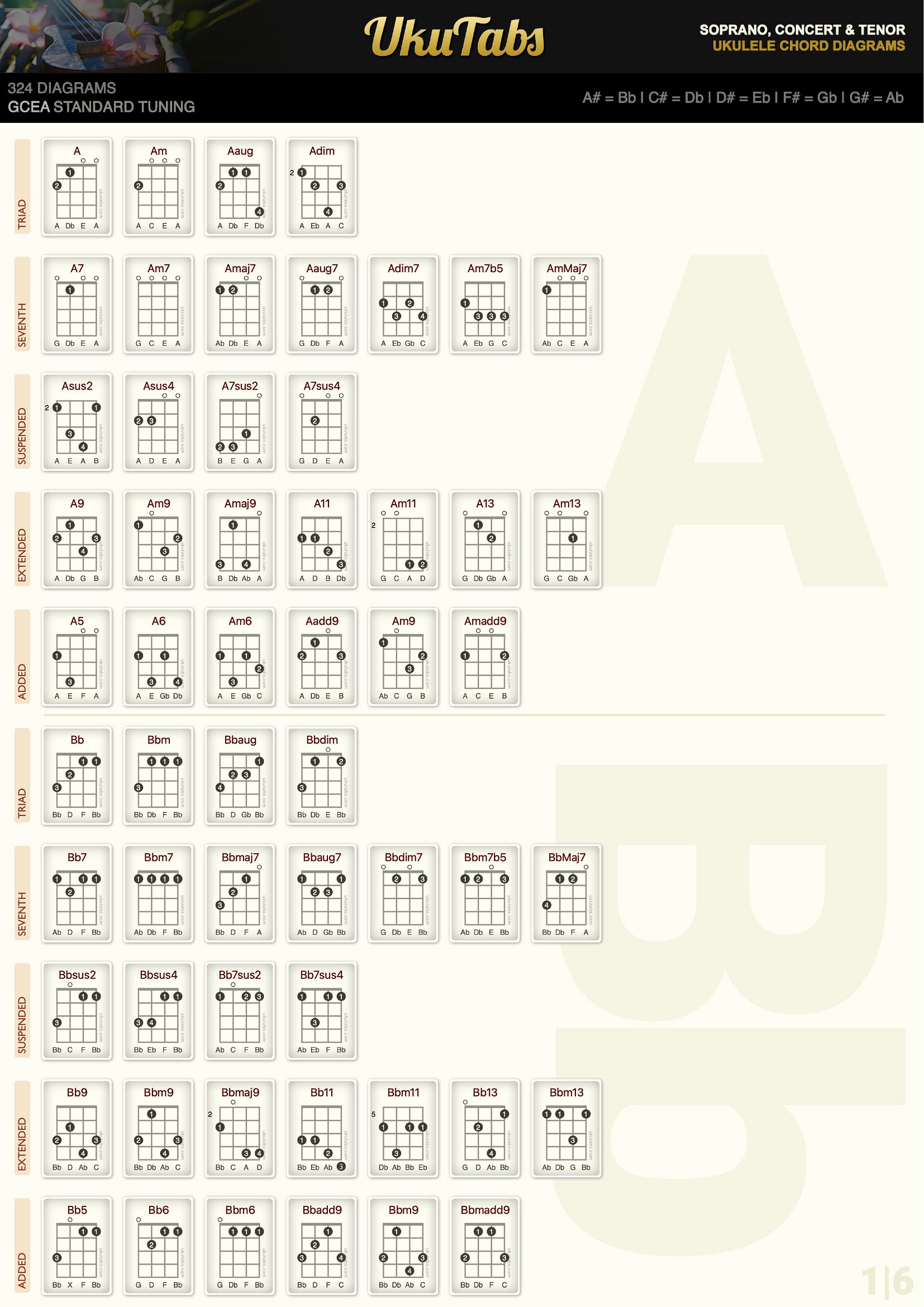
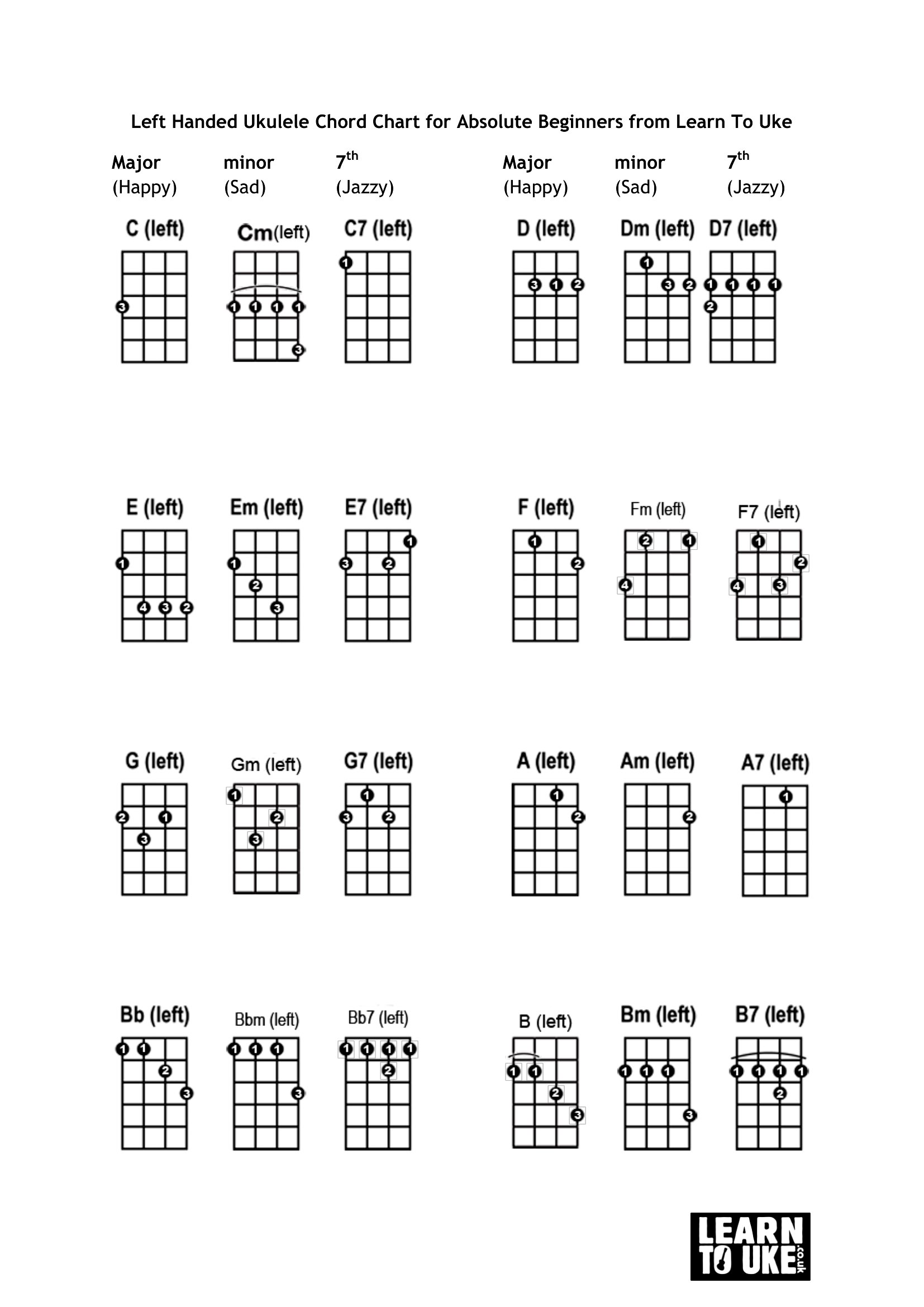
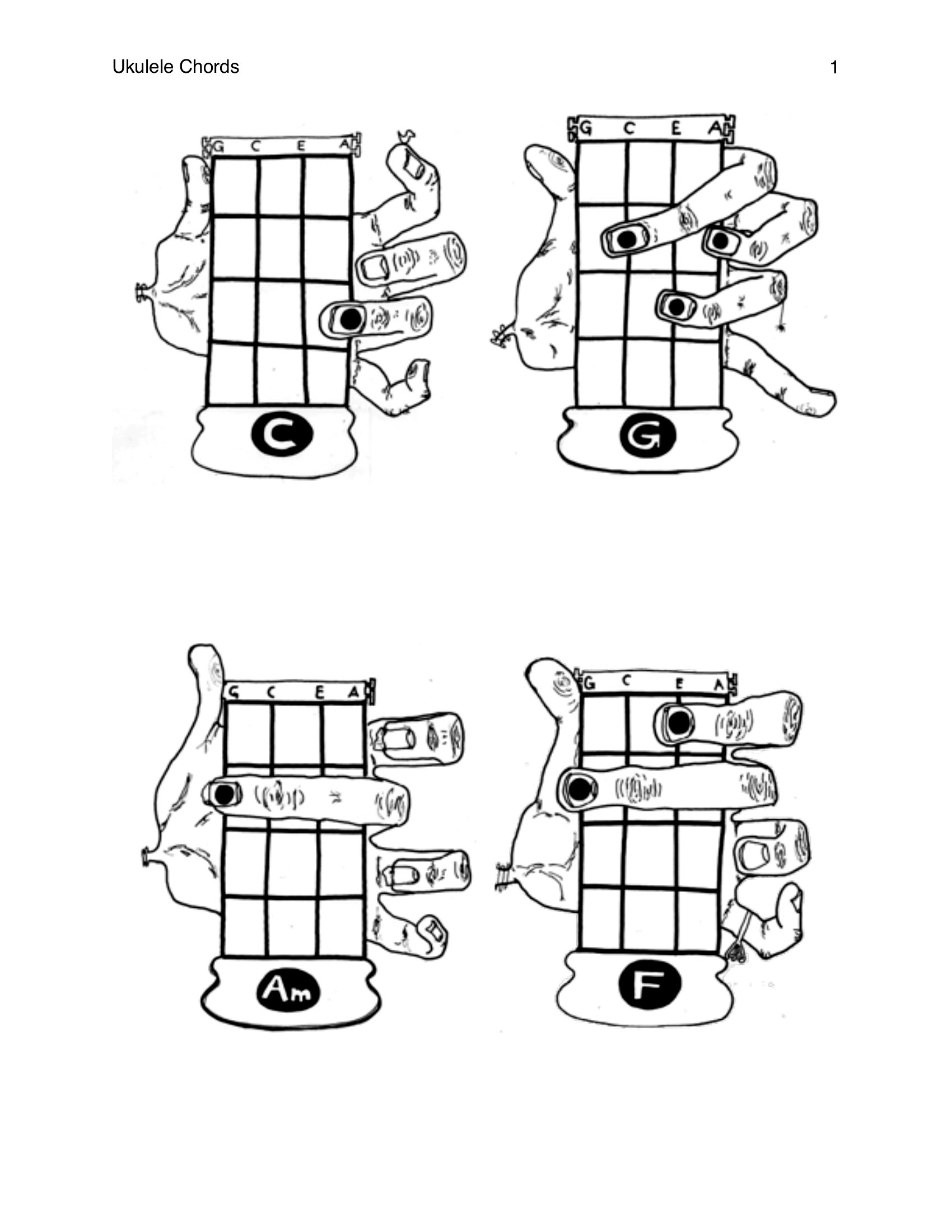
Can I adjust the chord names or add my own chord variations to these templates?
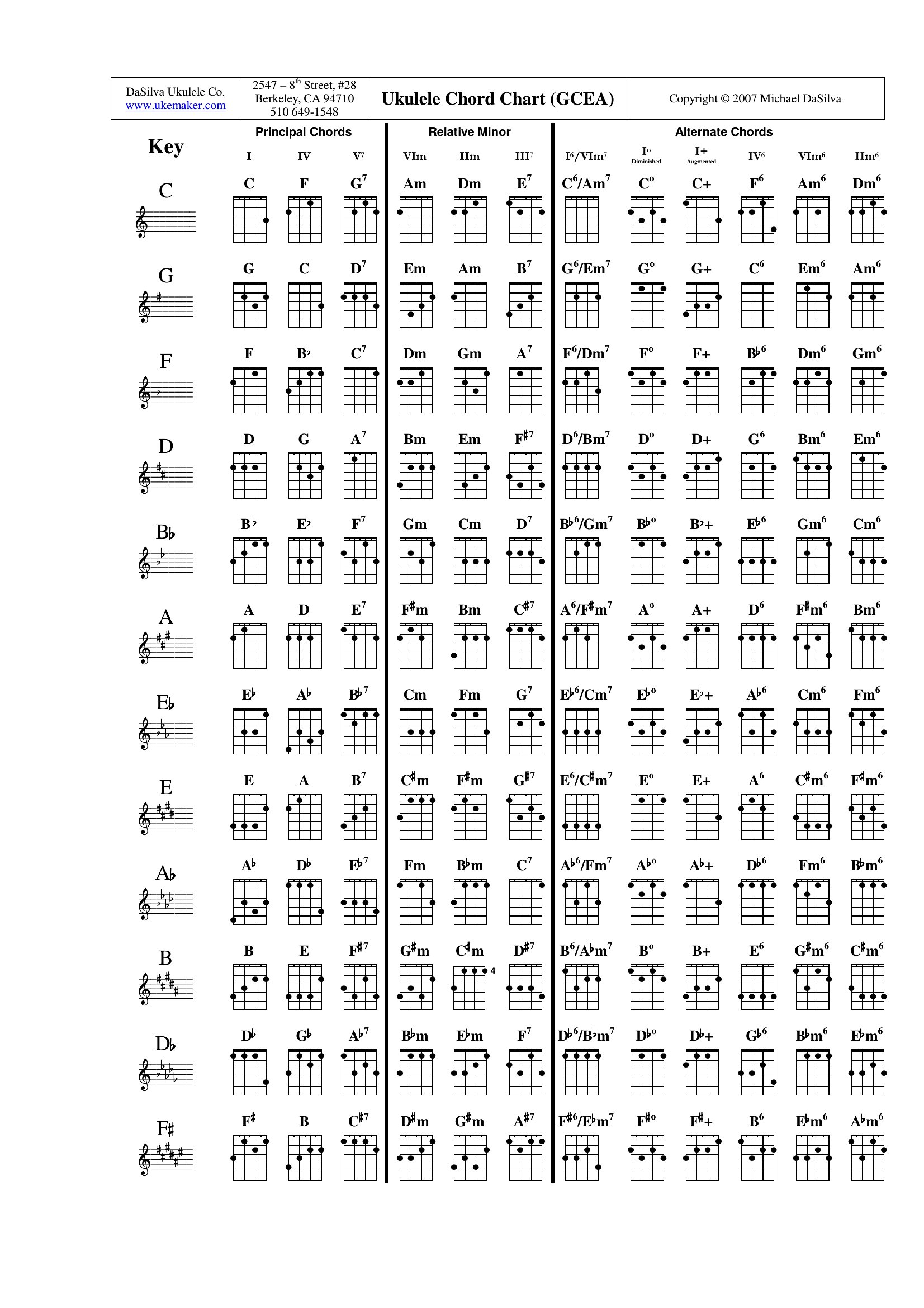
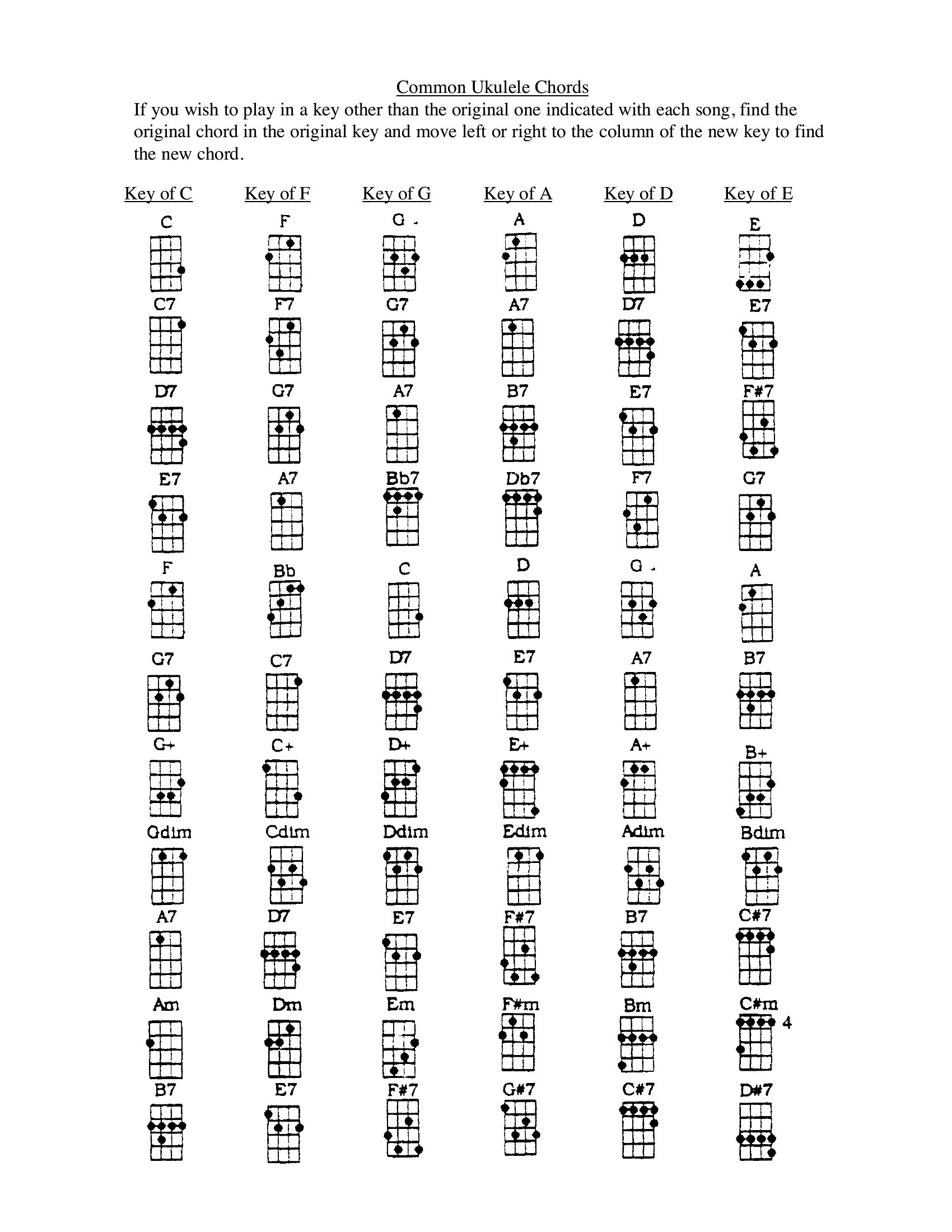
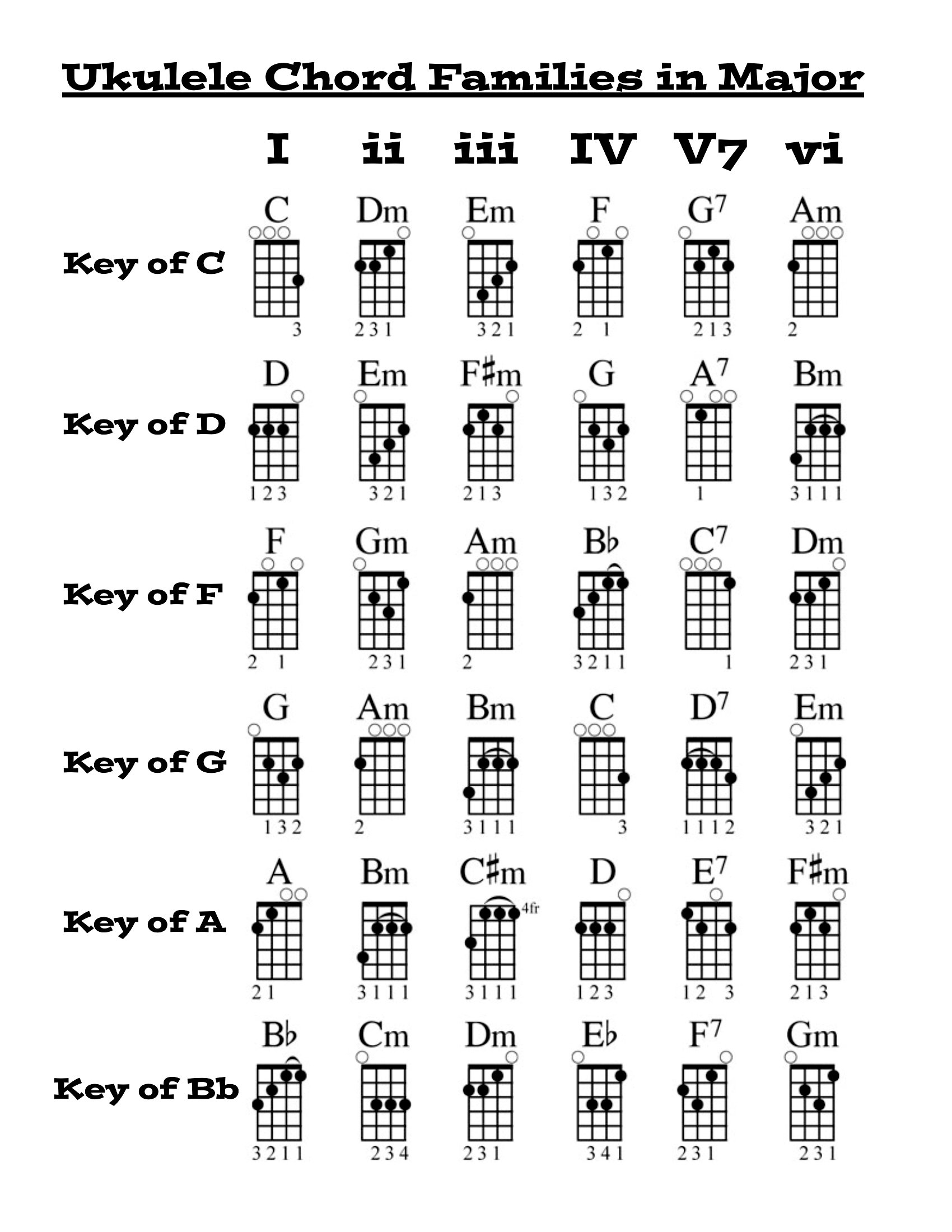
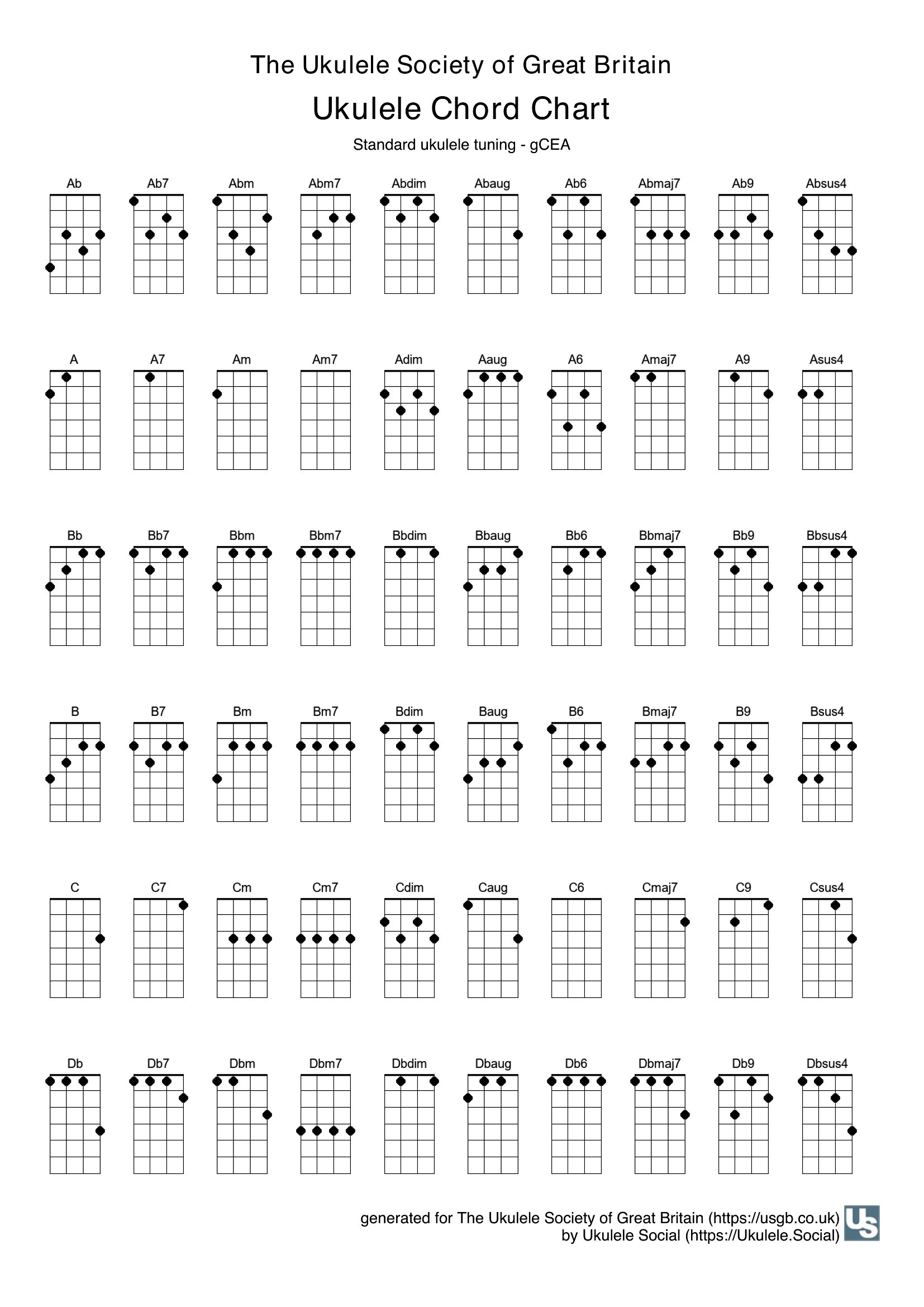
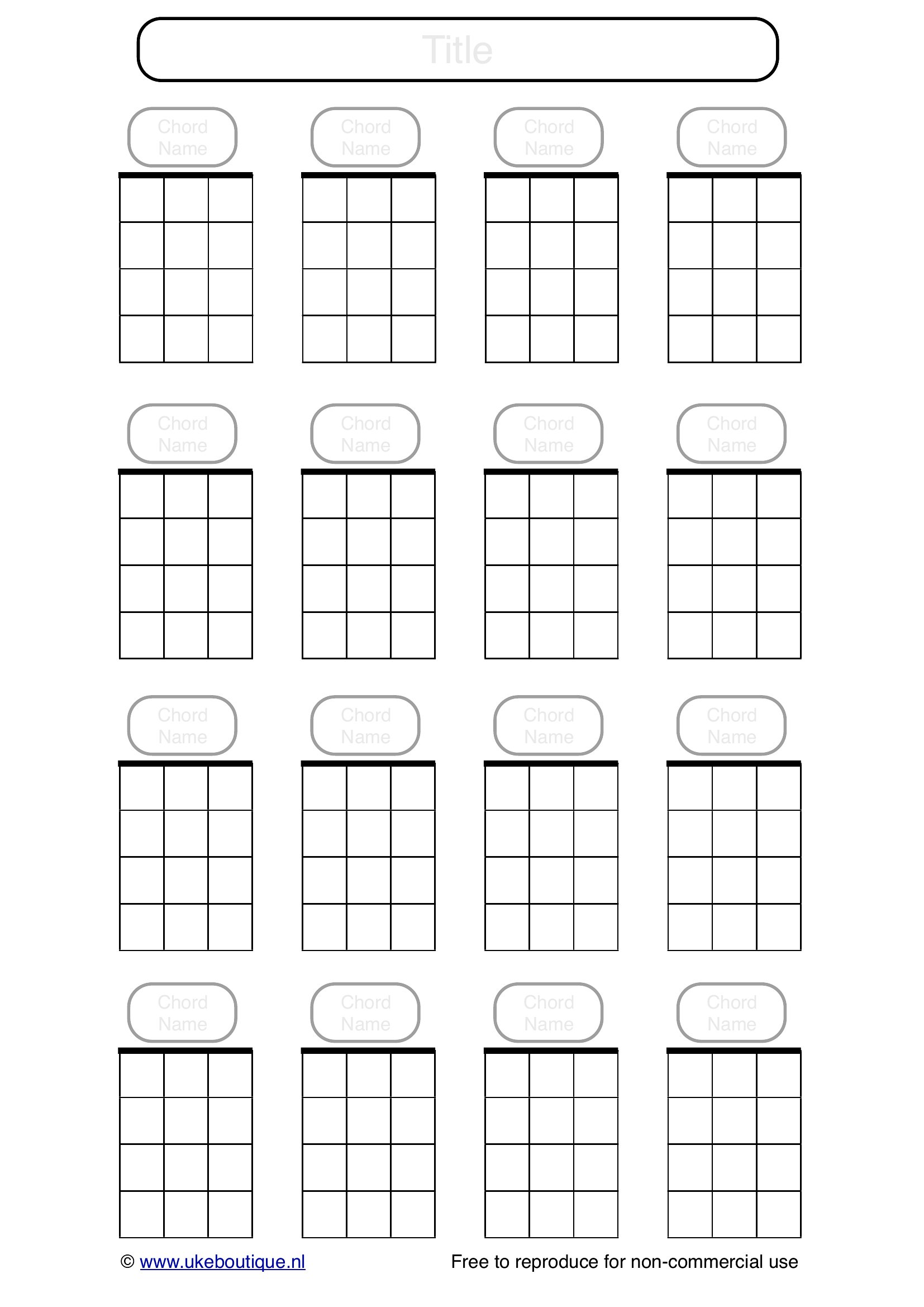
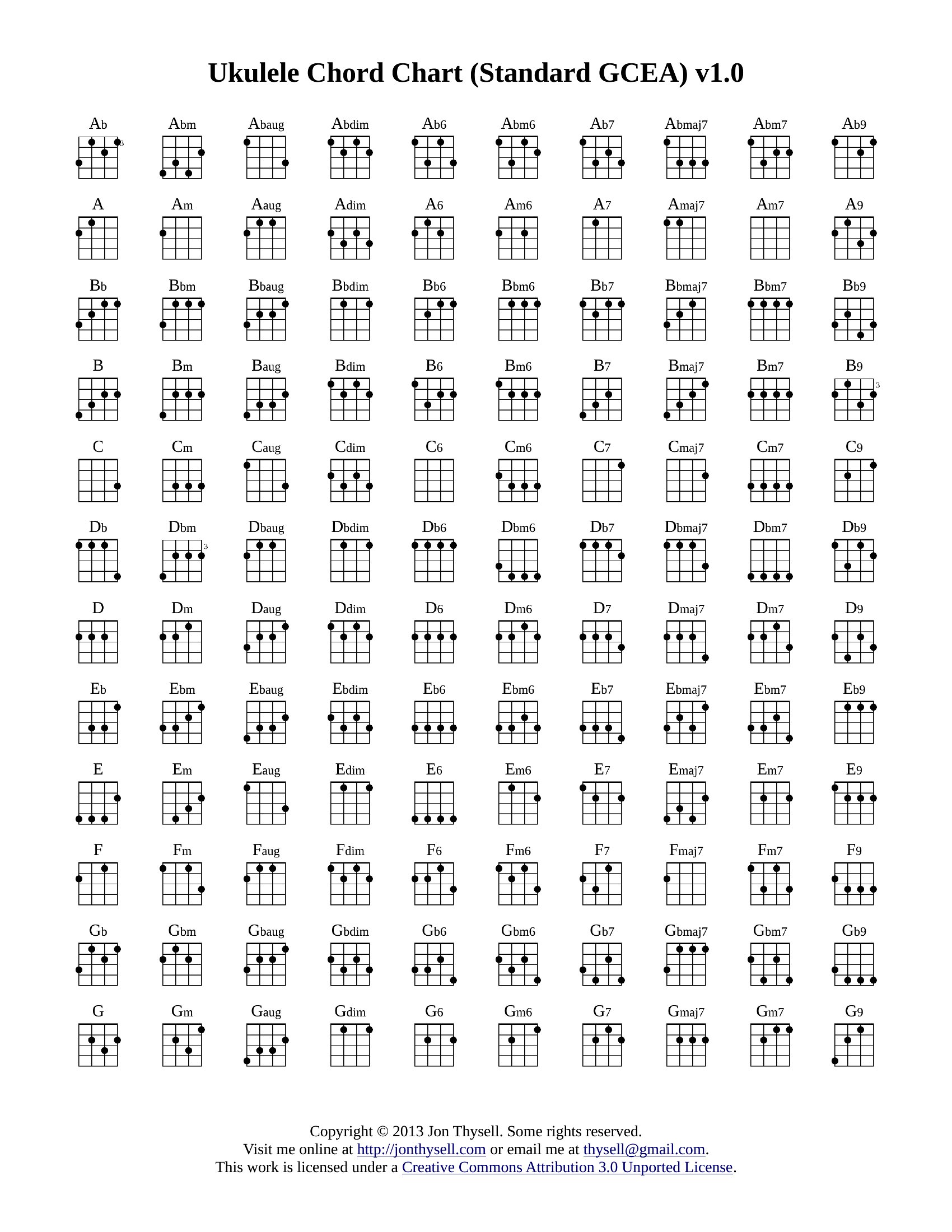
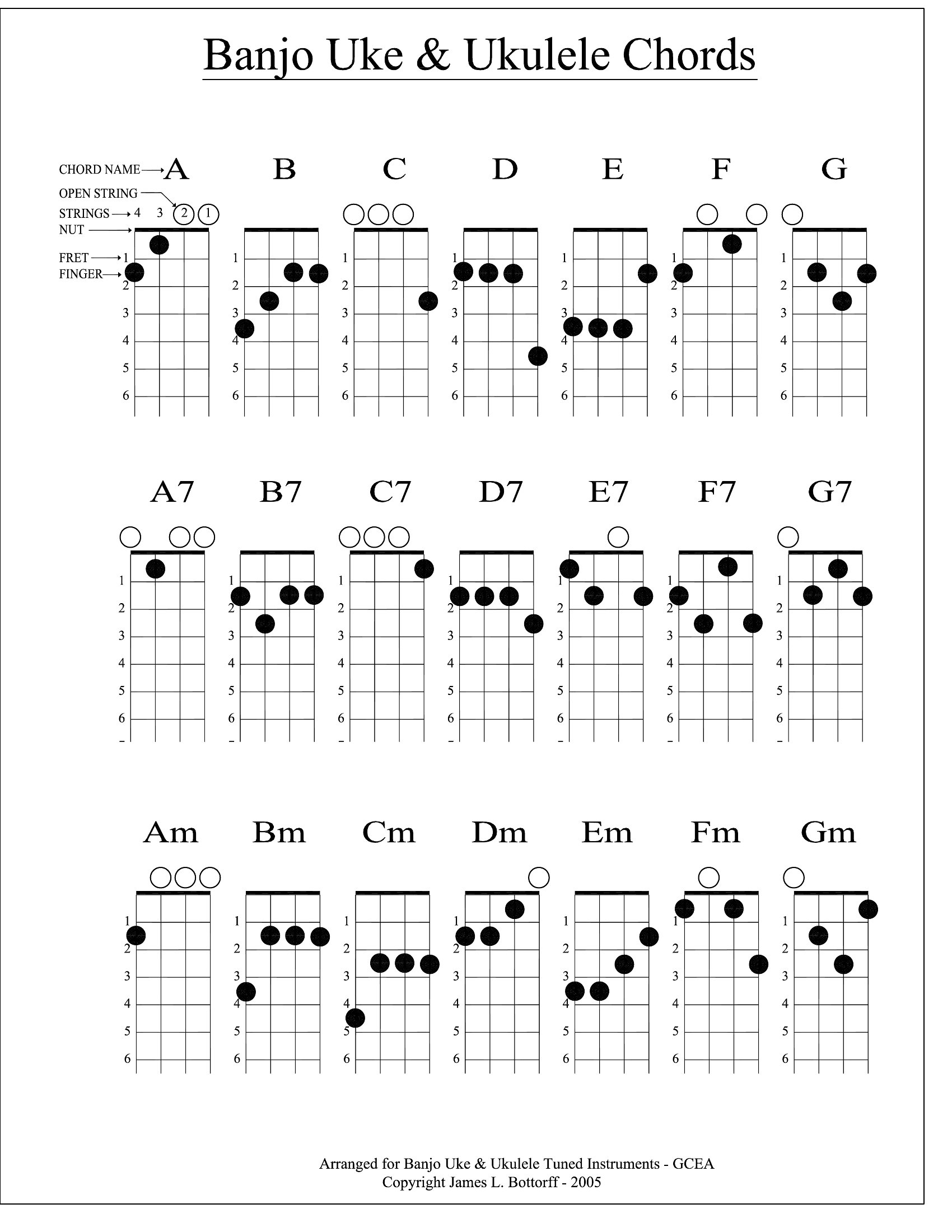
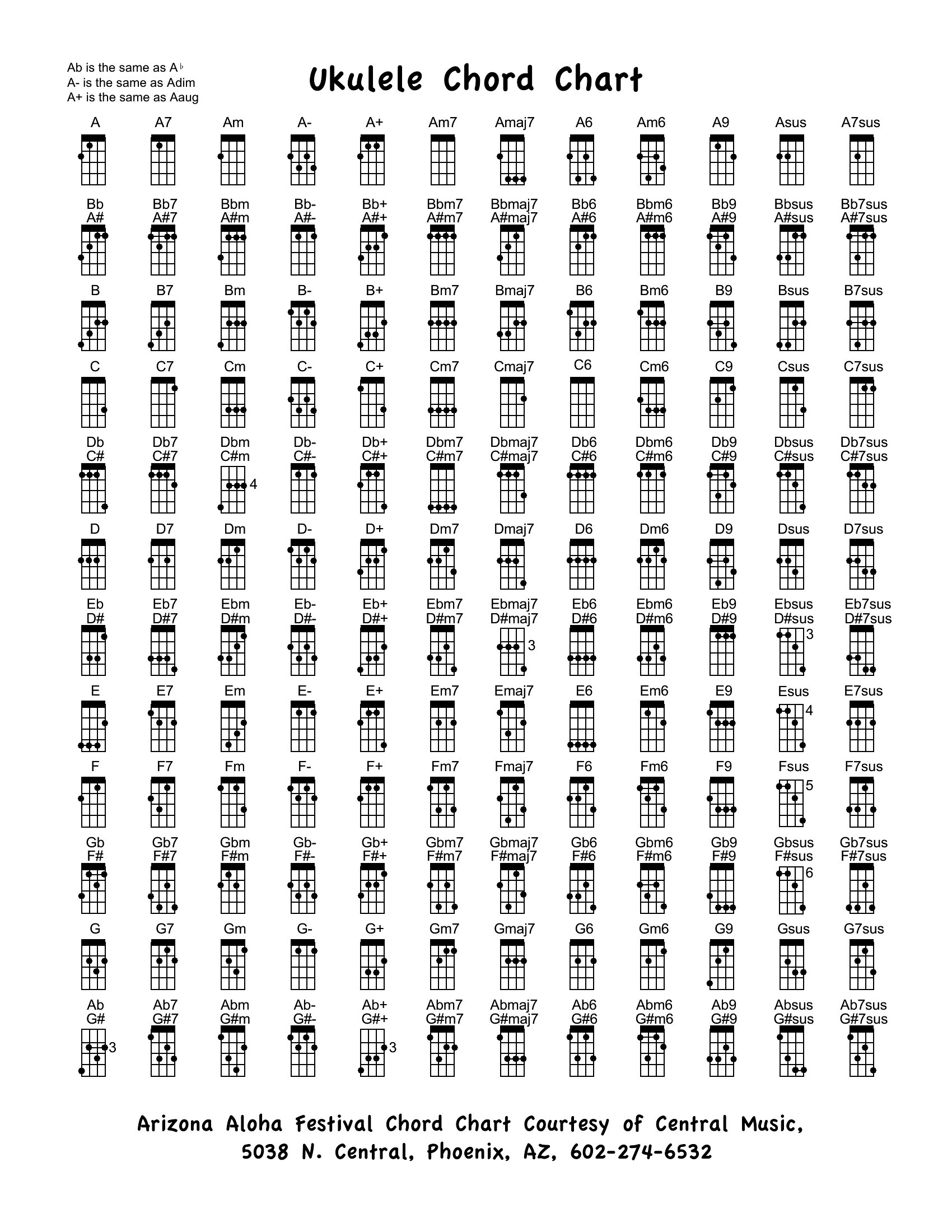
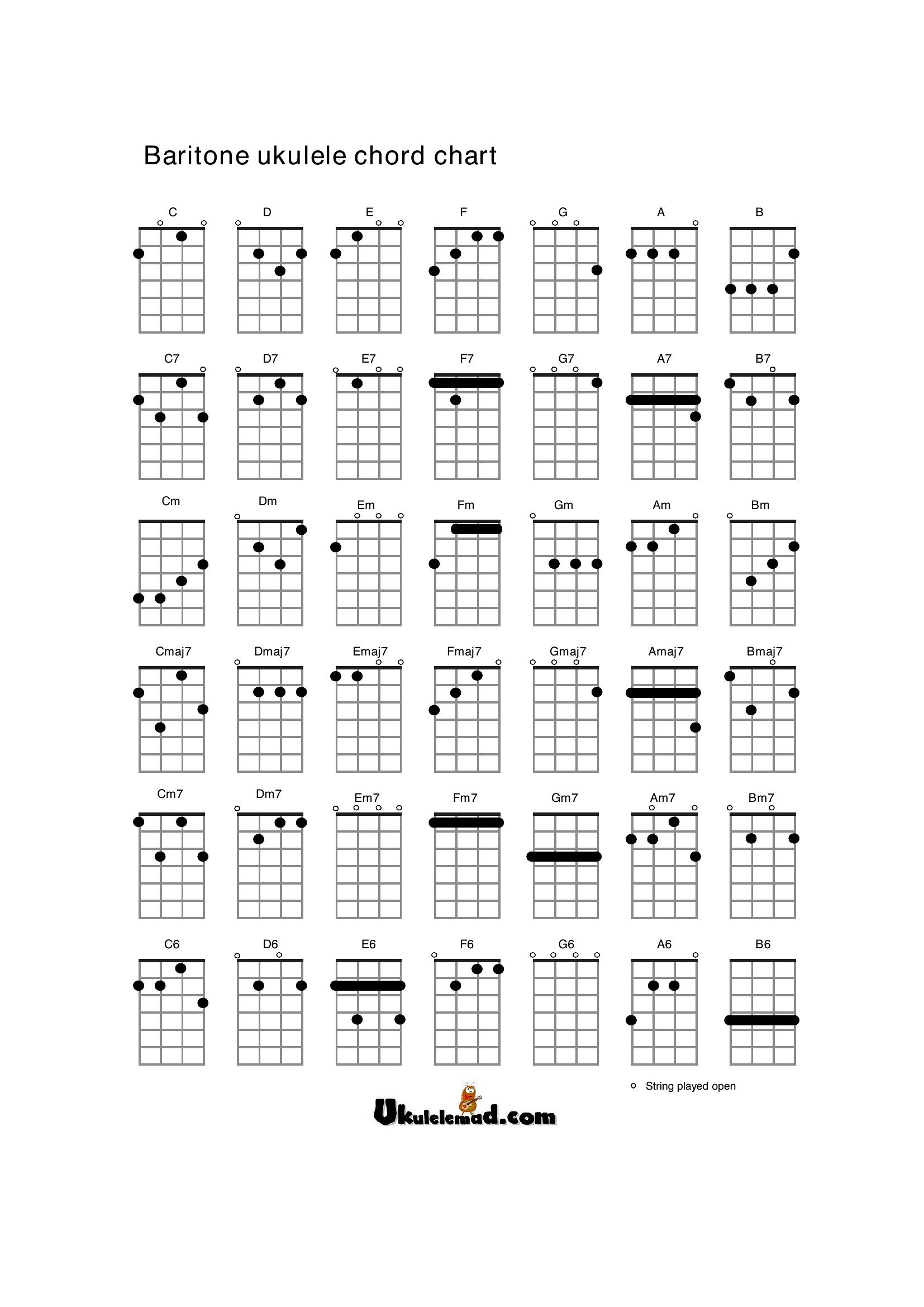
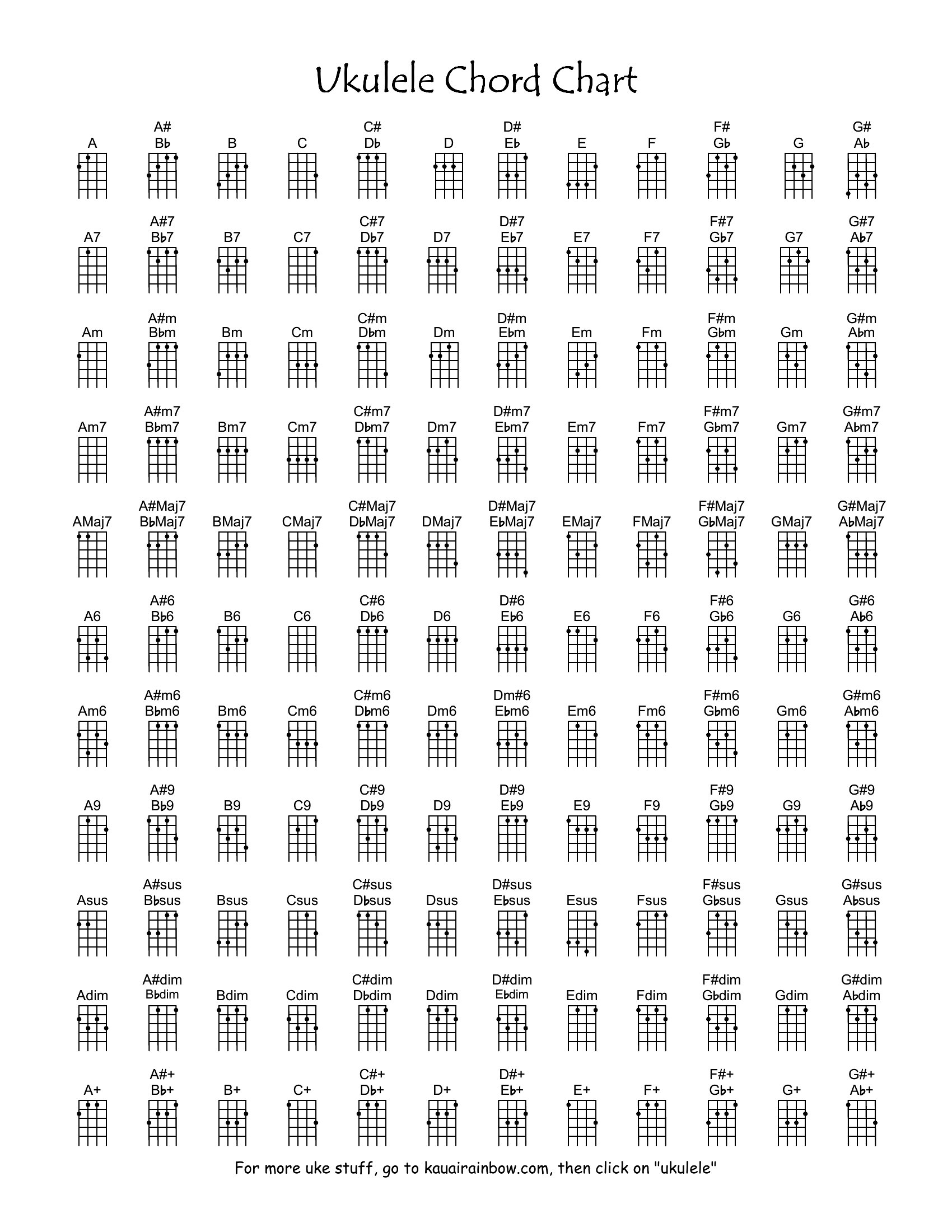
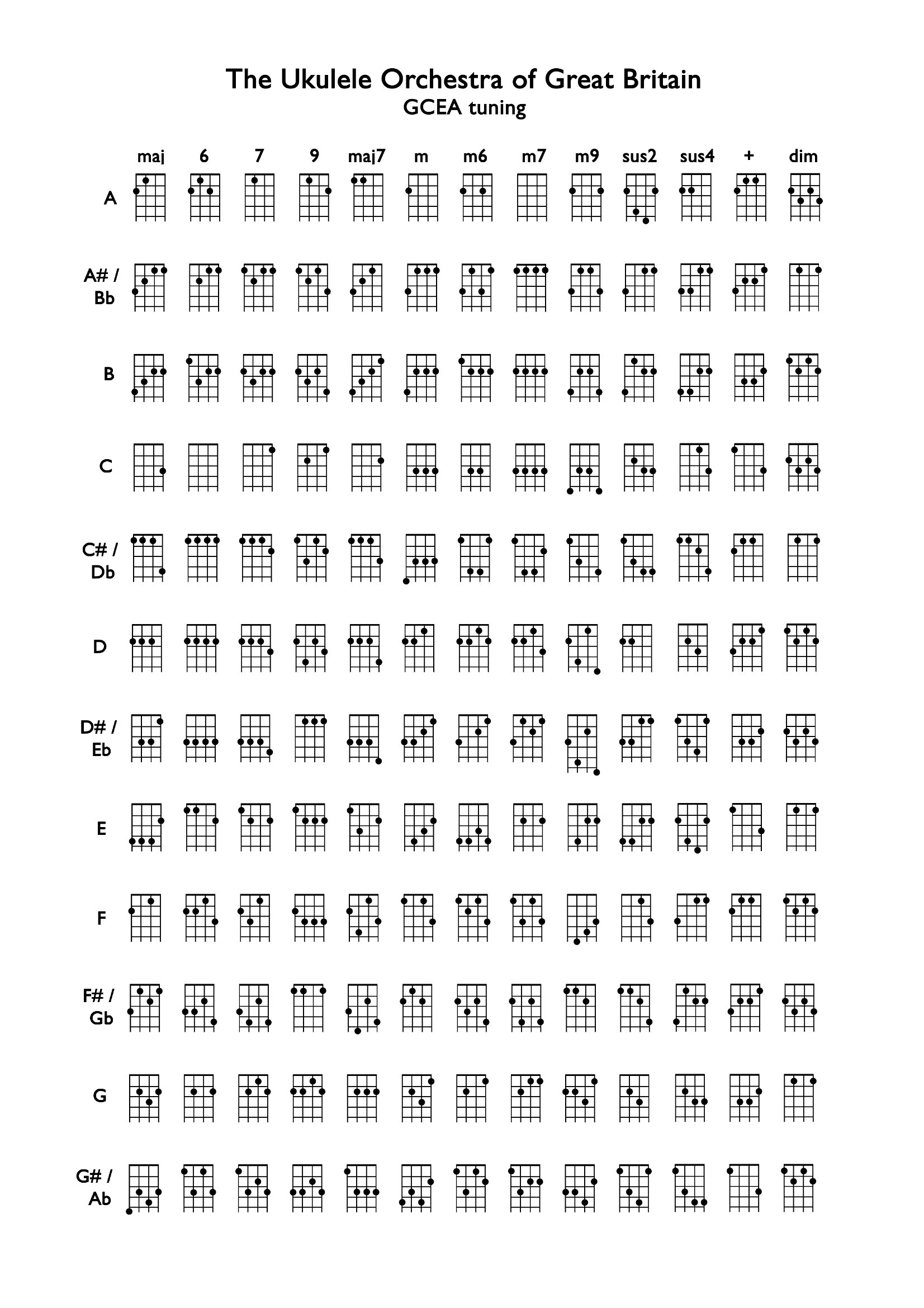
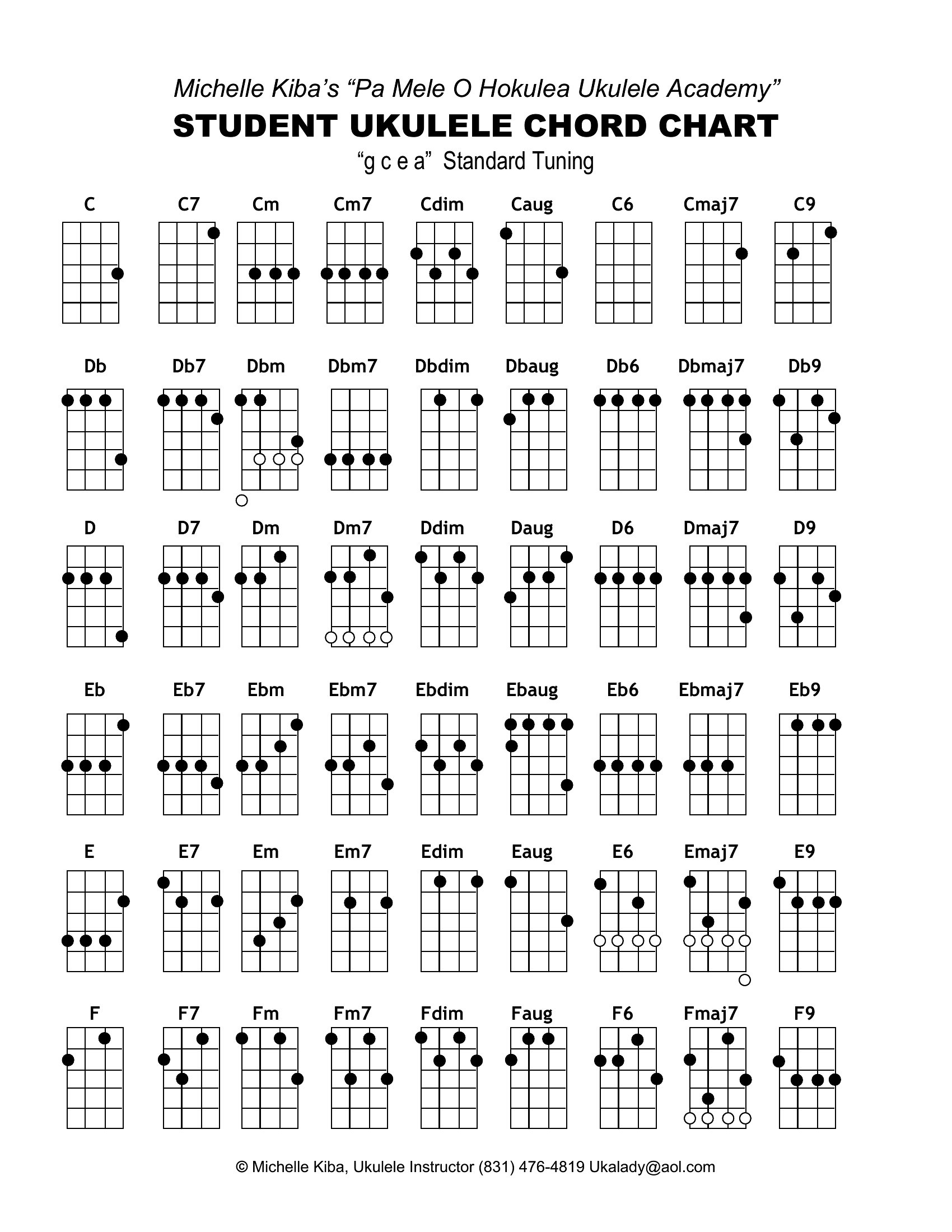
Yes, the fillable PDFs let you type in custom chord names or annotations, but the core diagram layout stays fixed for accuracy. Use them to highlight your favorite progressions or add finger positioning tips. Just avoid altering the fretboard or string visuals to keep the reference reliable.
How do I decide which chord chart to download if I’m just starting out?
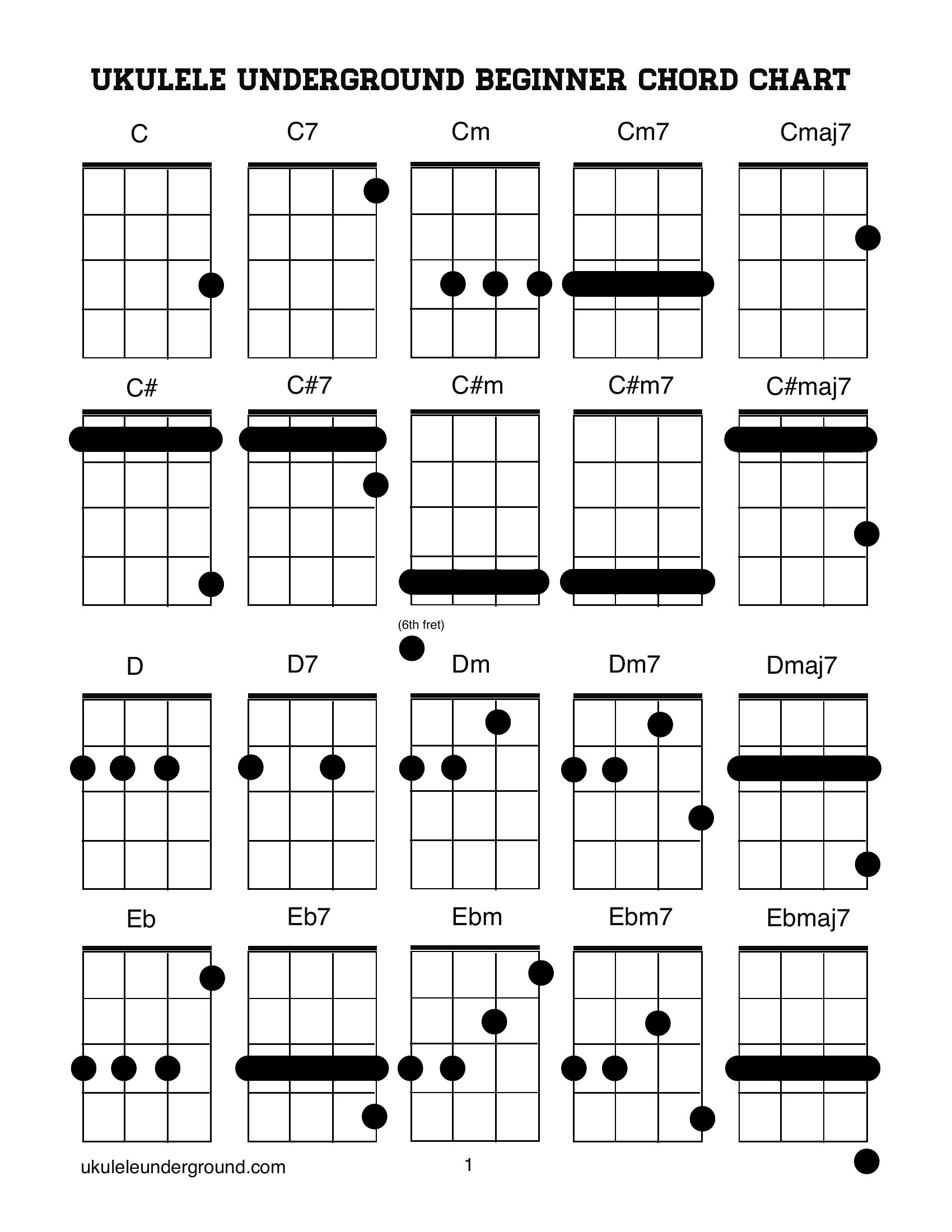
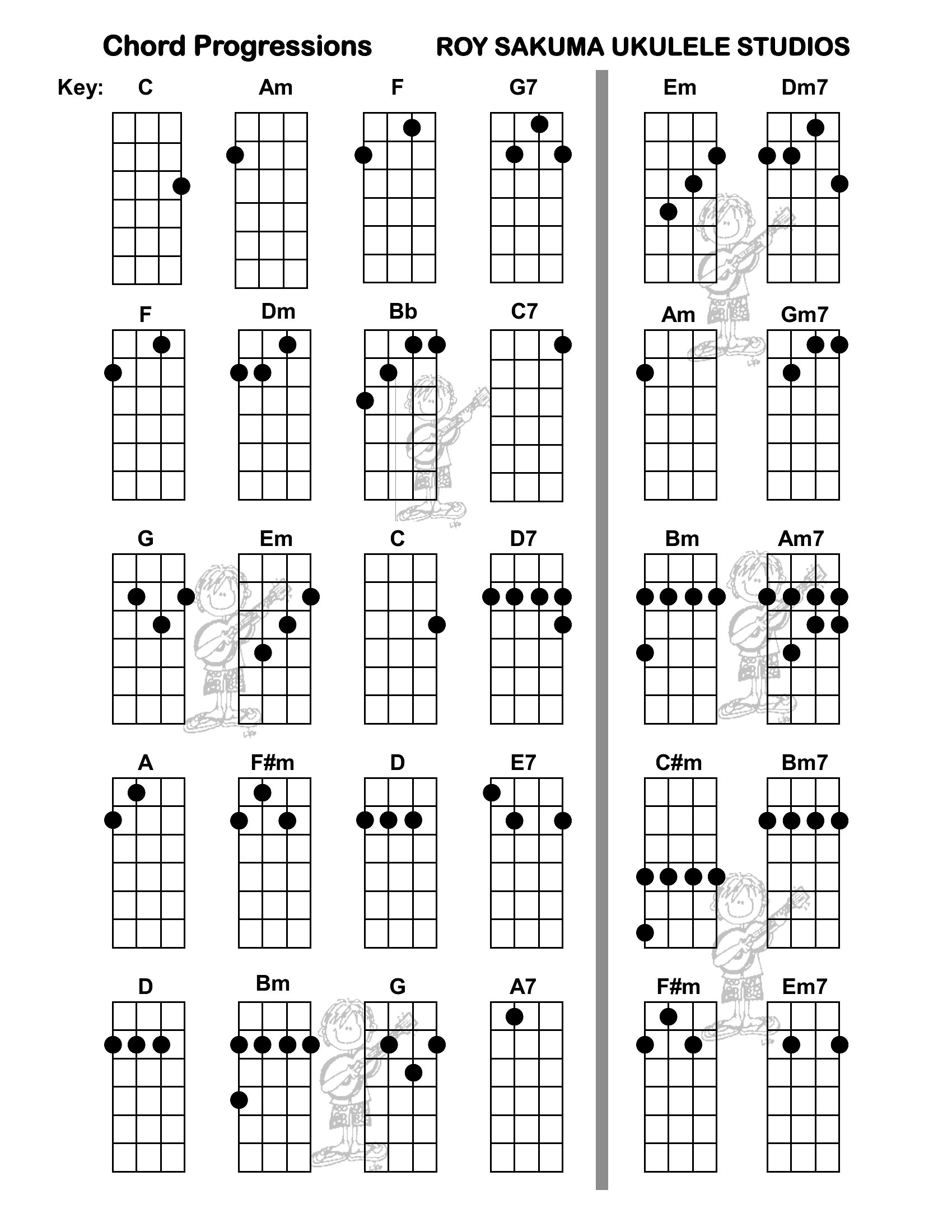
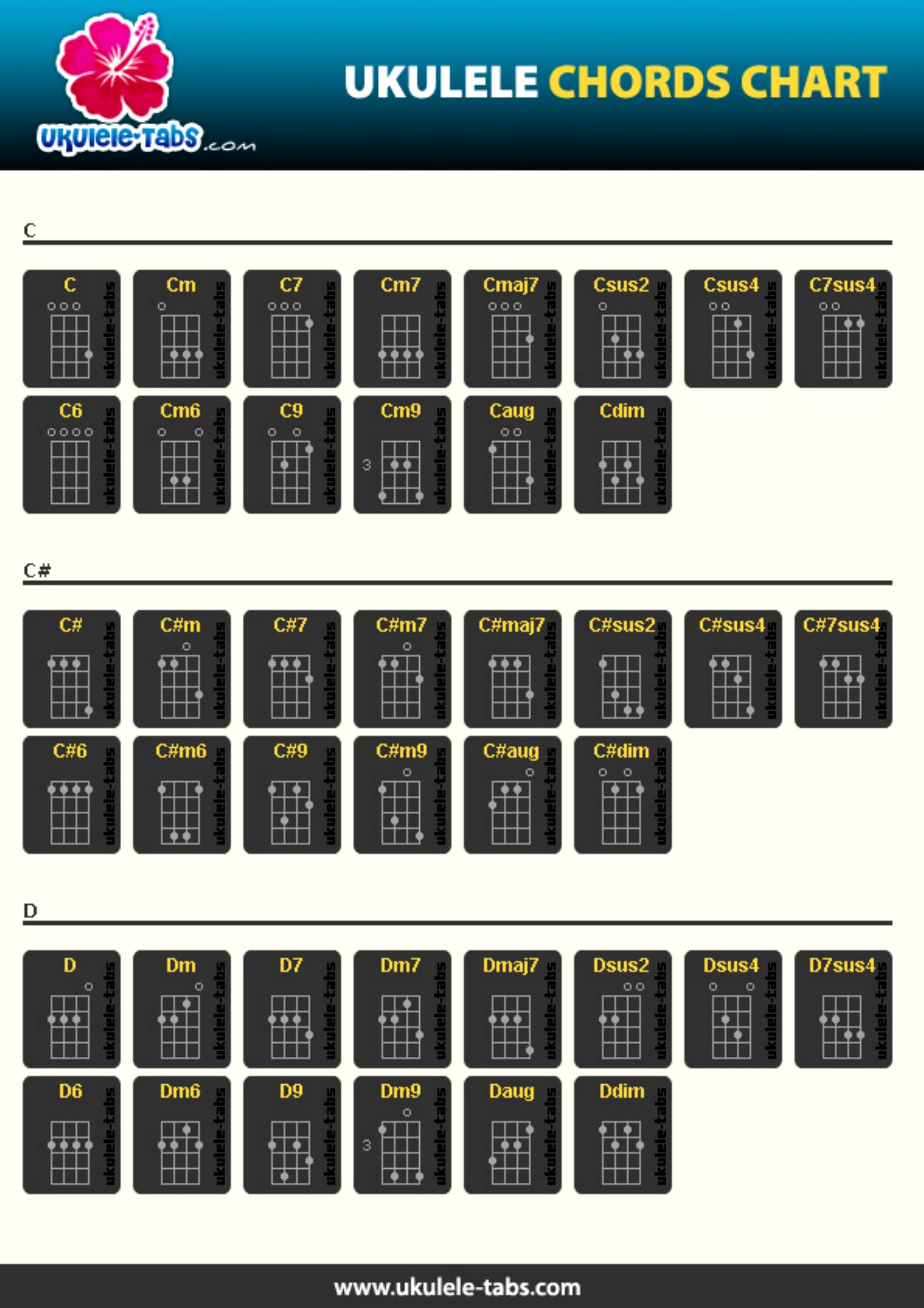
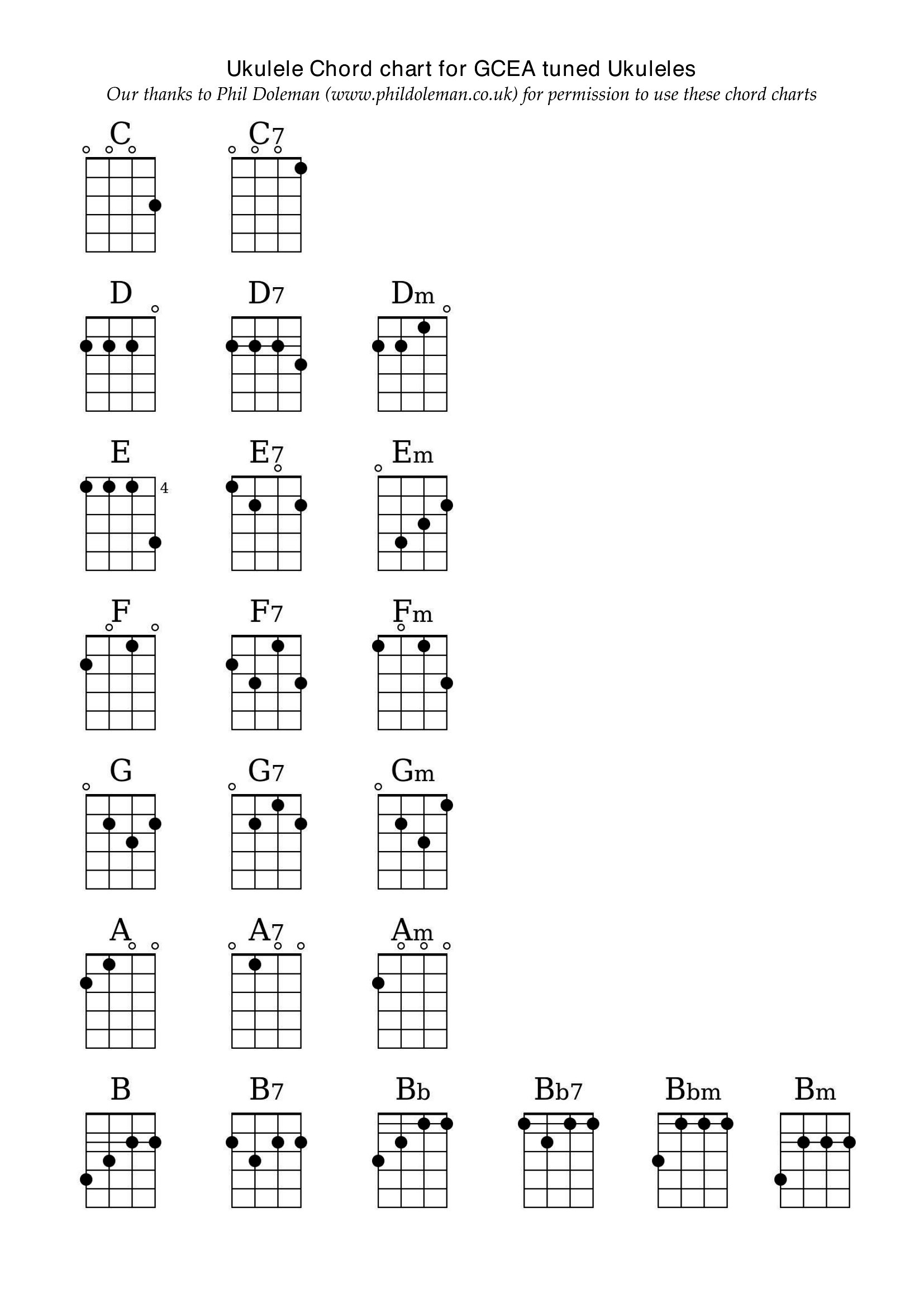
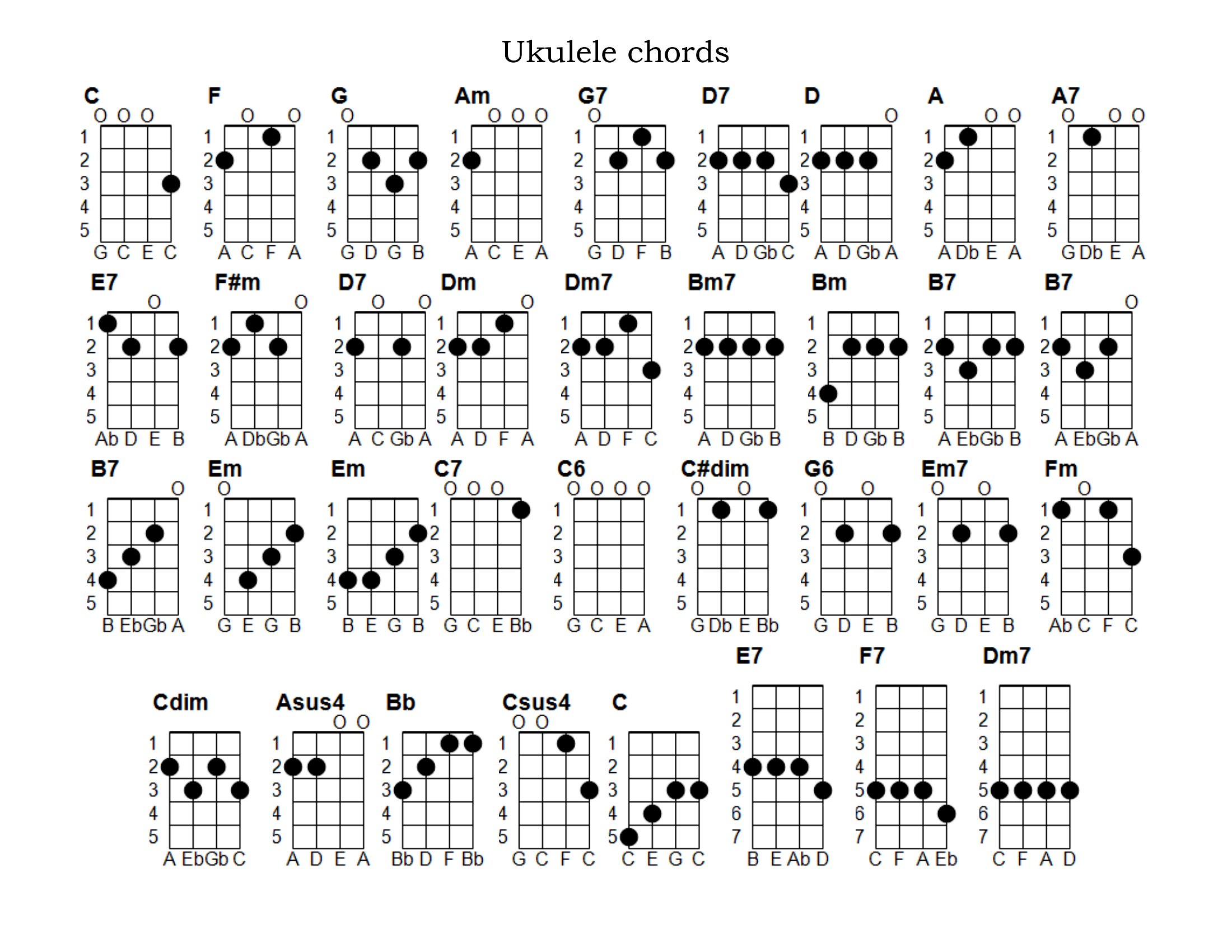
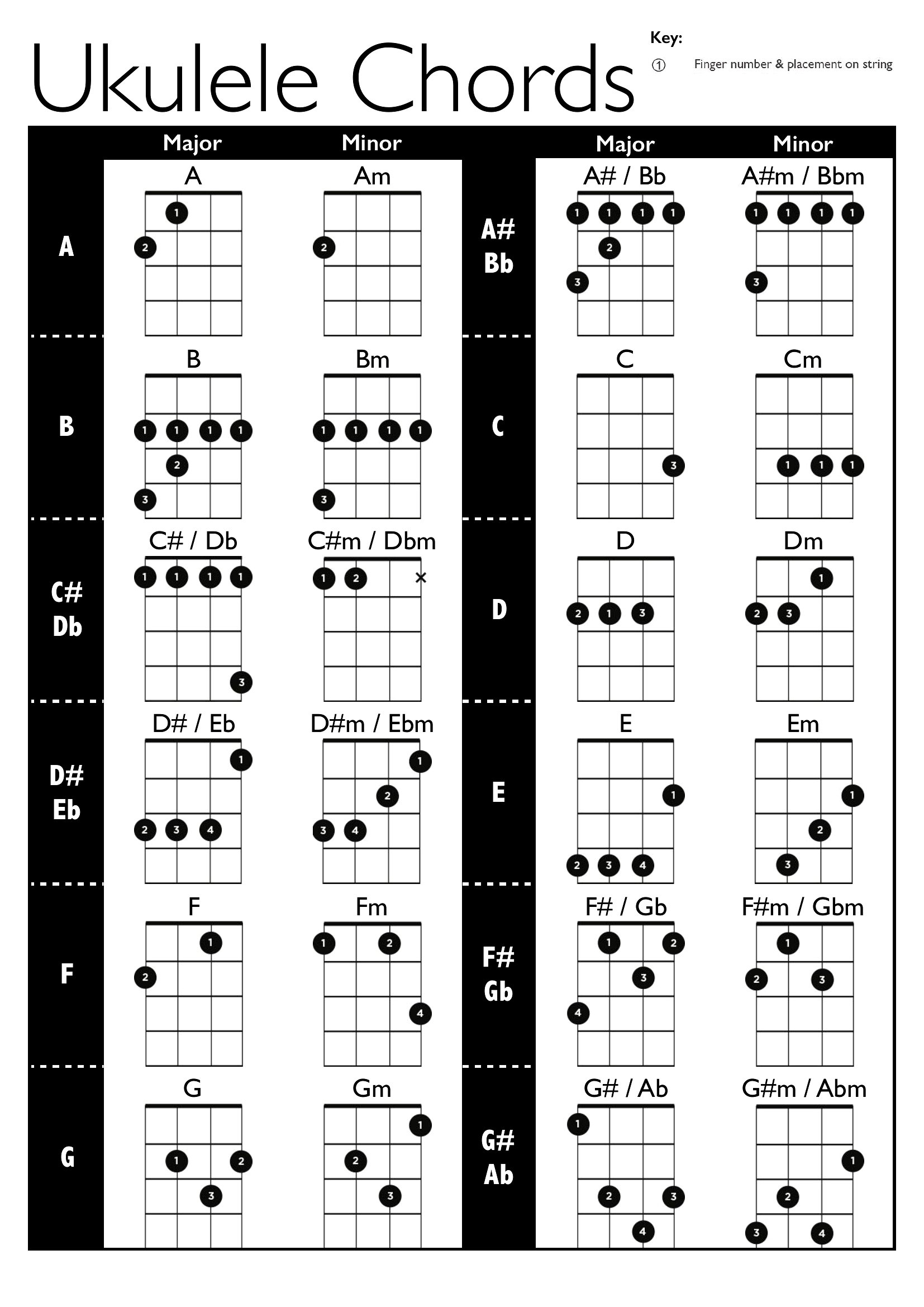
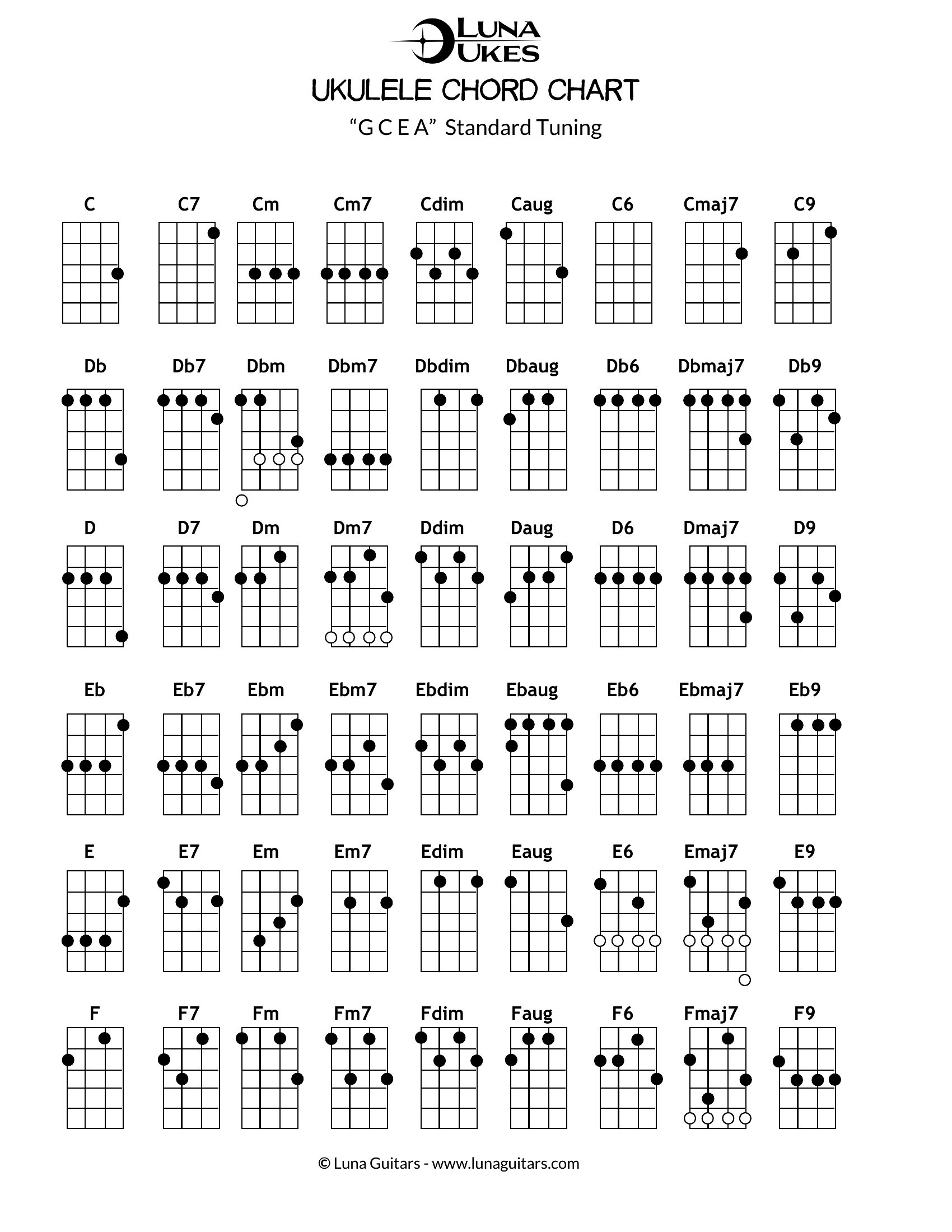
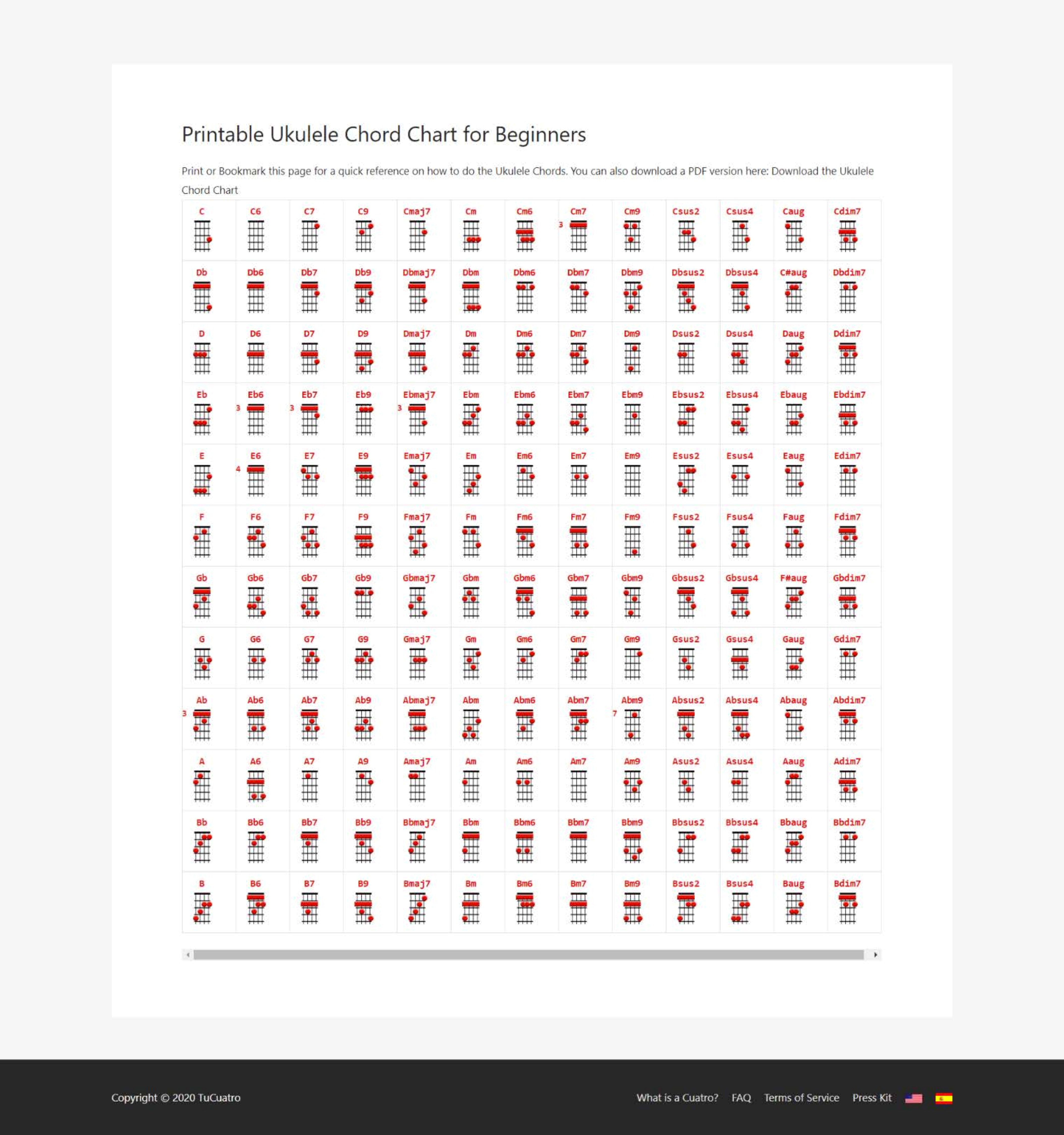
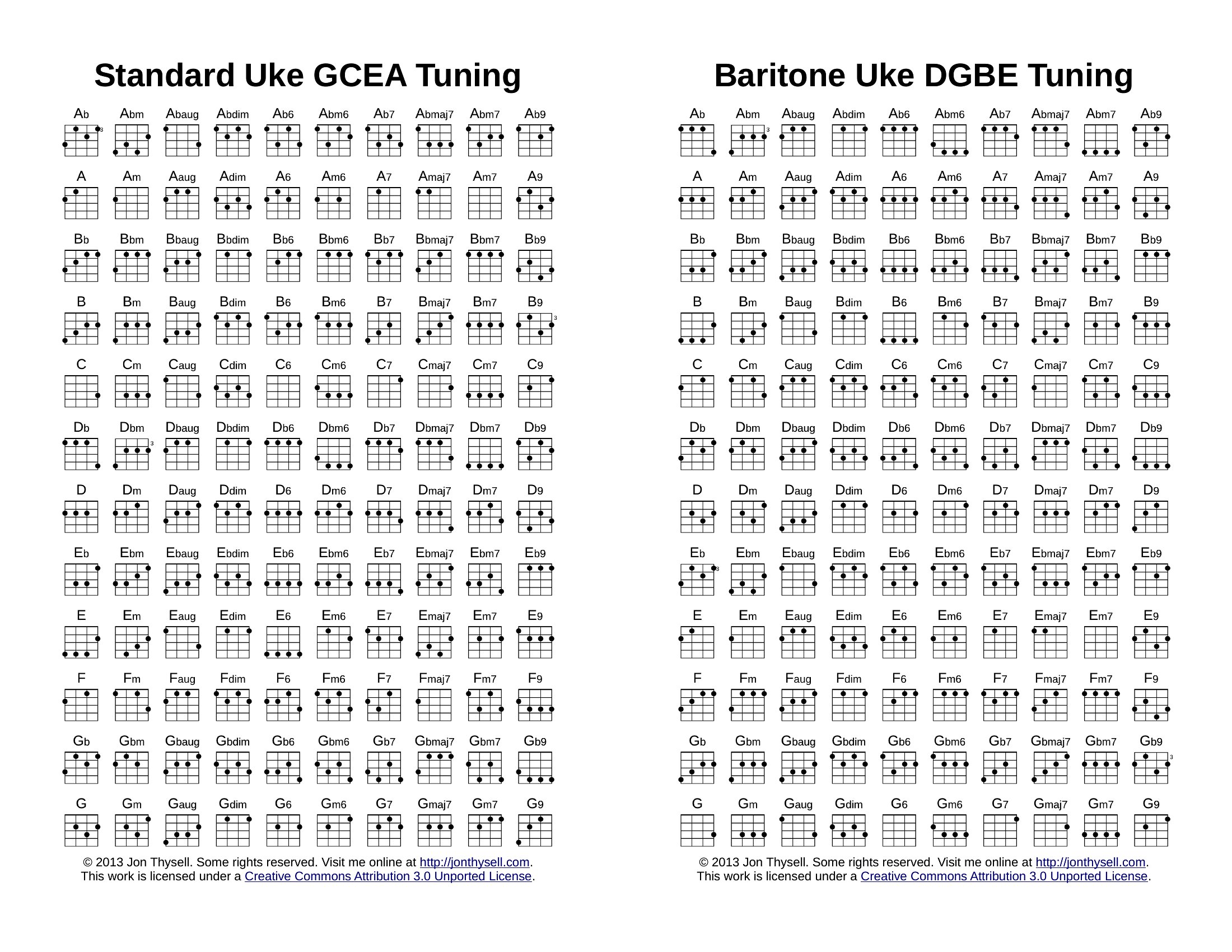
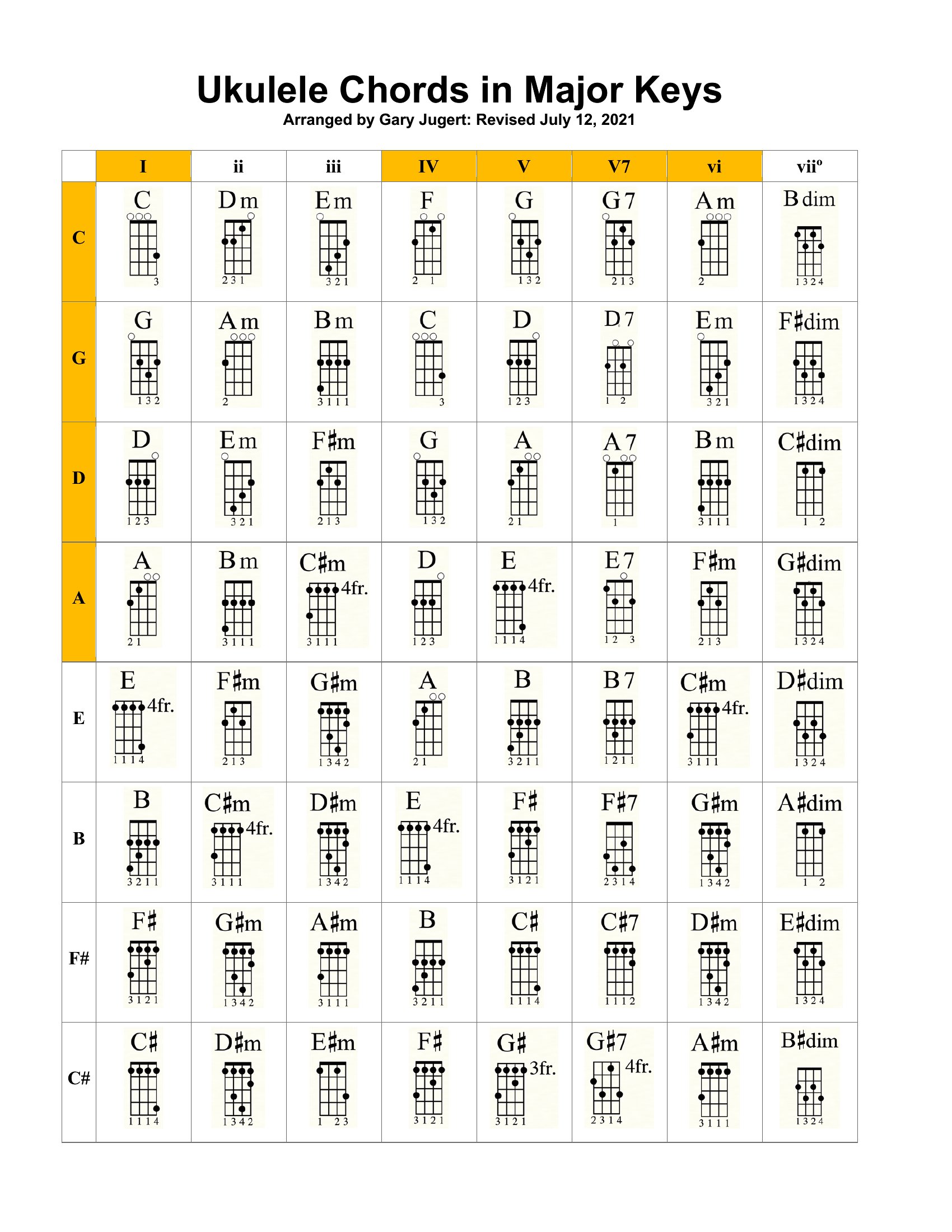
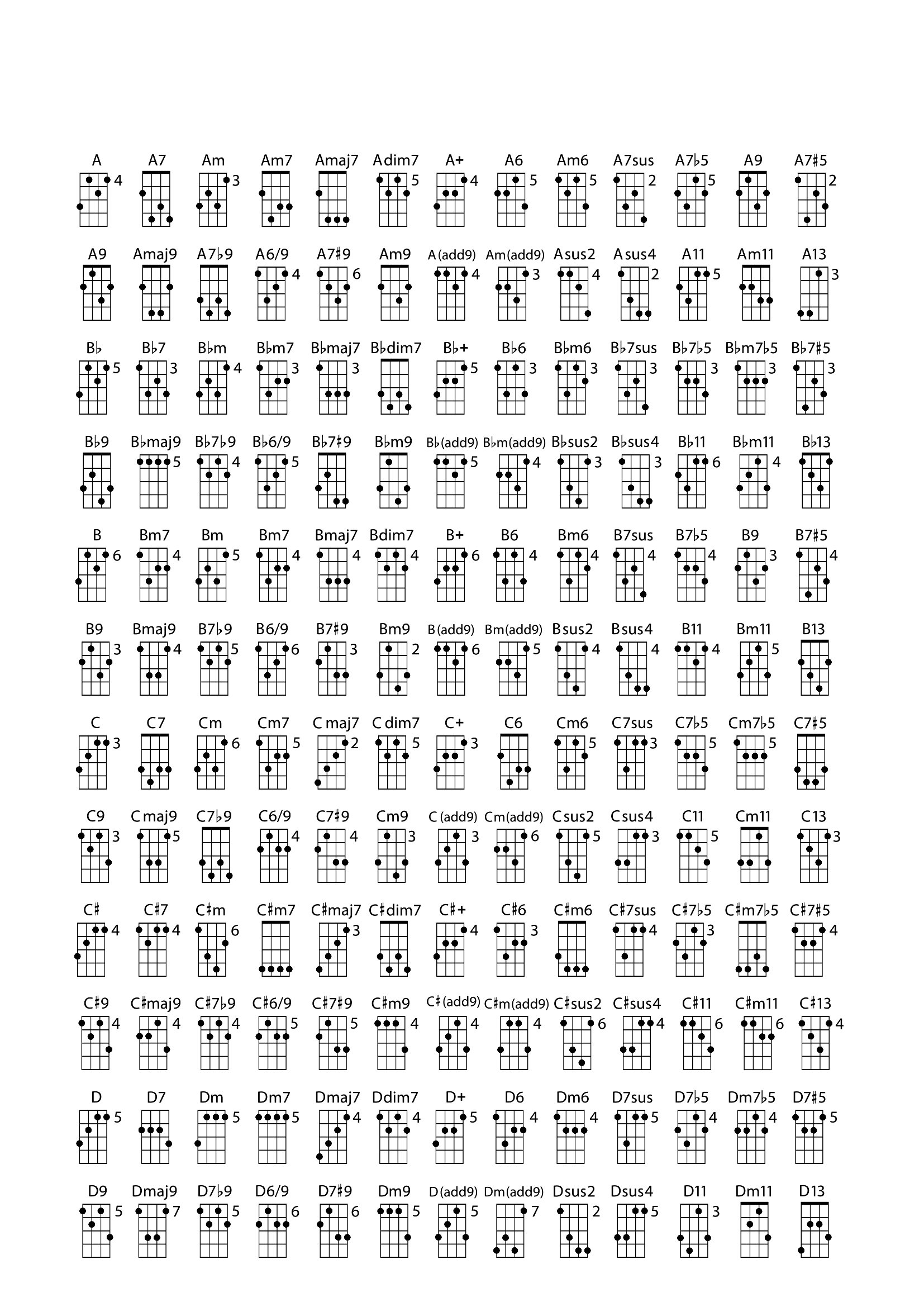
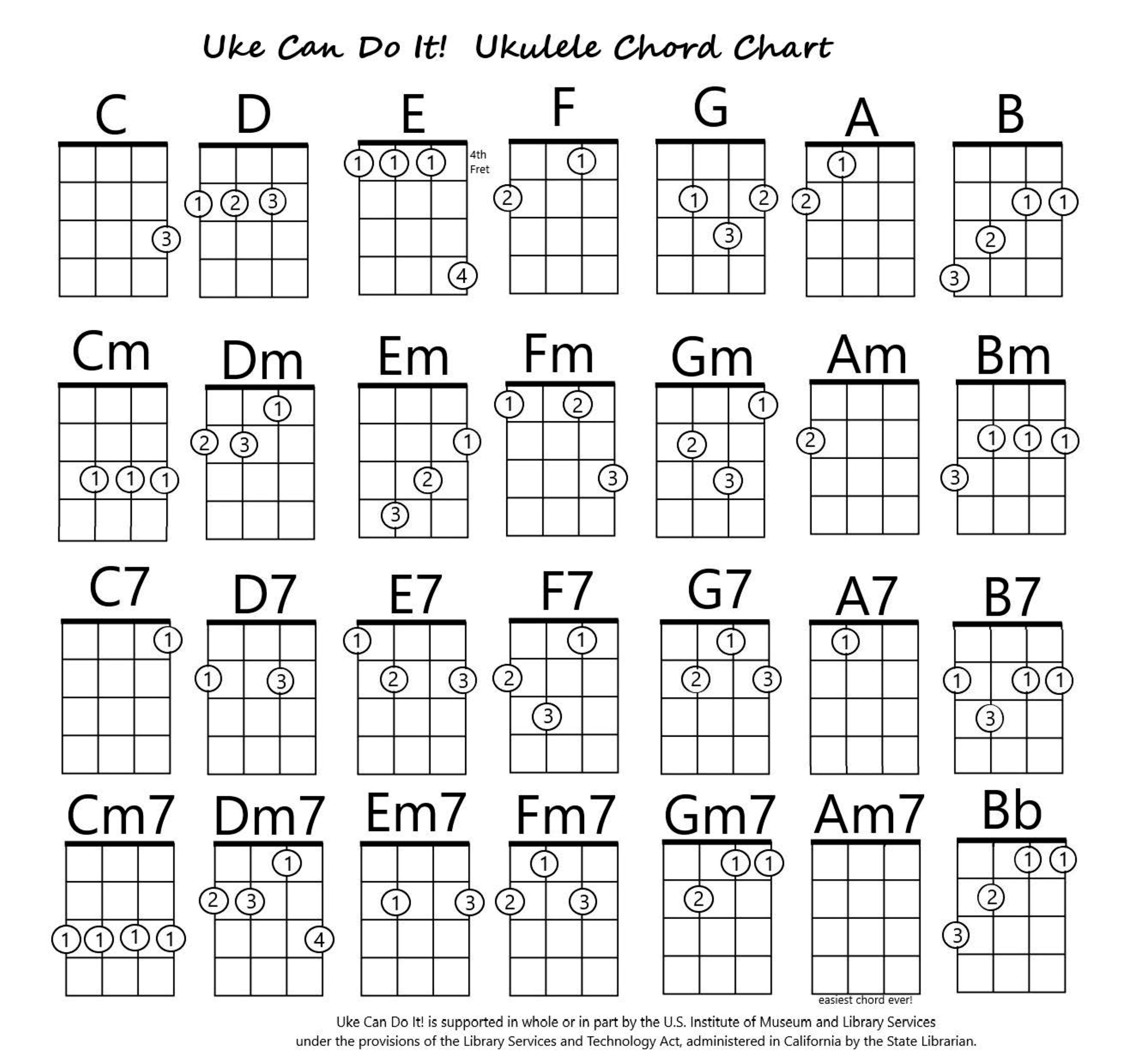
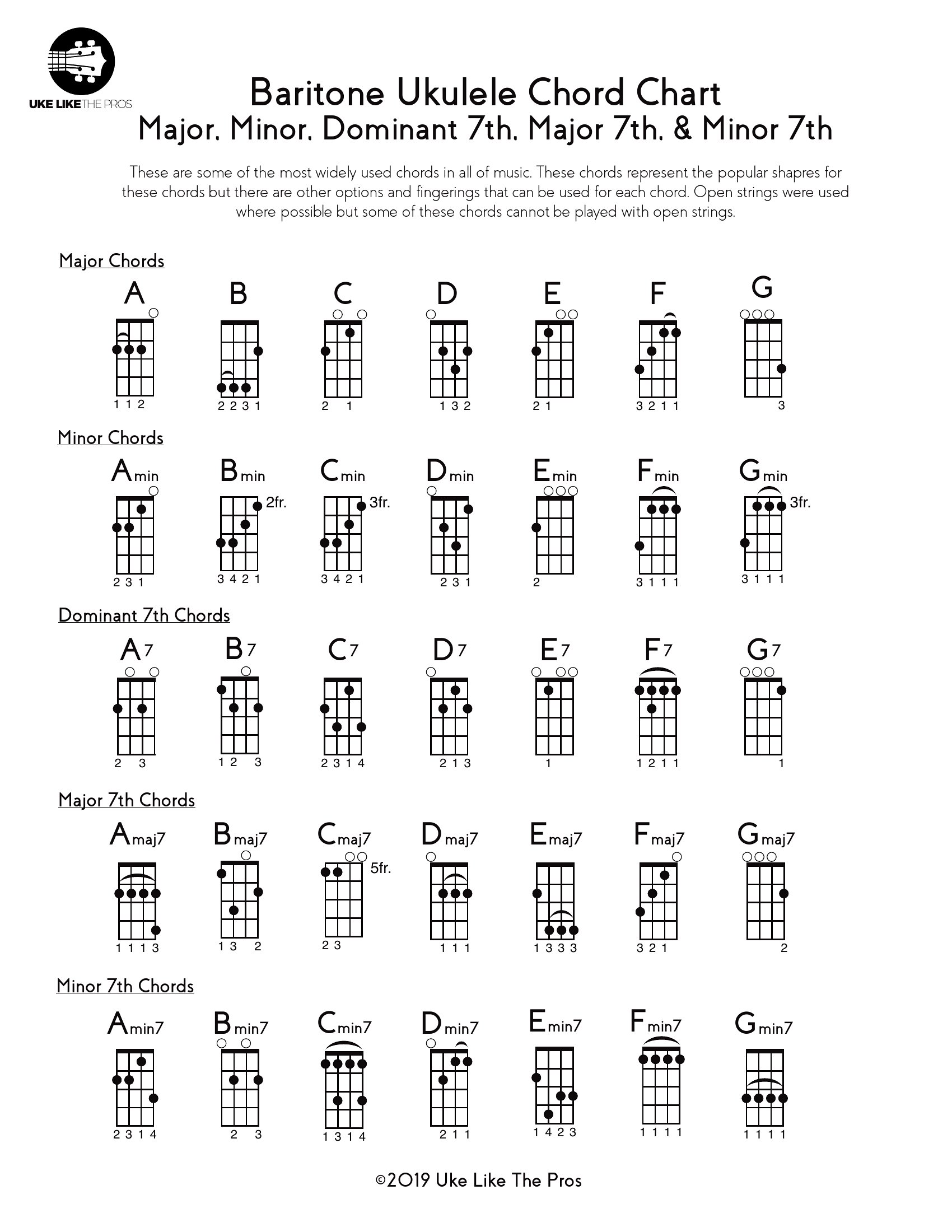
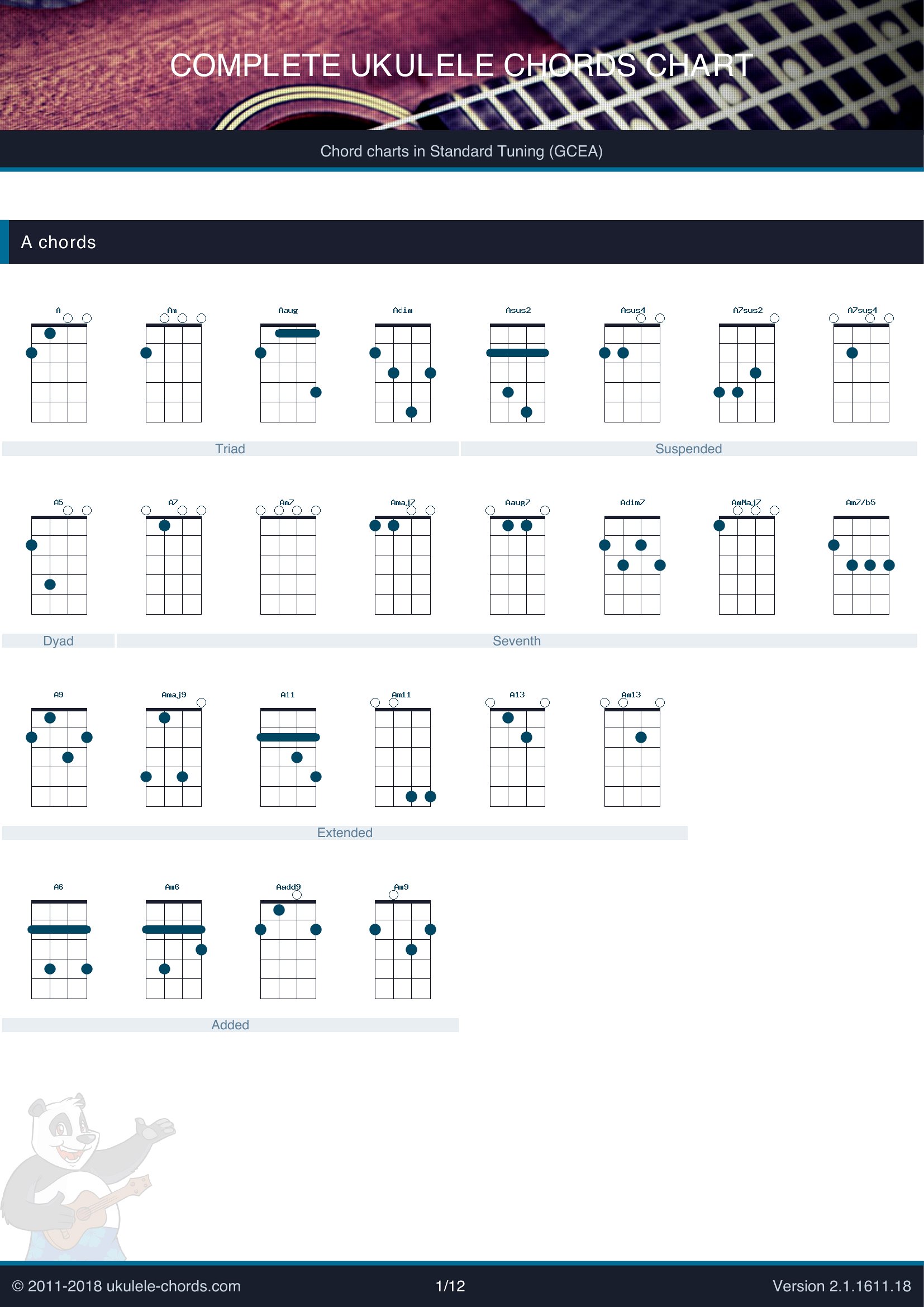
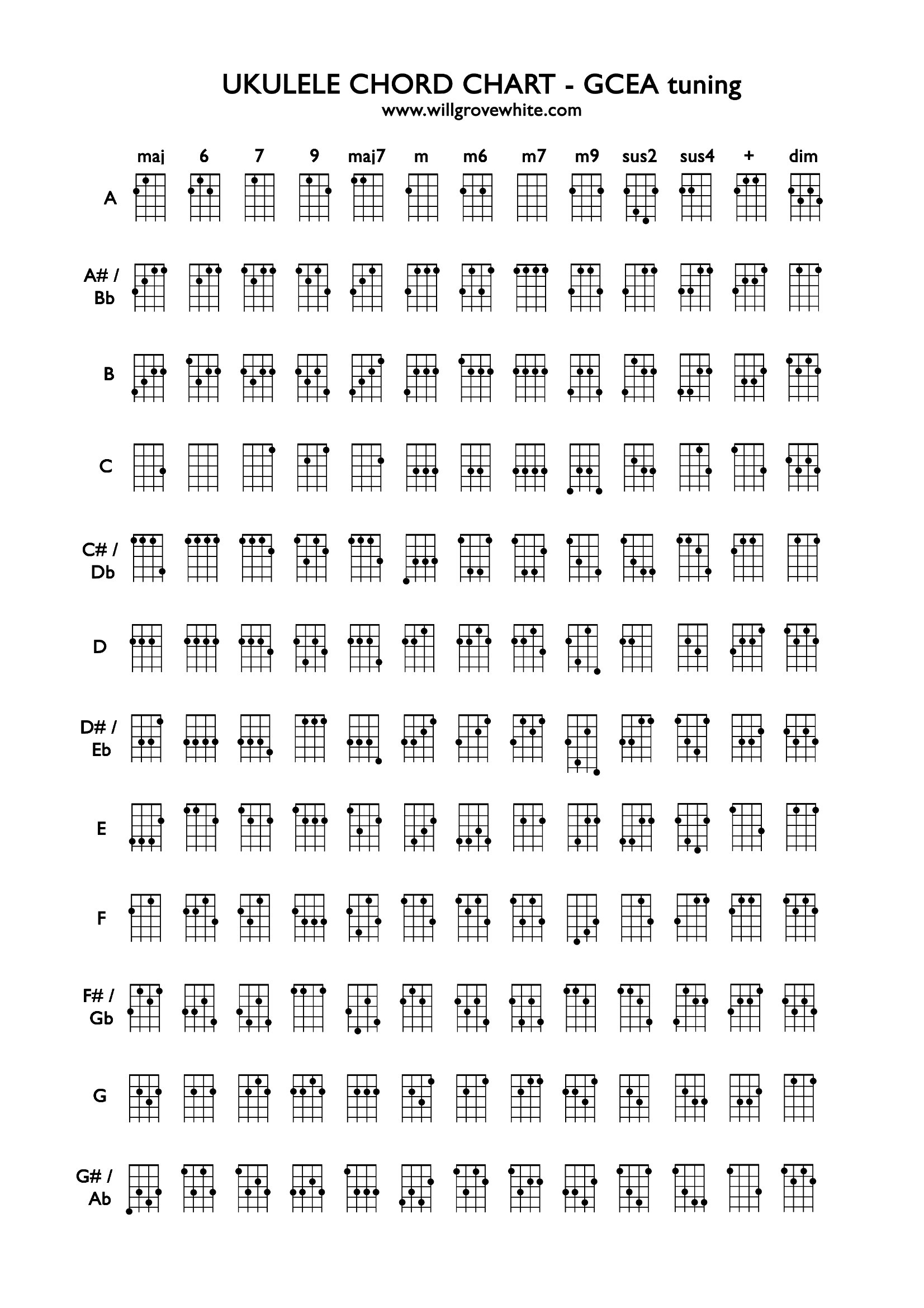
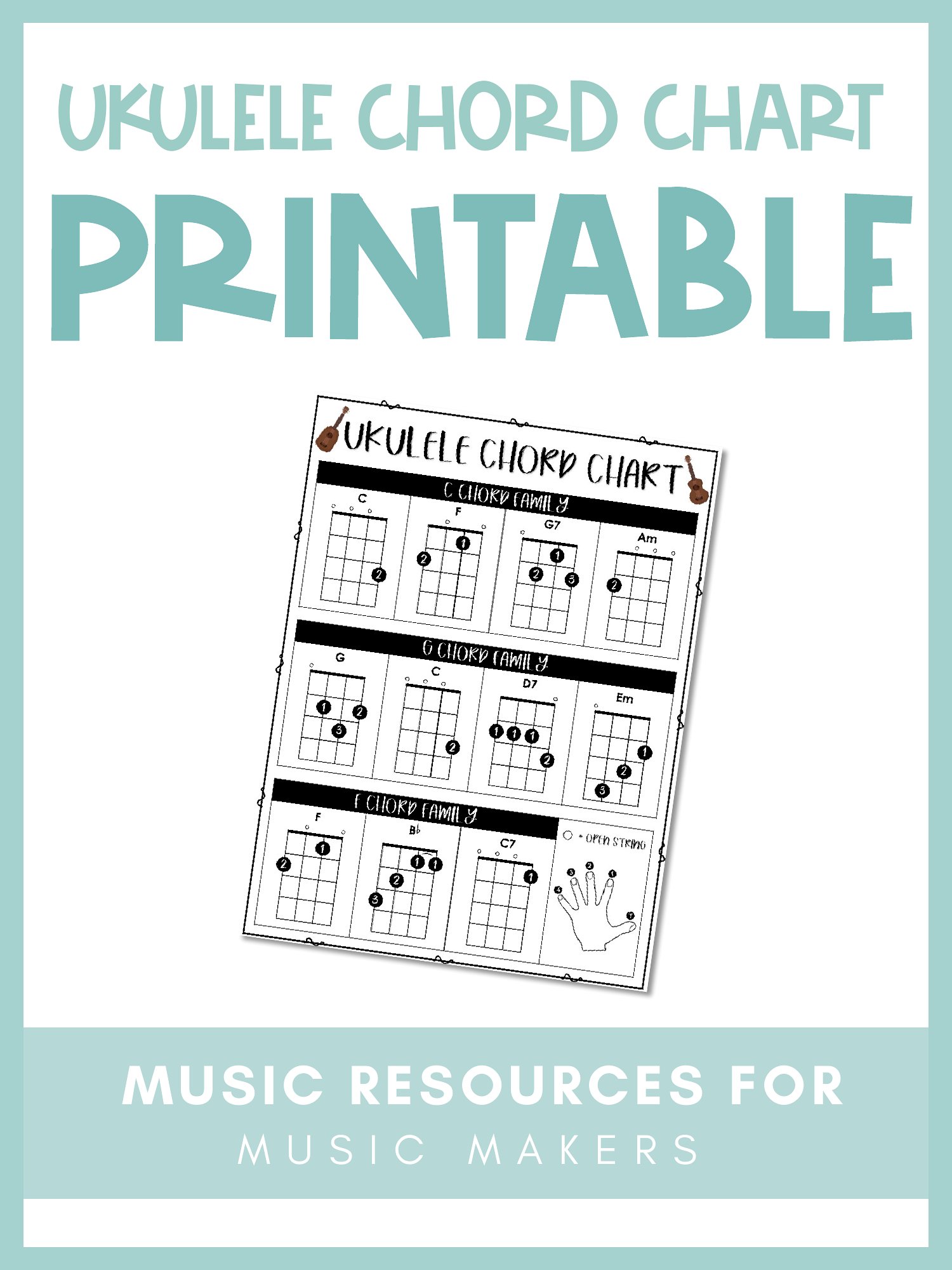
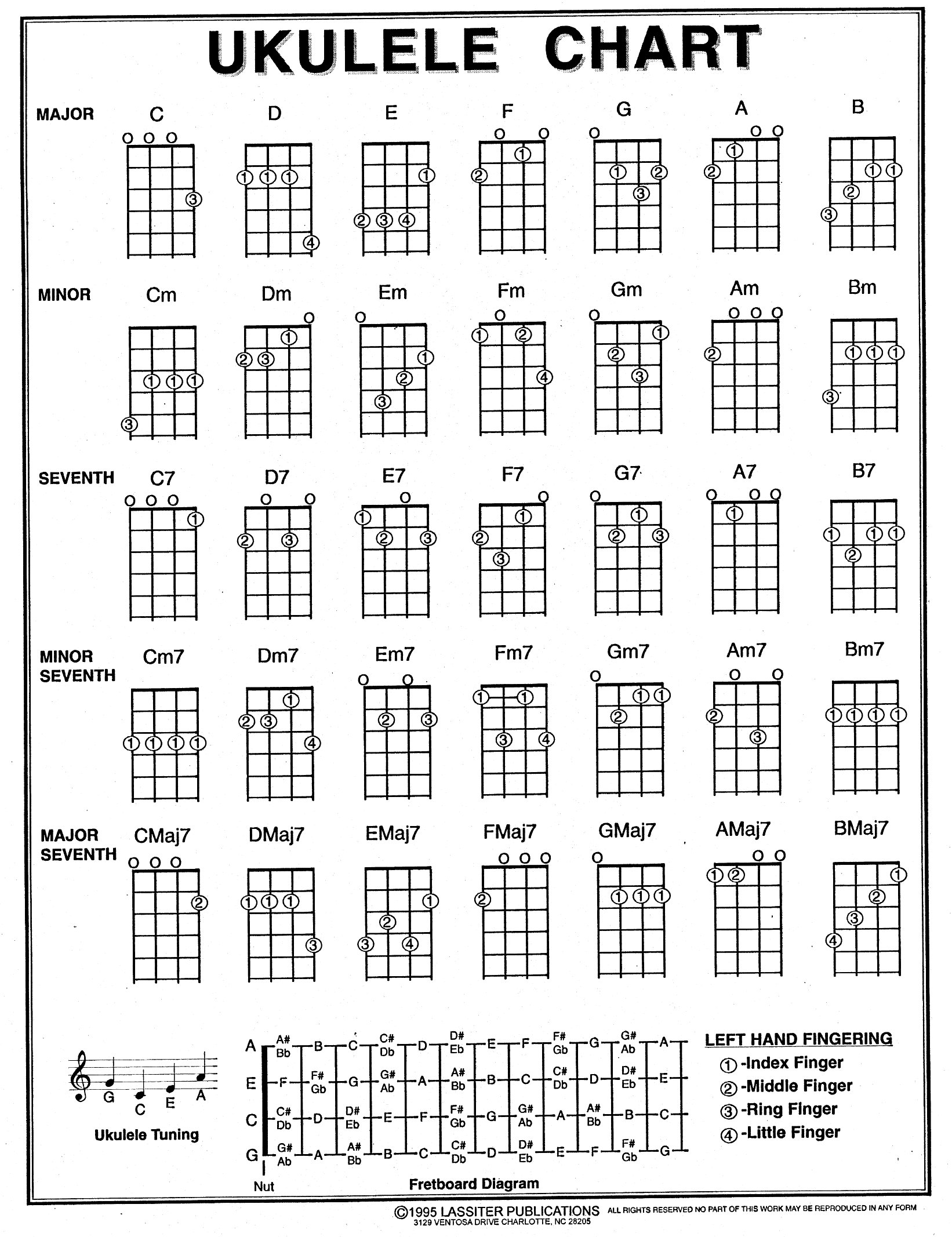
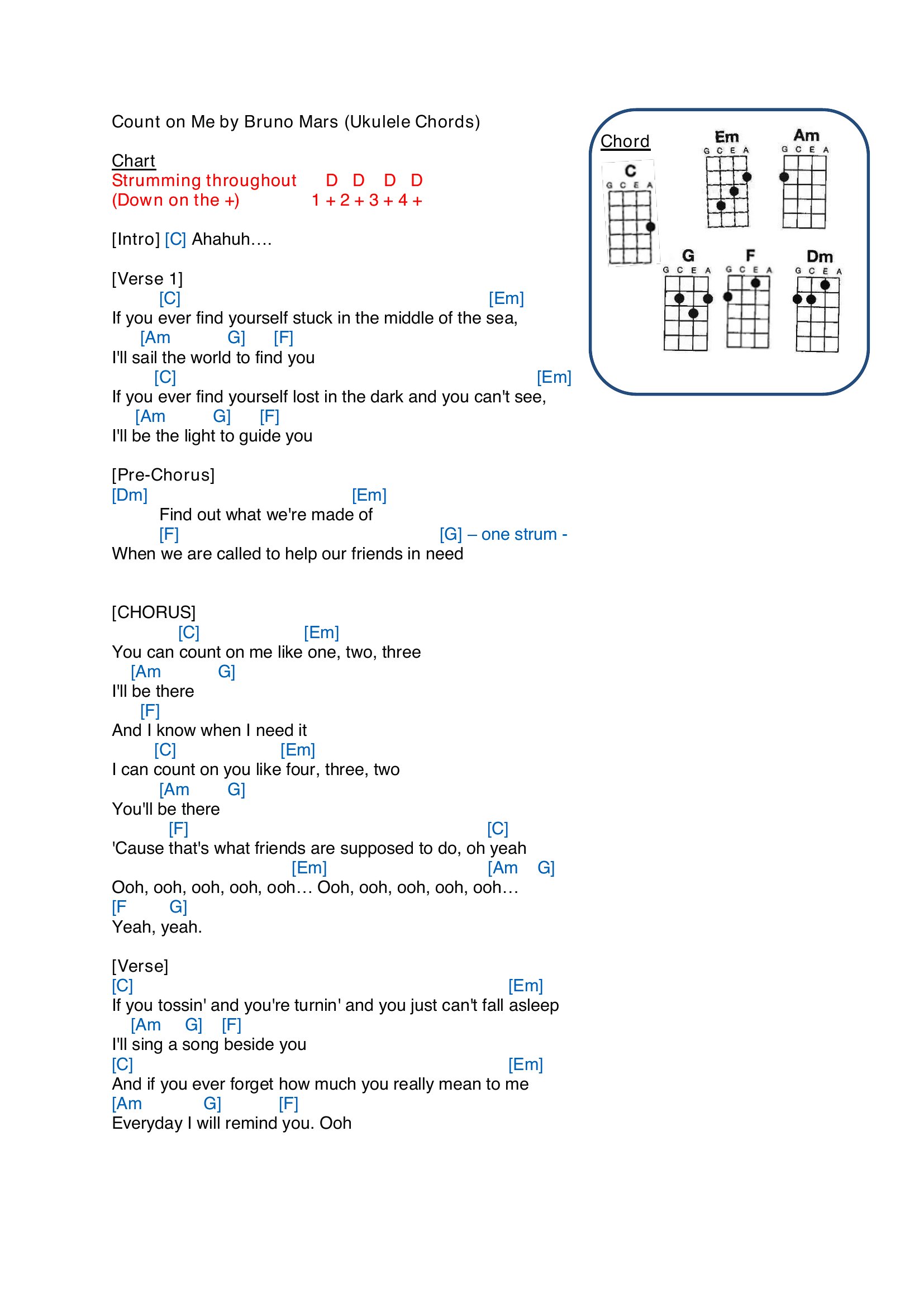
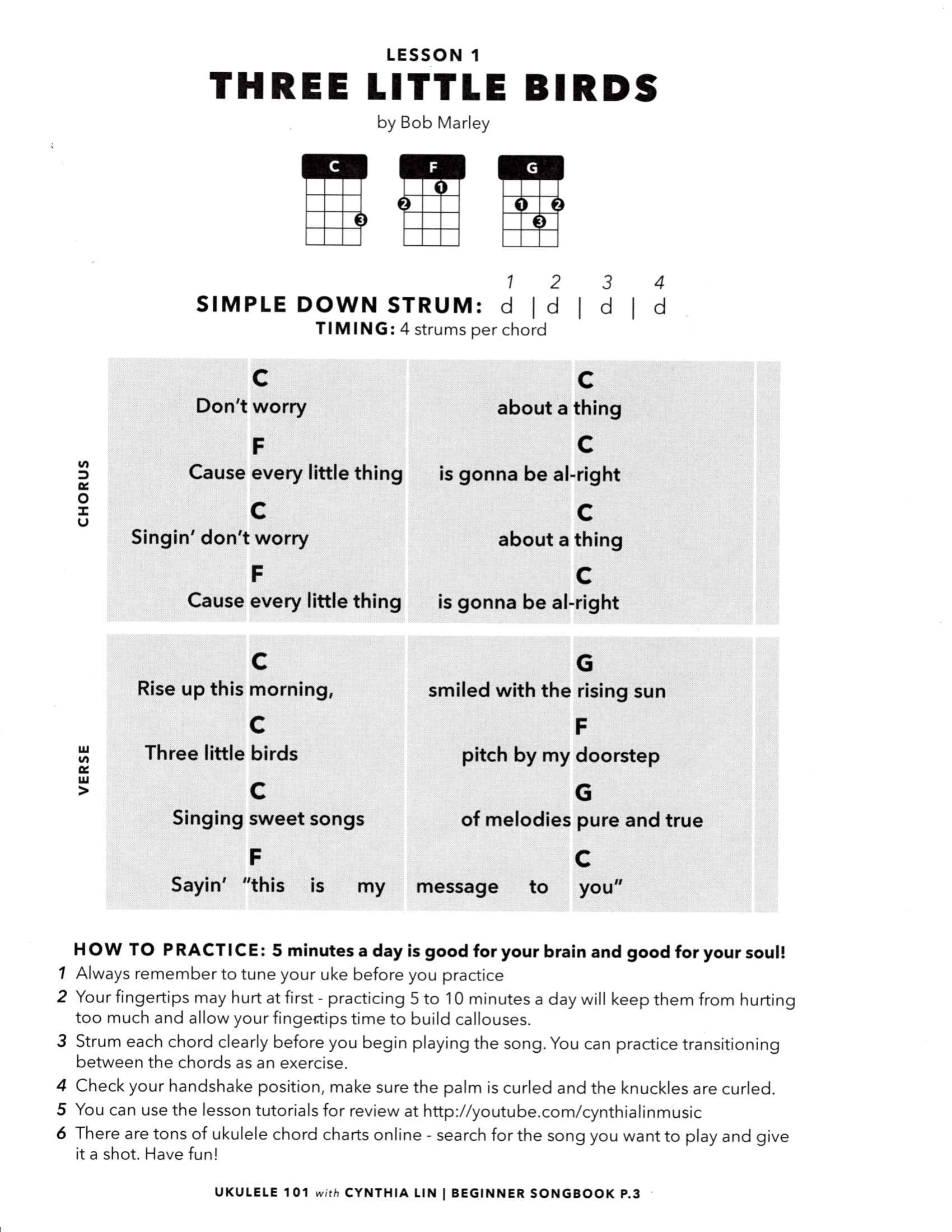
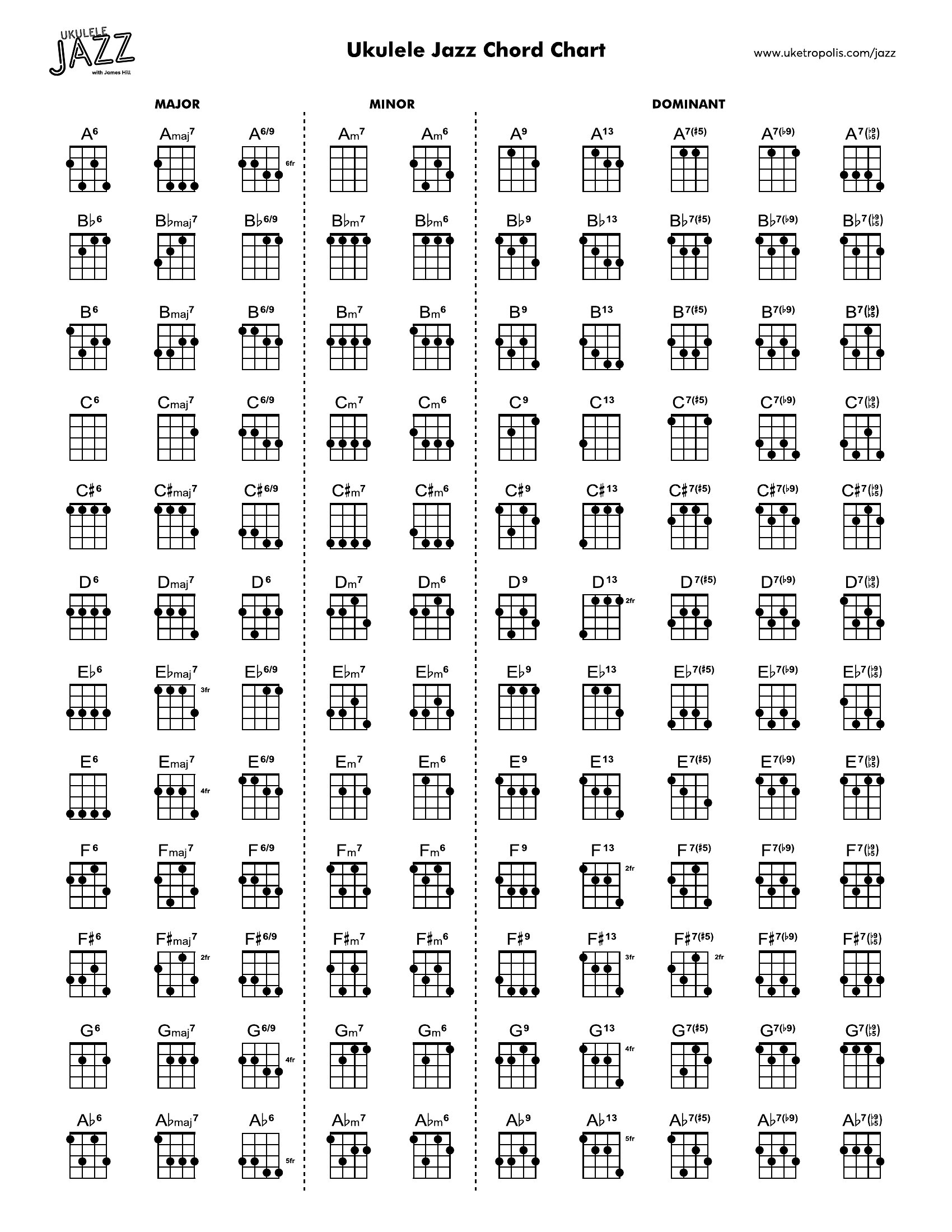
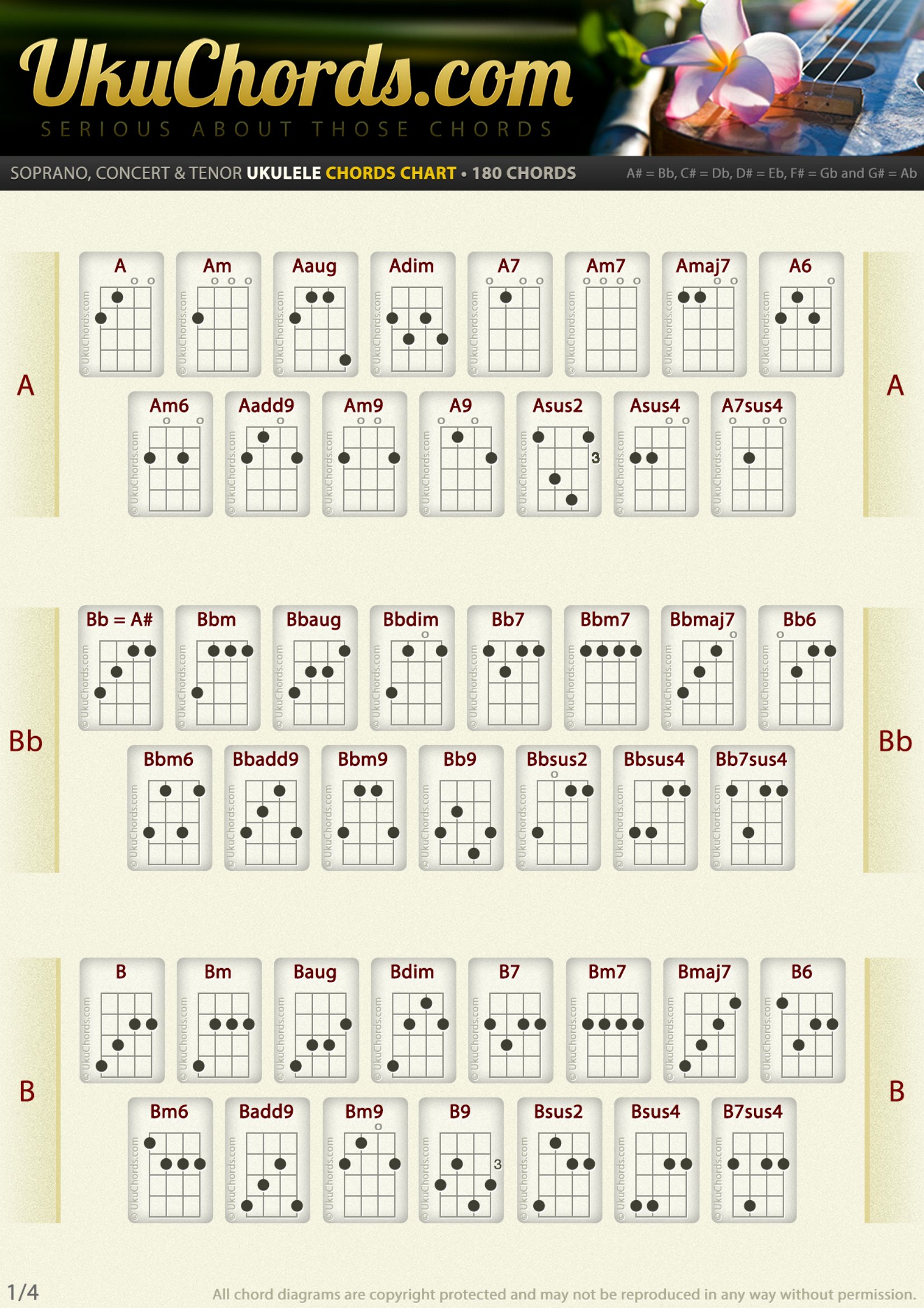
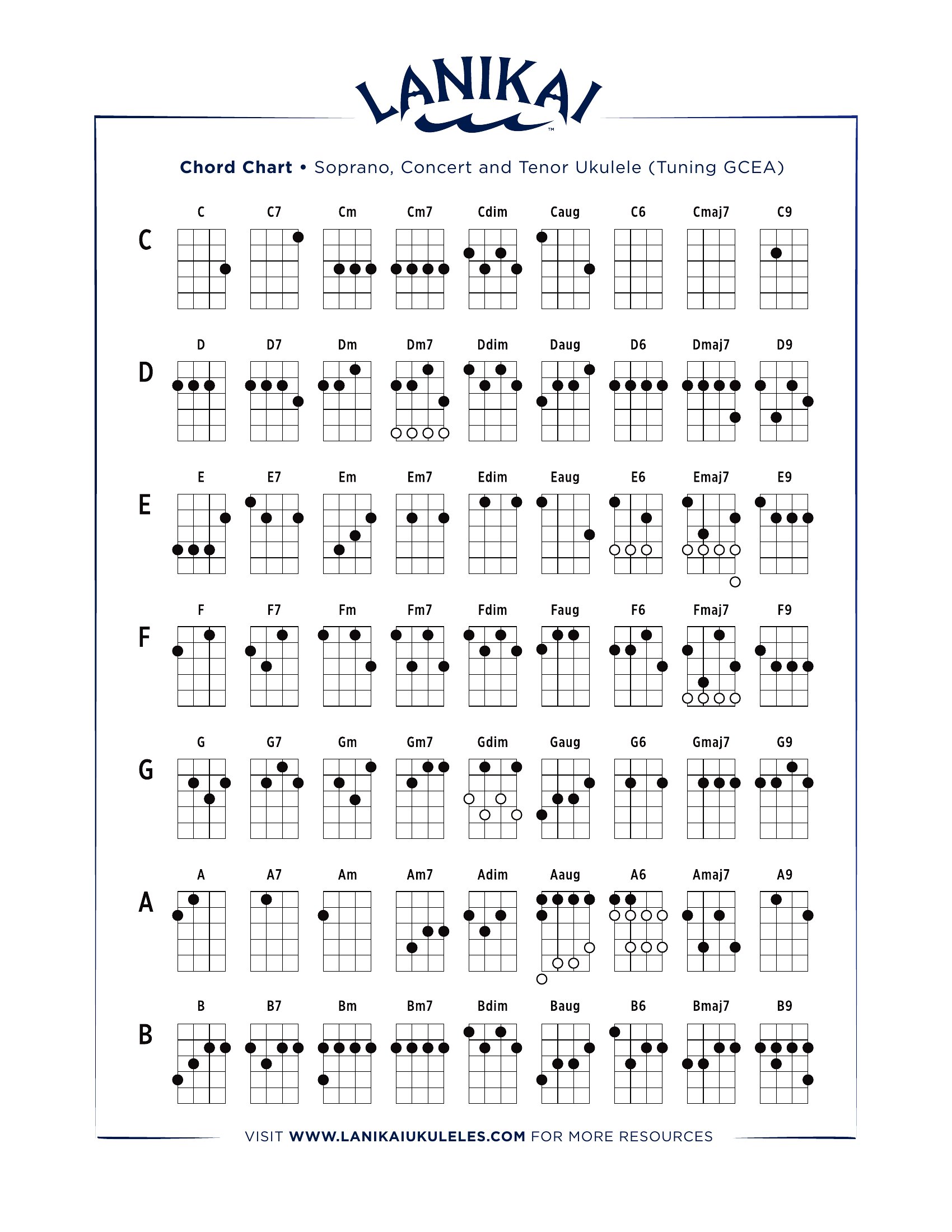
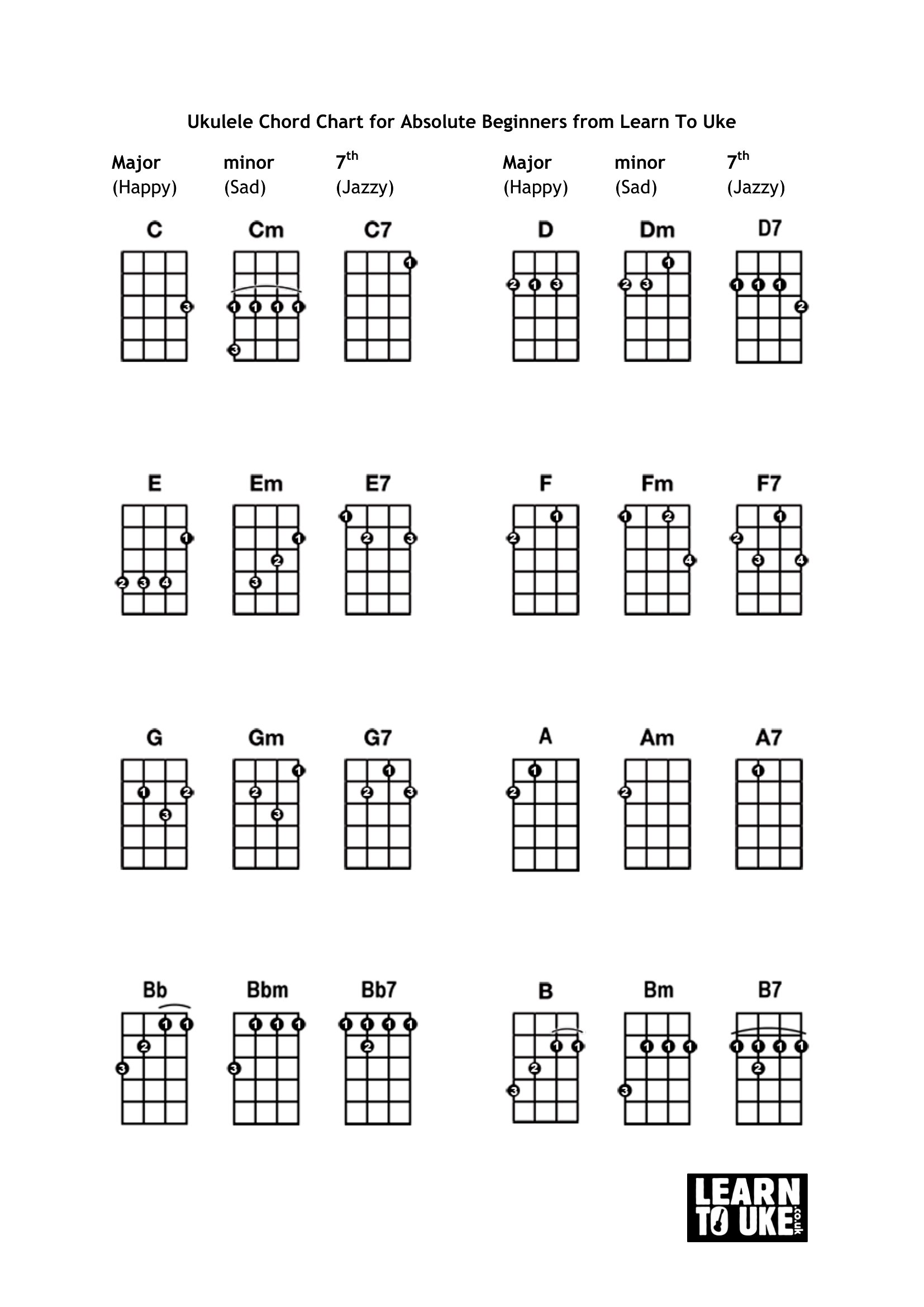
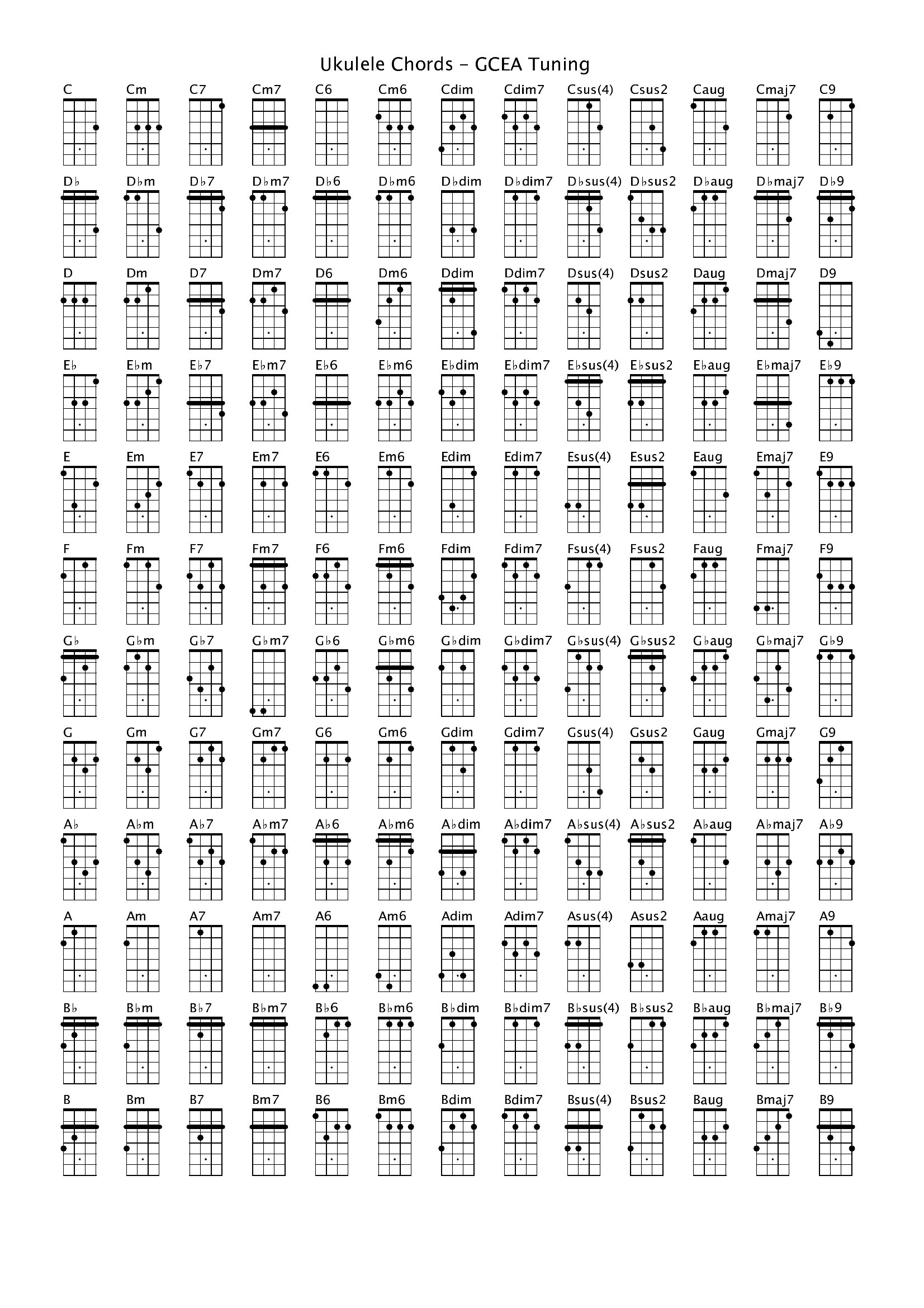
Prioritize the ‘Major & Minor Chords’ and ‘Beginner Chord Progressions’ templates first—they cover the most common shapes and patterns for songs like ‘Riptide’ or ‘Somewhere Over the Rainbow.’ Save the seventh/chord extensions for later, once you’re comfortable with basic transitions.
Are these charts suitable for teaching advanced strumming techniques like arpeggios or hybrid picking?
These charts focus on standard chord shapes and finger placements, not advanced techniques. For arpeggios or hybrid picking, you’d need separate diagrams showing note-by-note fingerings. Stick to these for open-position and barre chords, then layer in technique-specific resources later.
Comments
Join the conversation
Sign in to share your thoughts and leave a comment on this resource.