

Skip to content
50% off this one-time $1.99 pack with HALFOFF — or unlimited with Pro.HALFOFF
Premium

Free Multi-Step Income Statements (Word, Excel, PDF)

Statements
zuzannanawaz by zuzannanawaz
Updated 0 downloads Quality-checked template

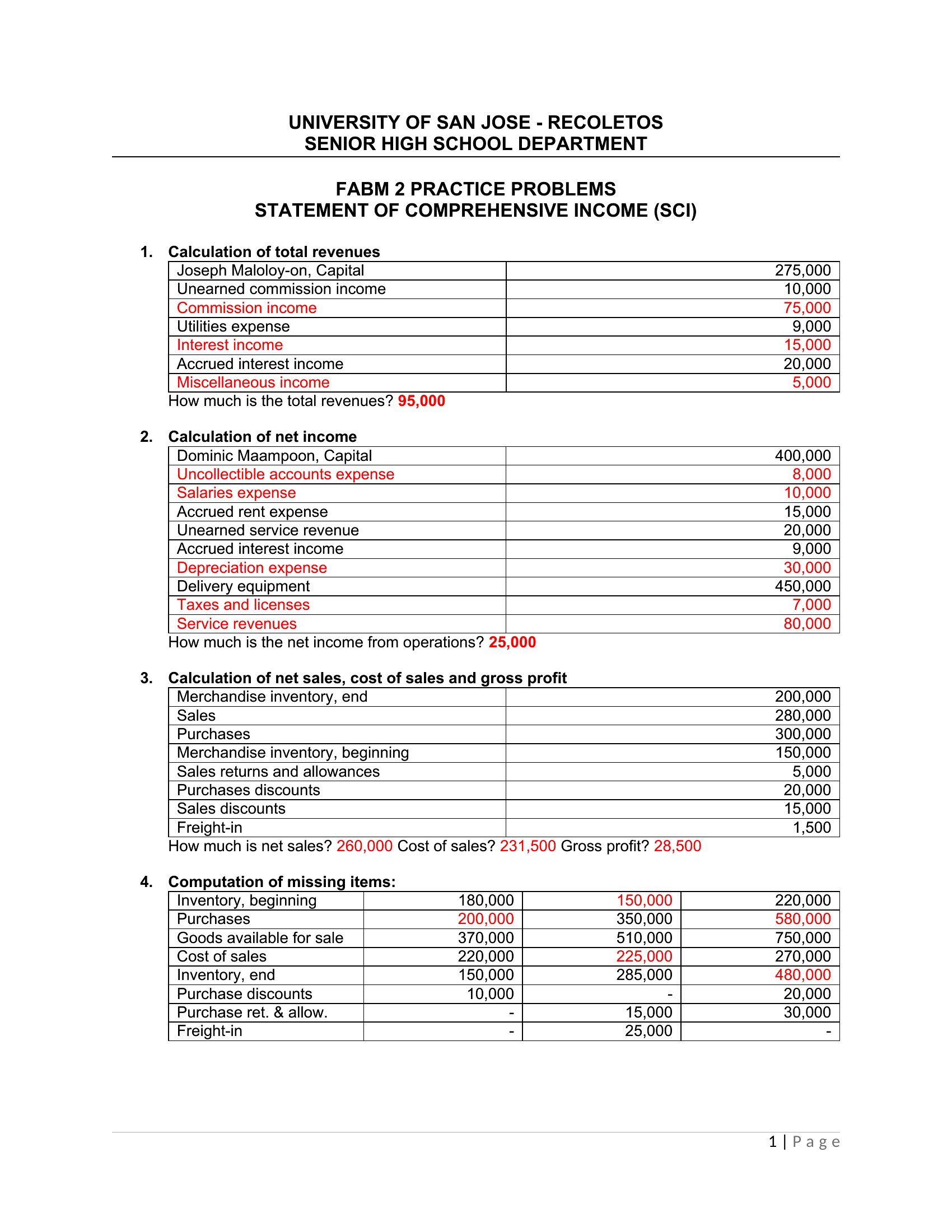
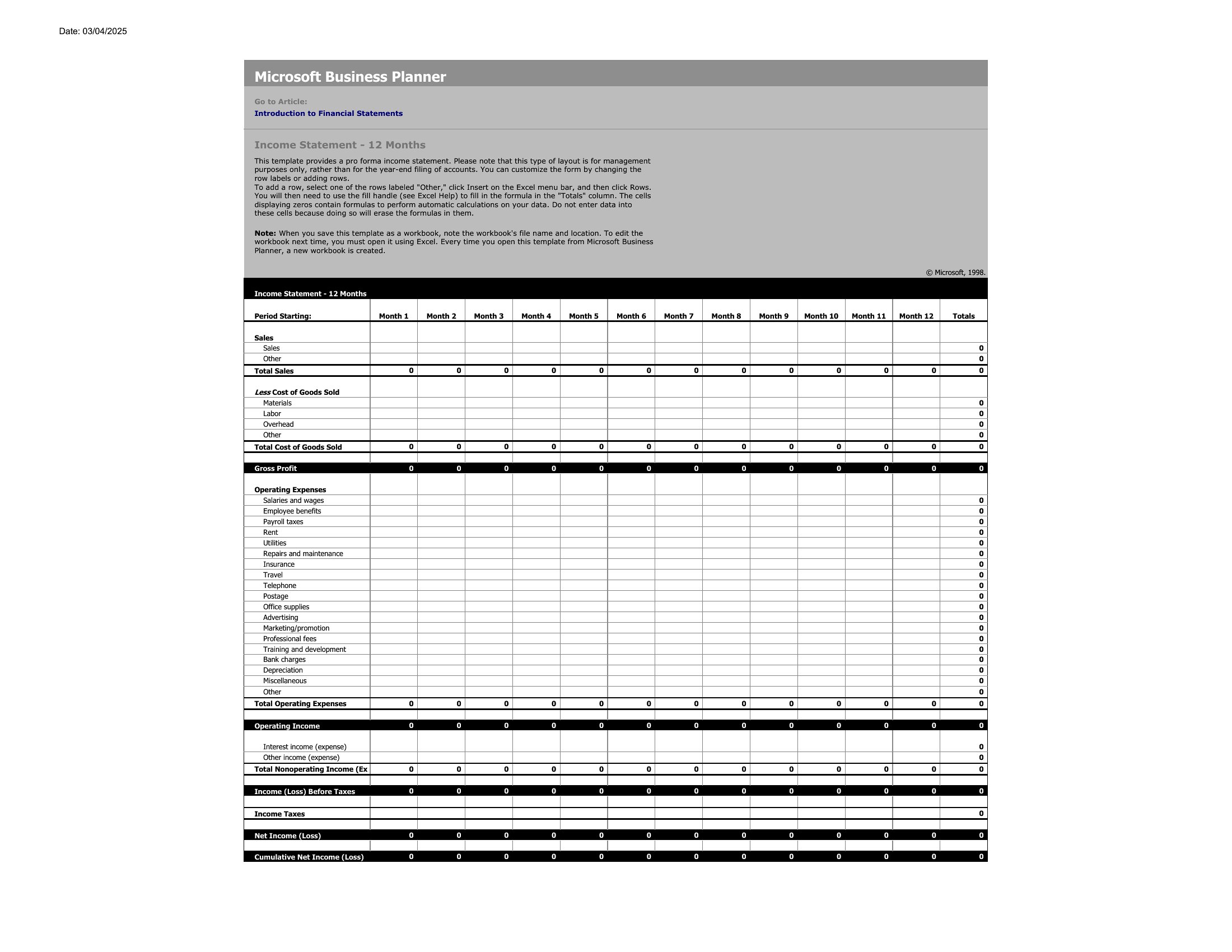
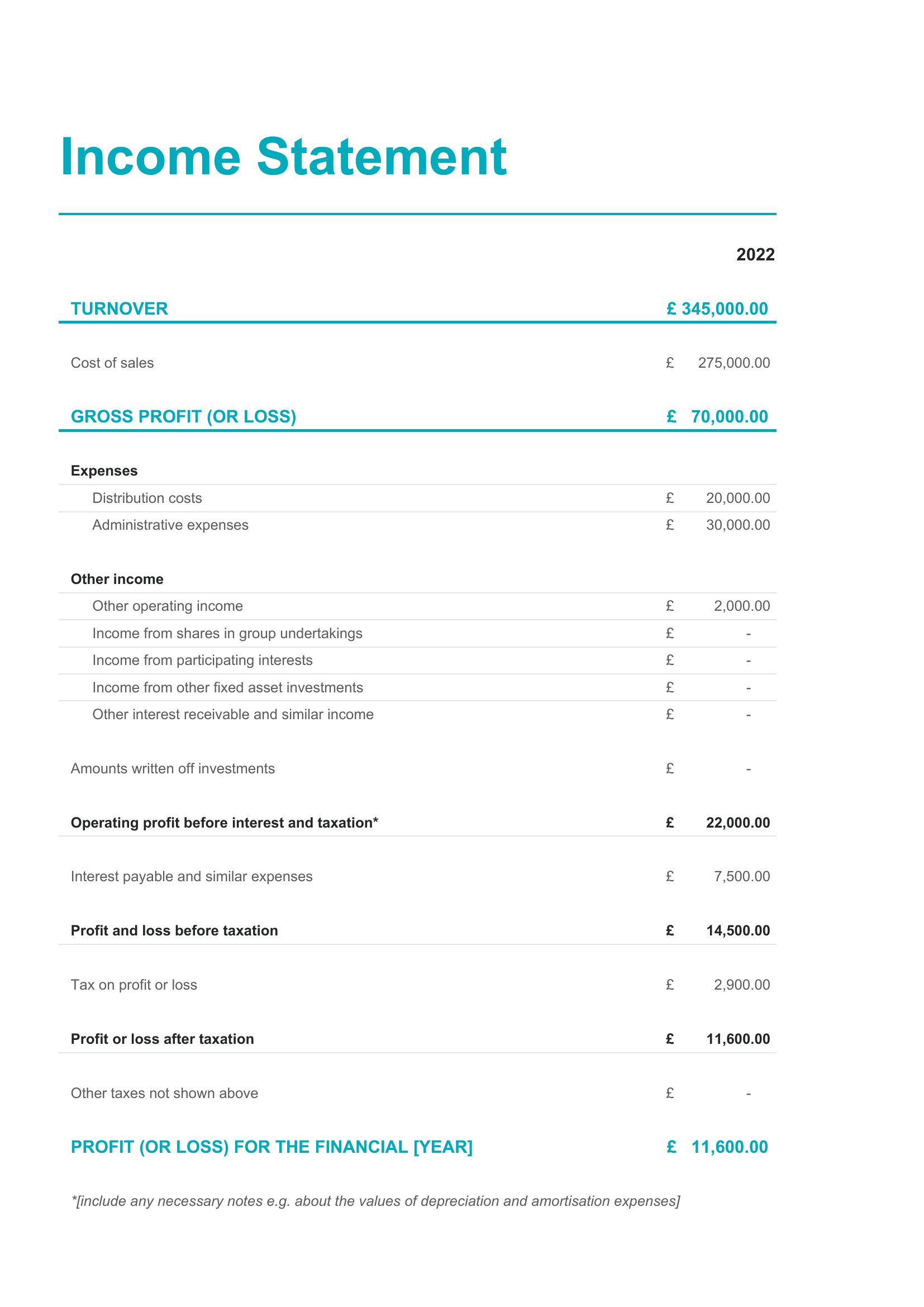
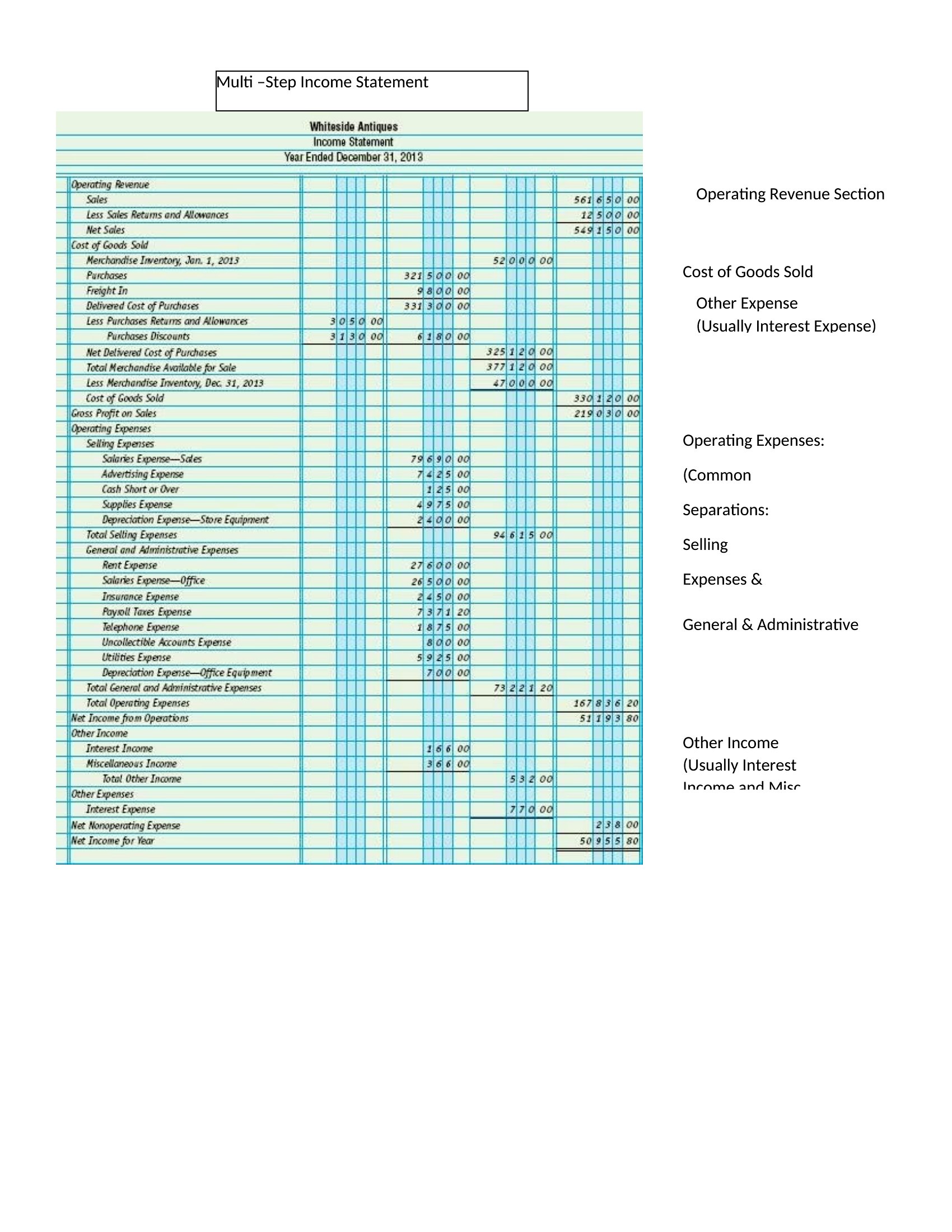
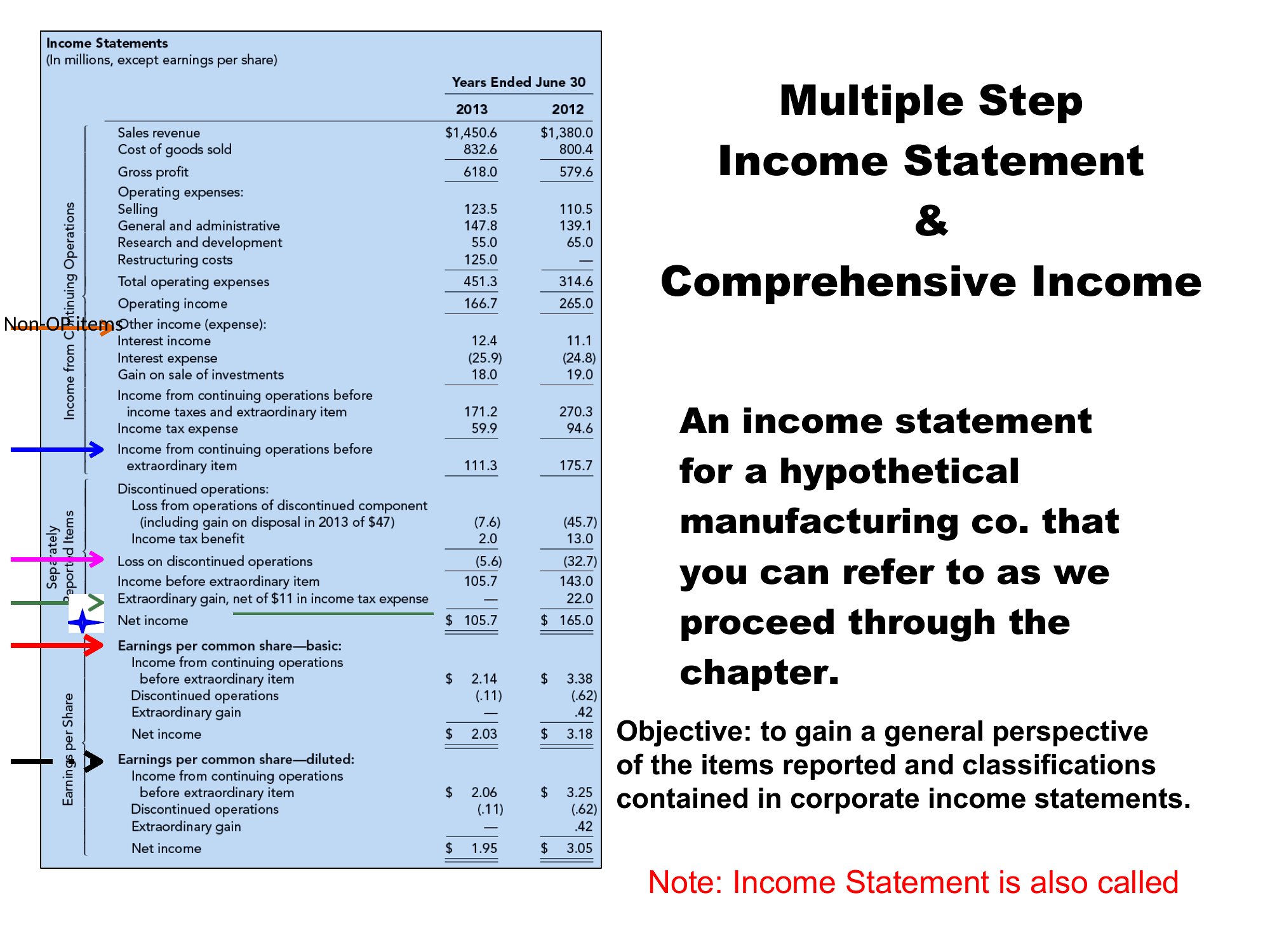
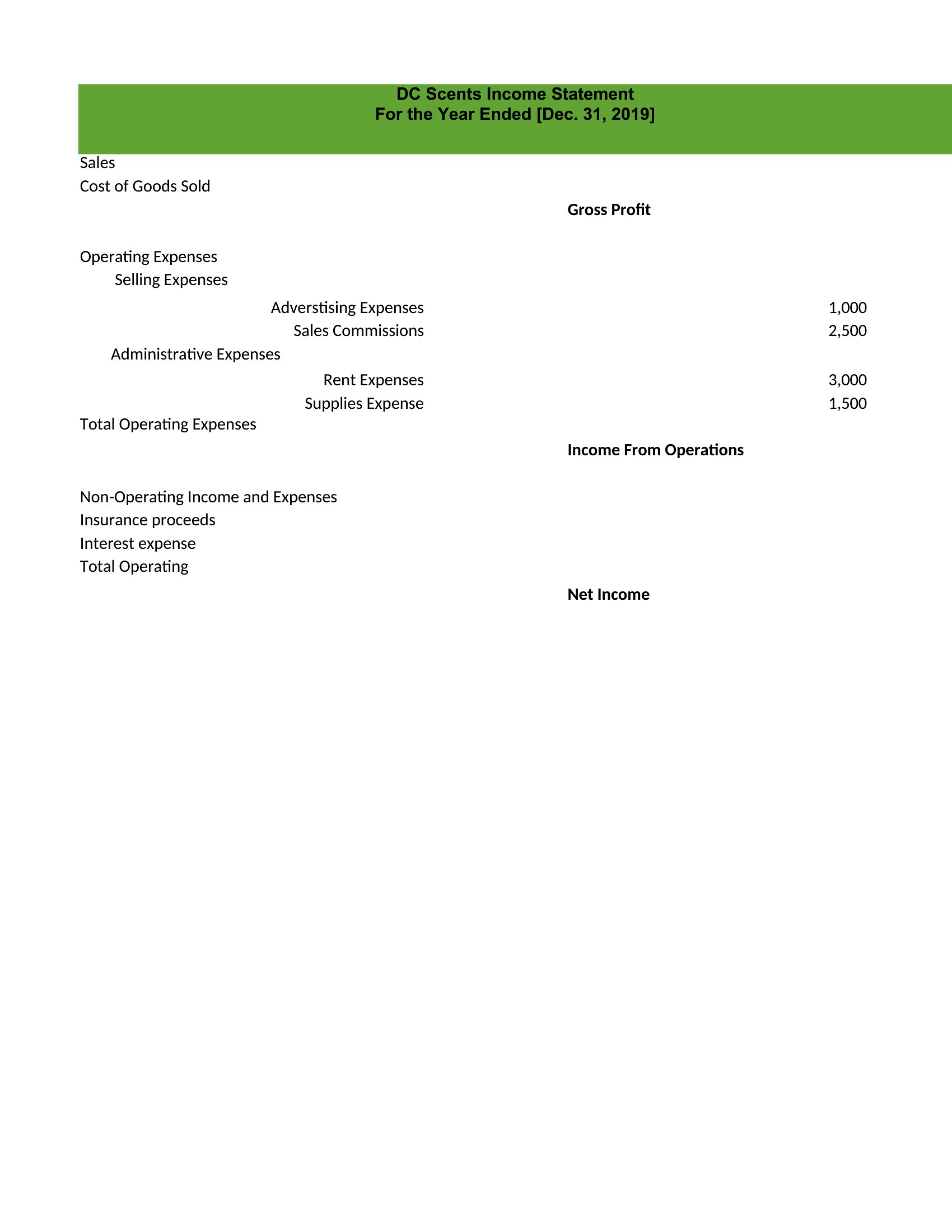
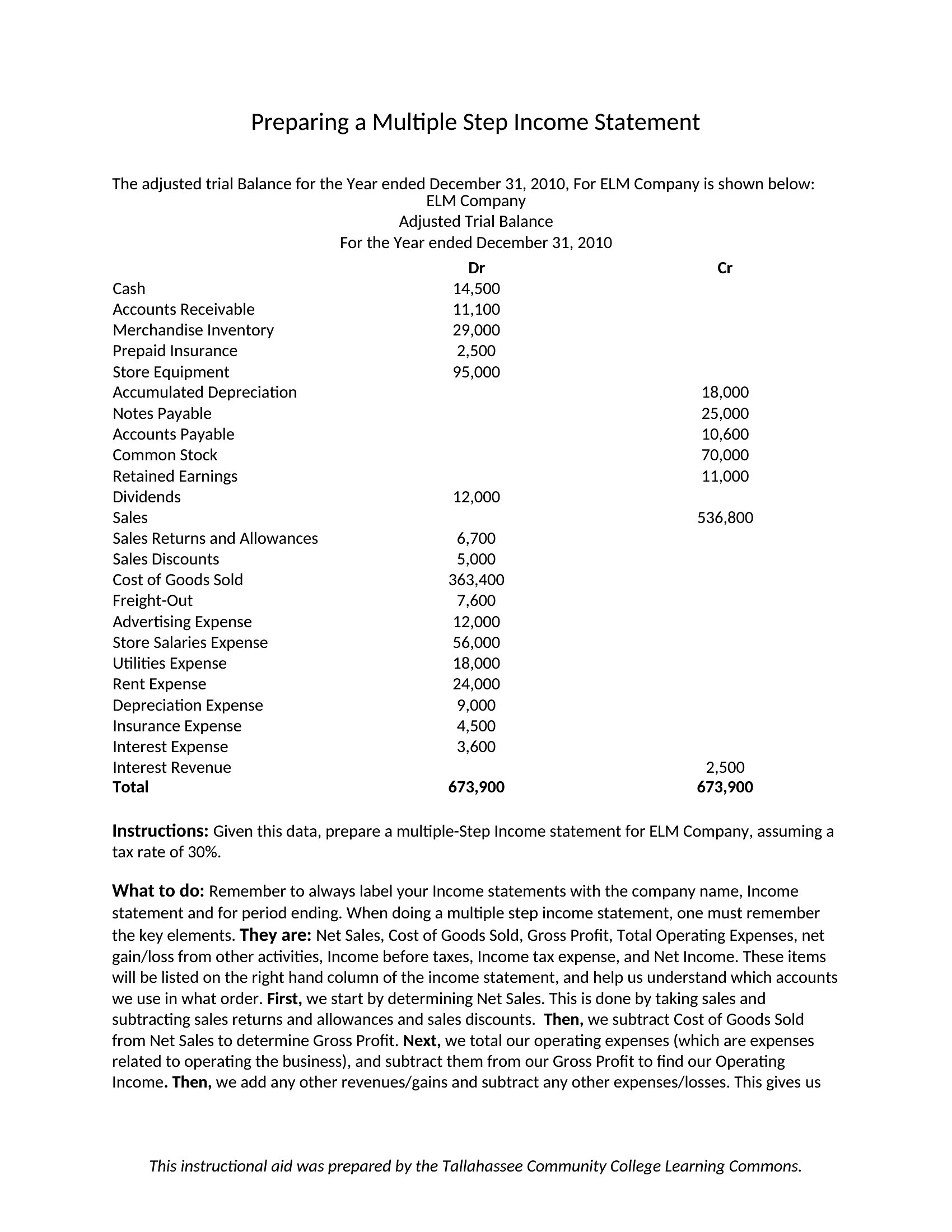
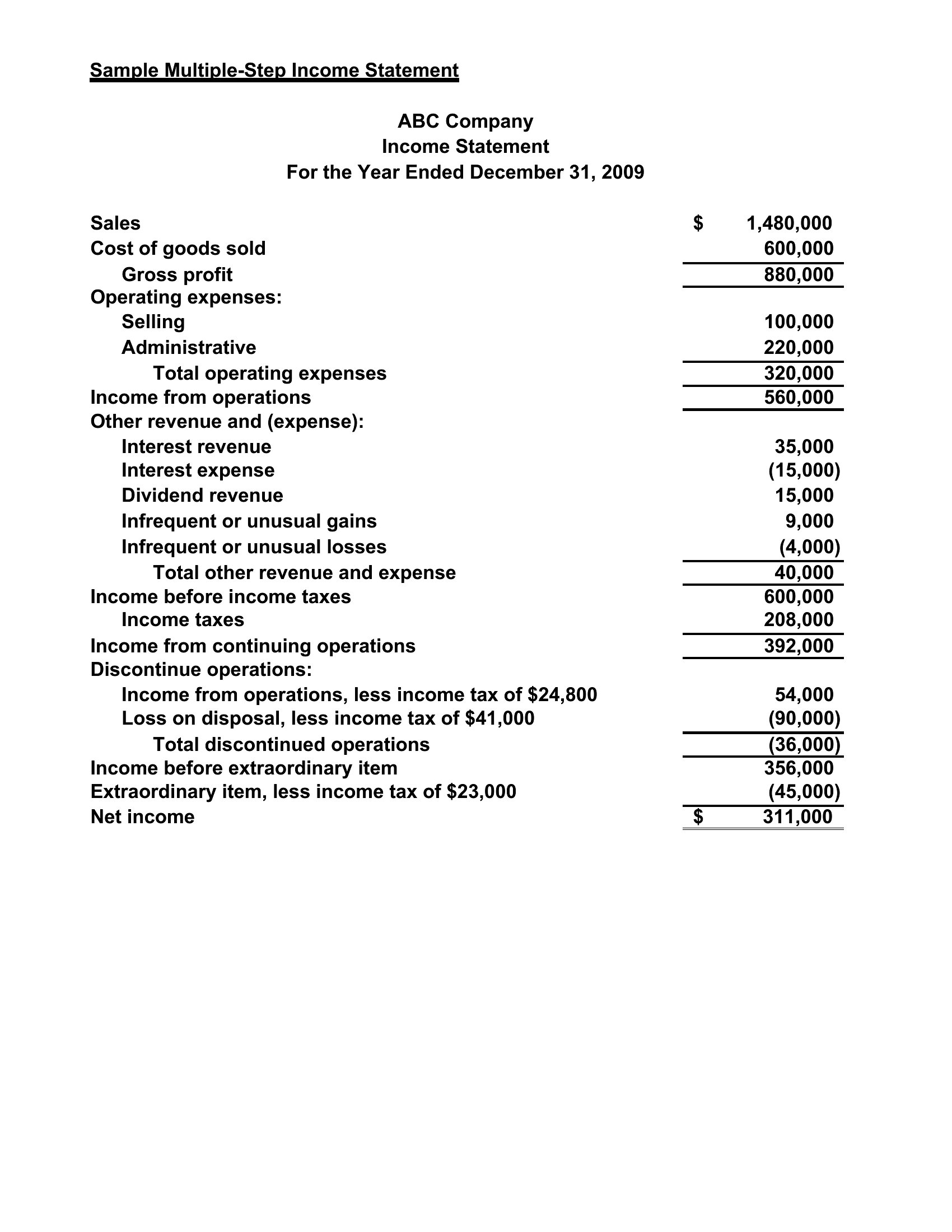
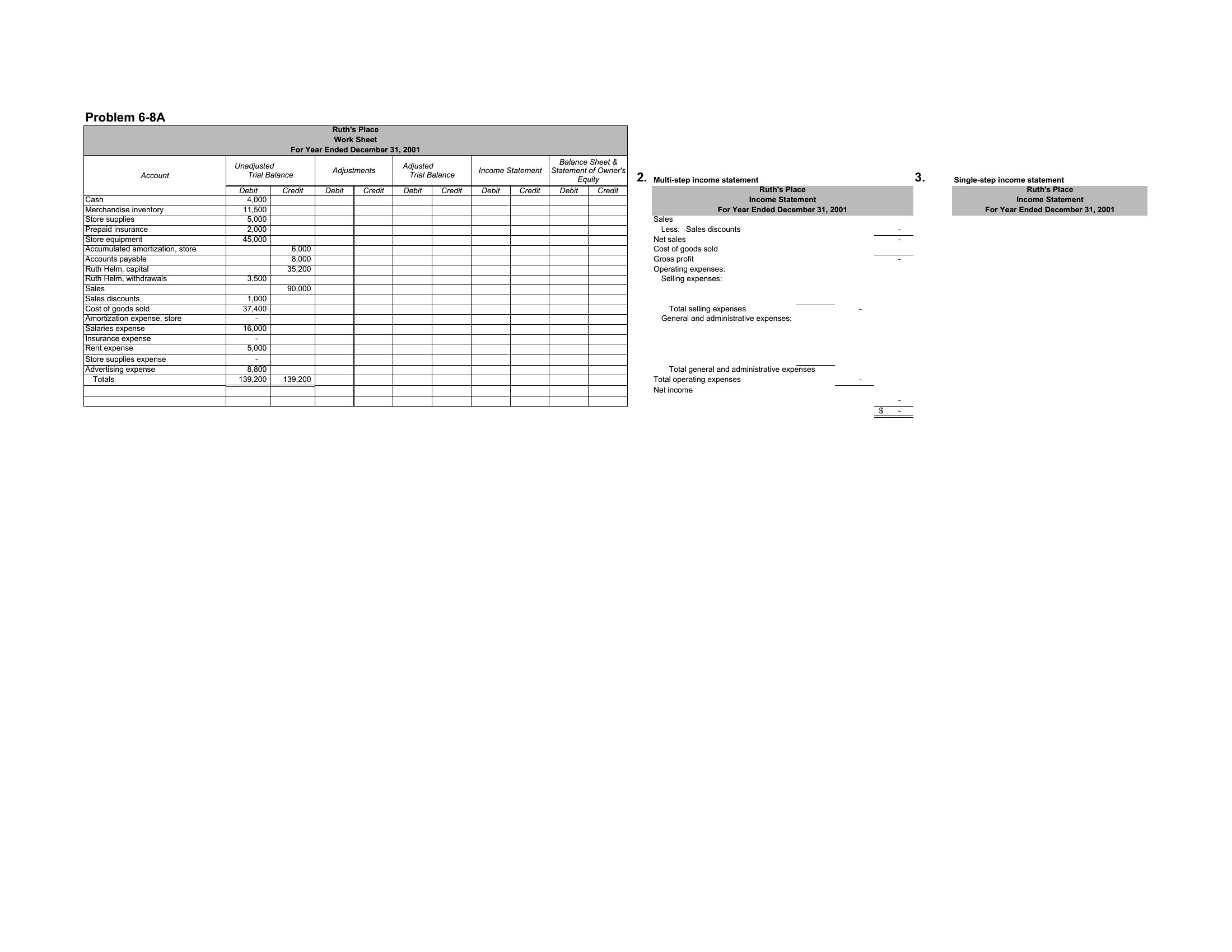
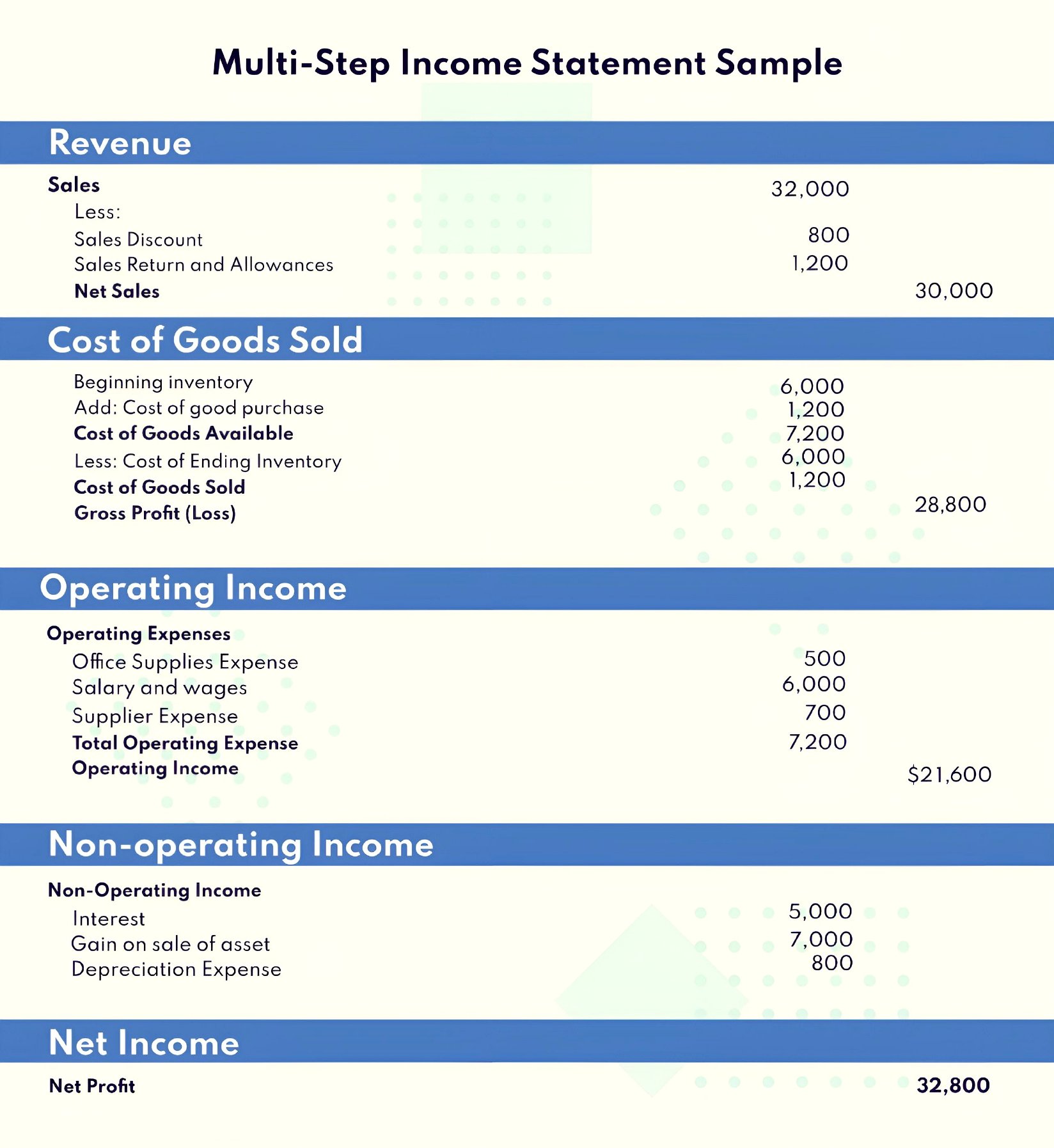
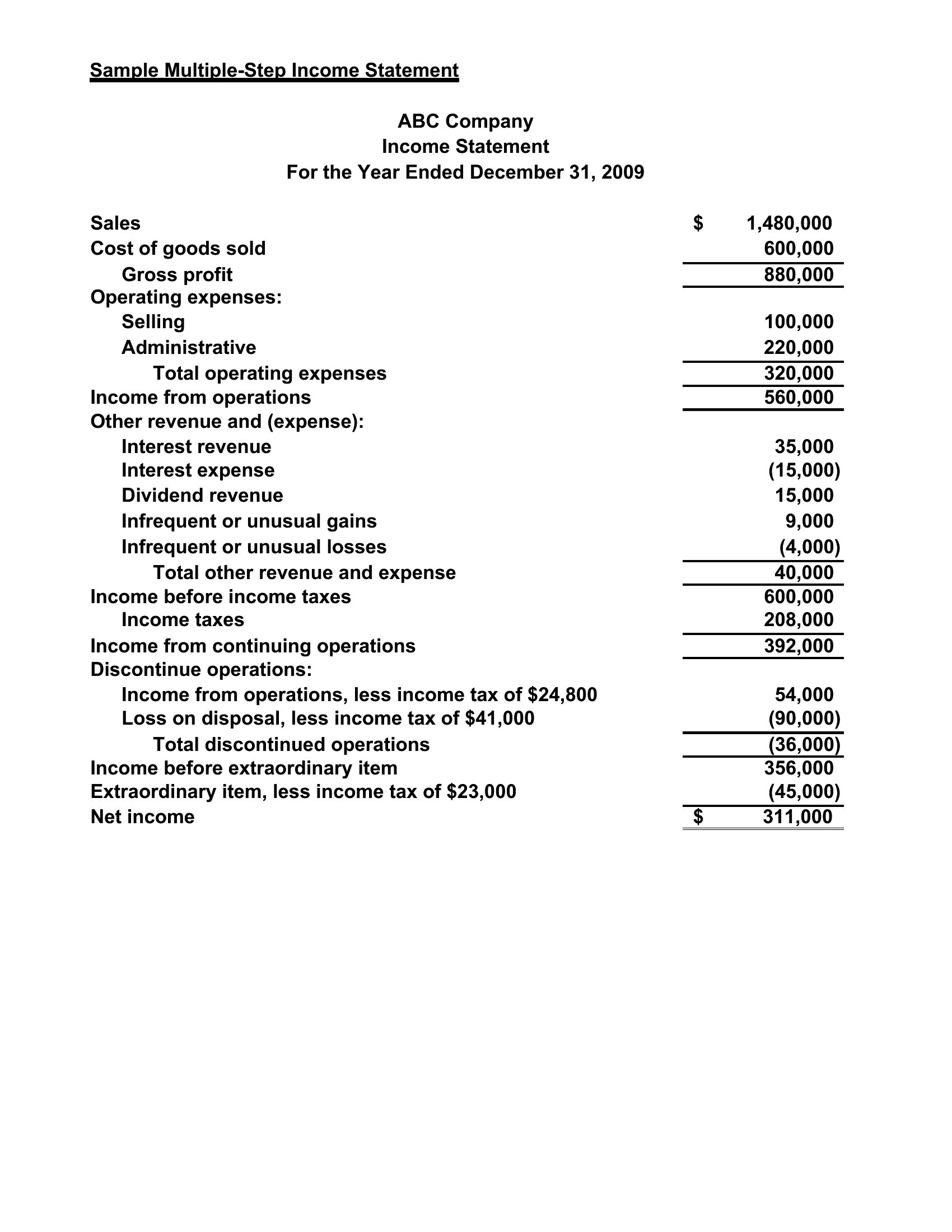
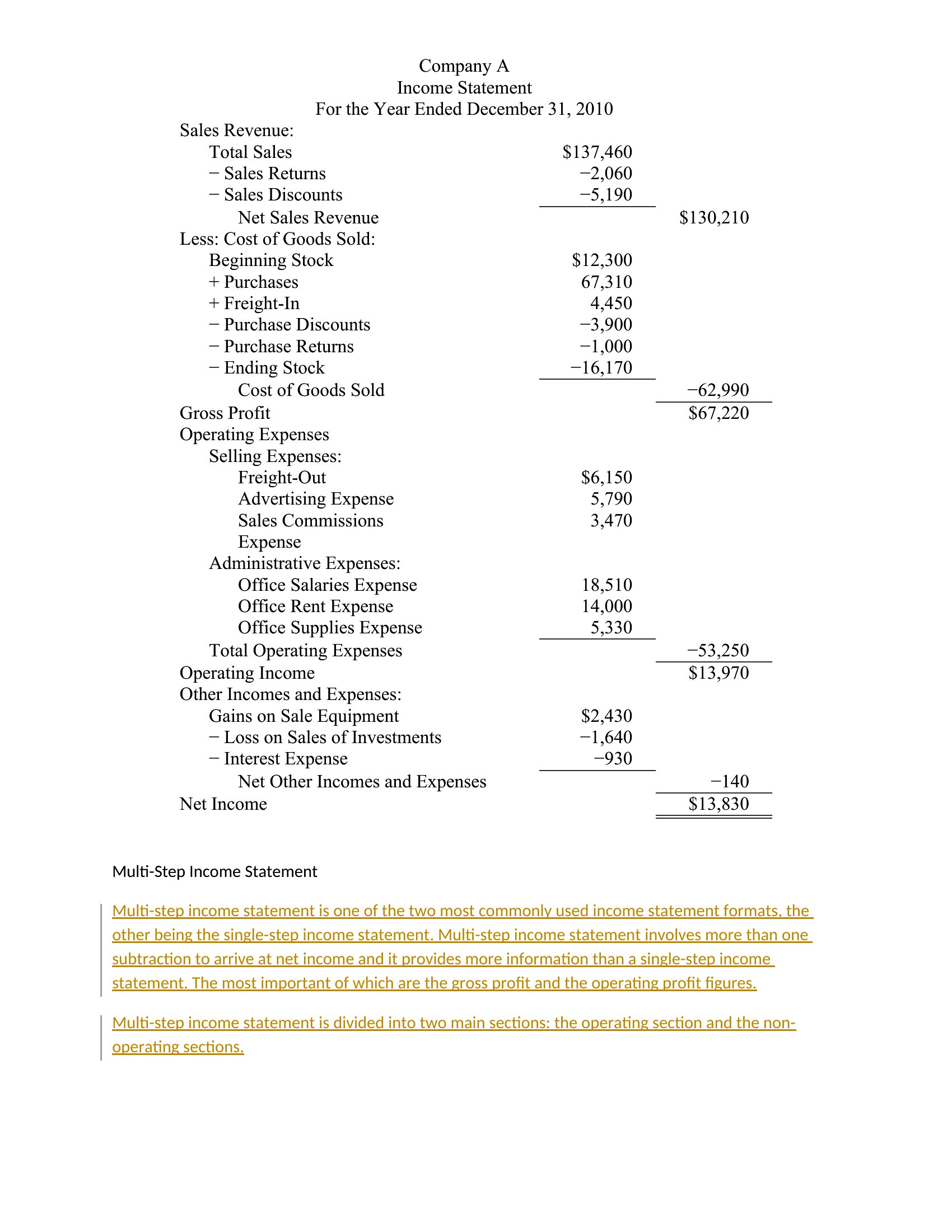
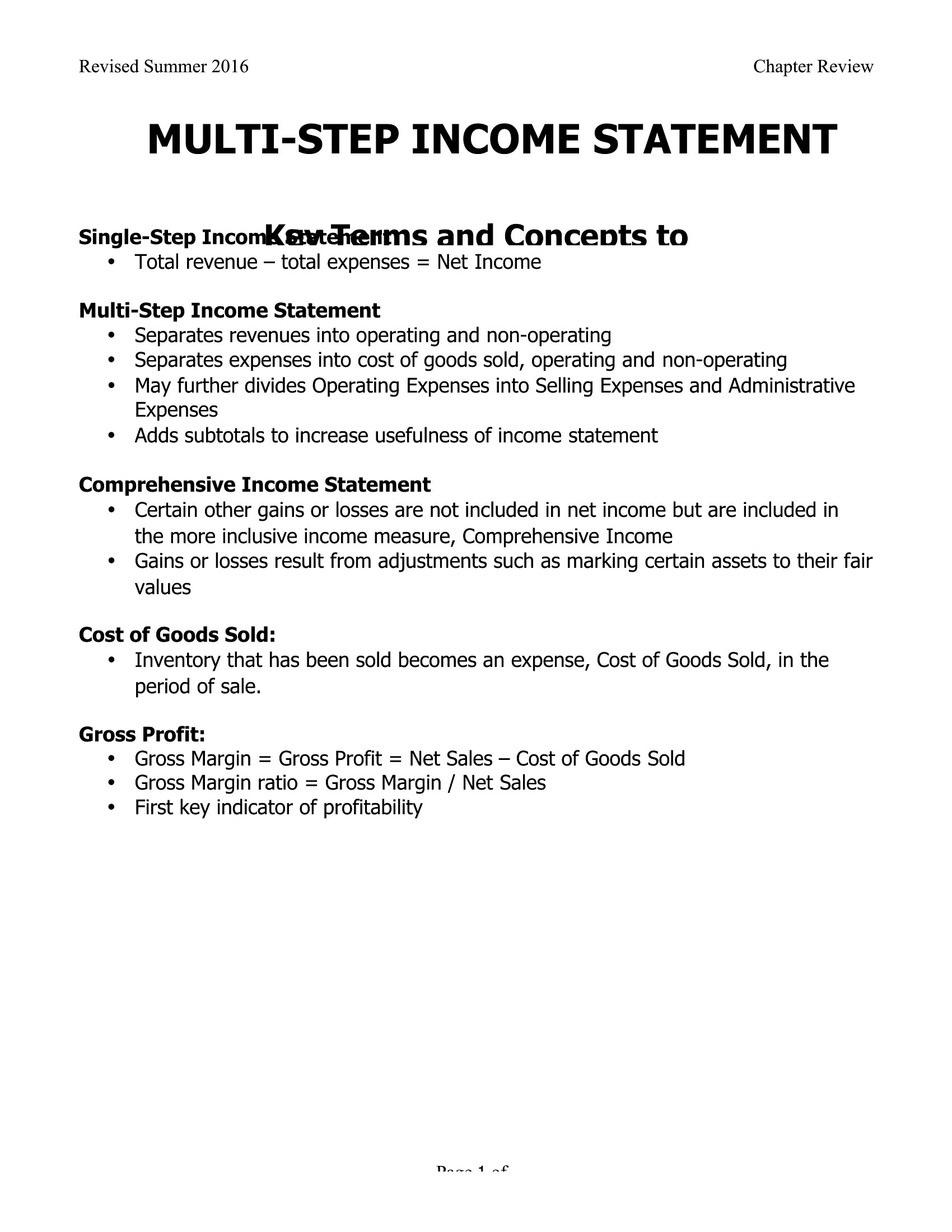
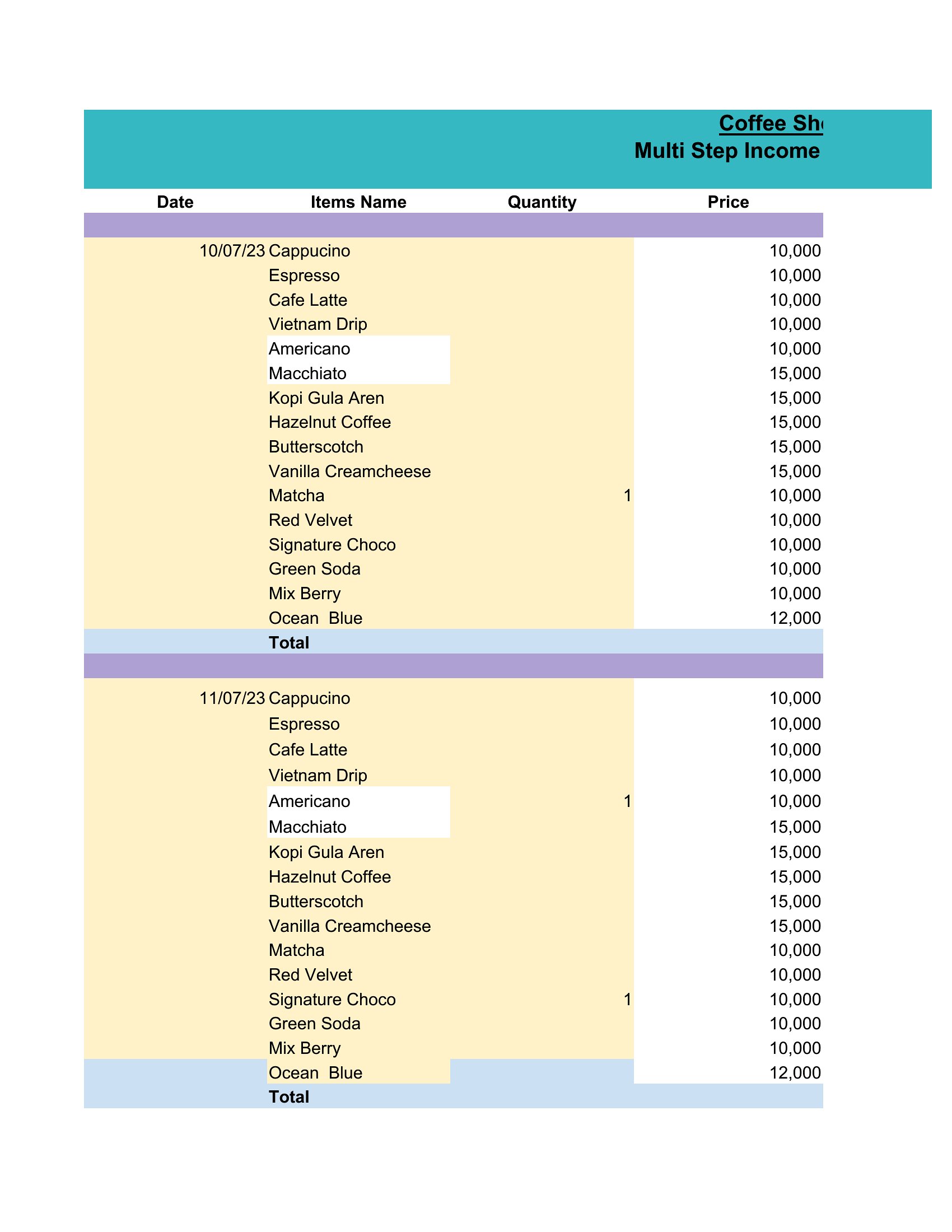
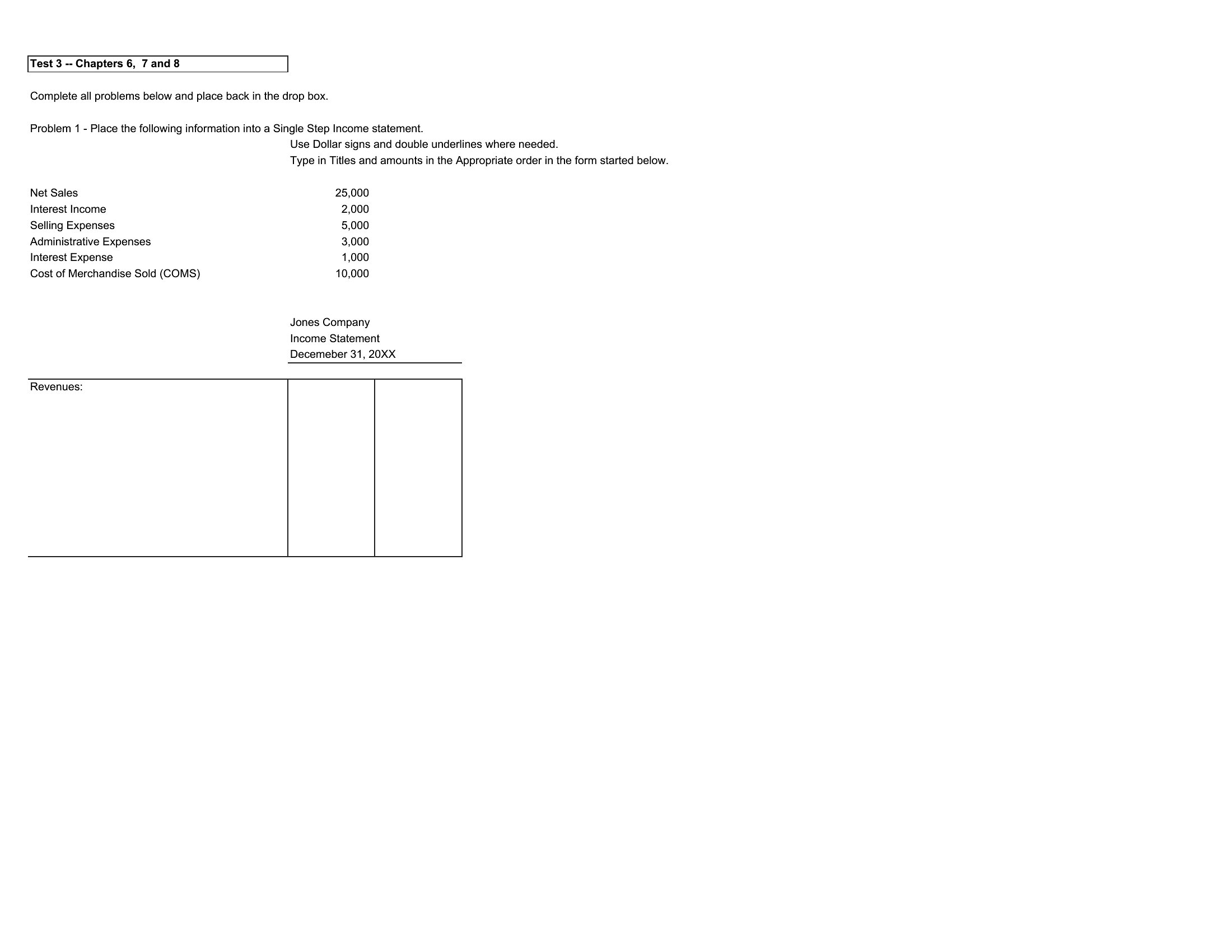
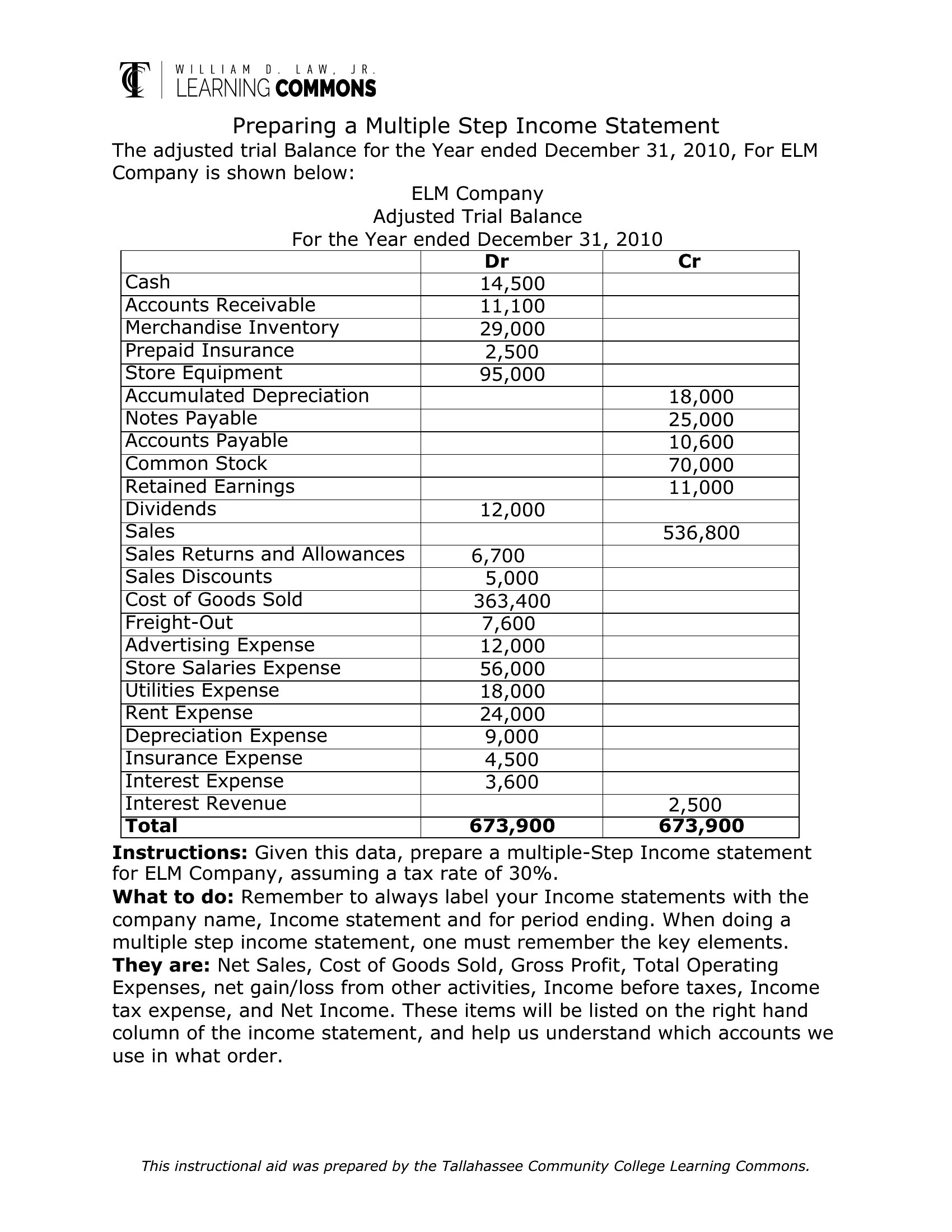
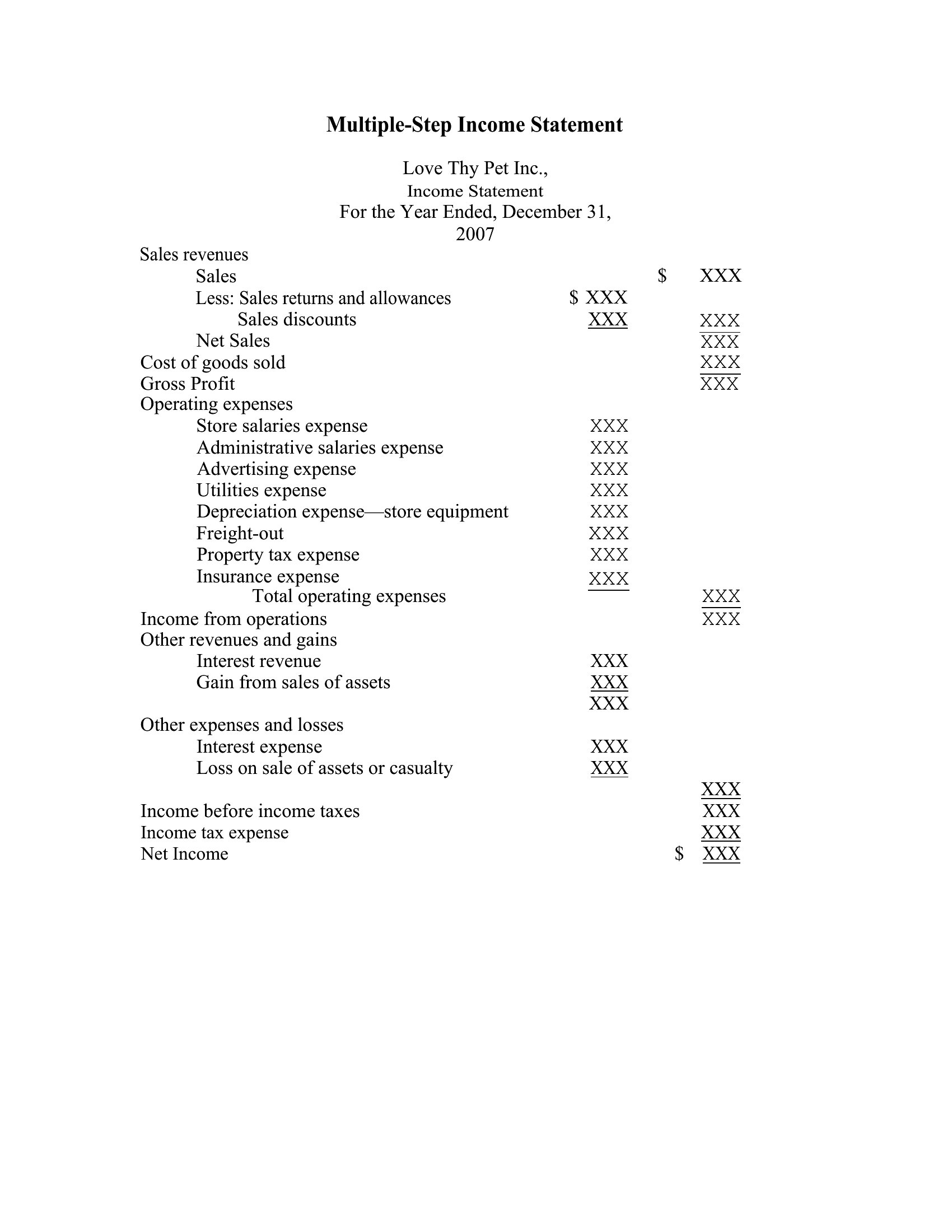
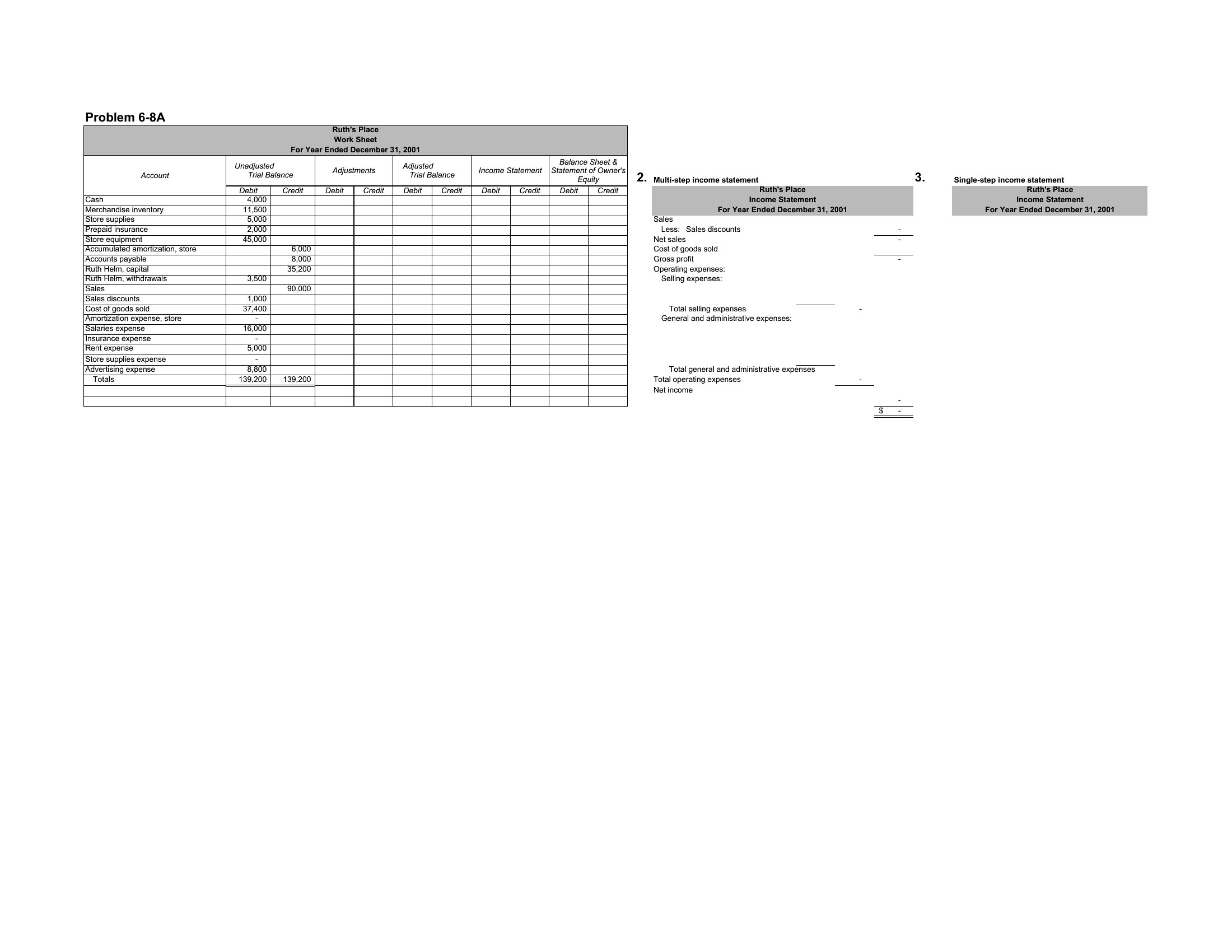
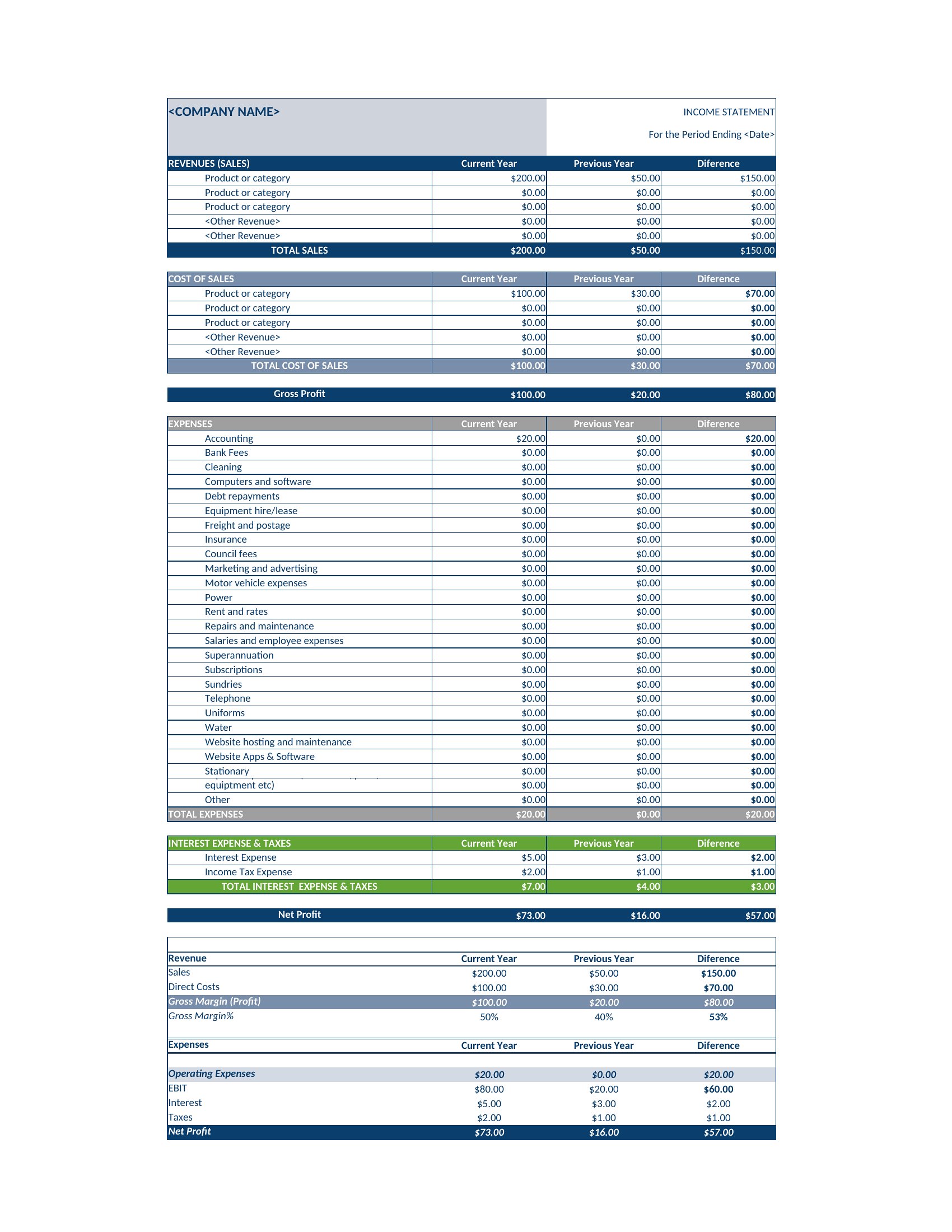
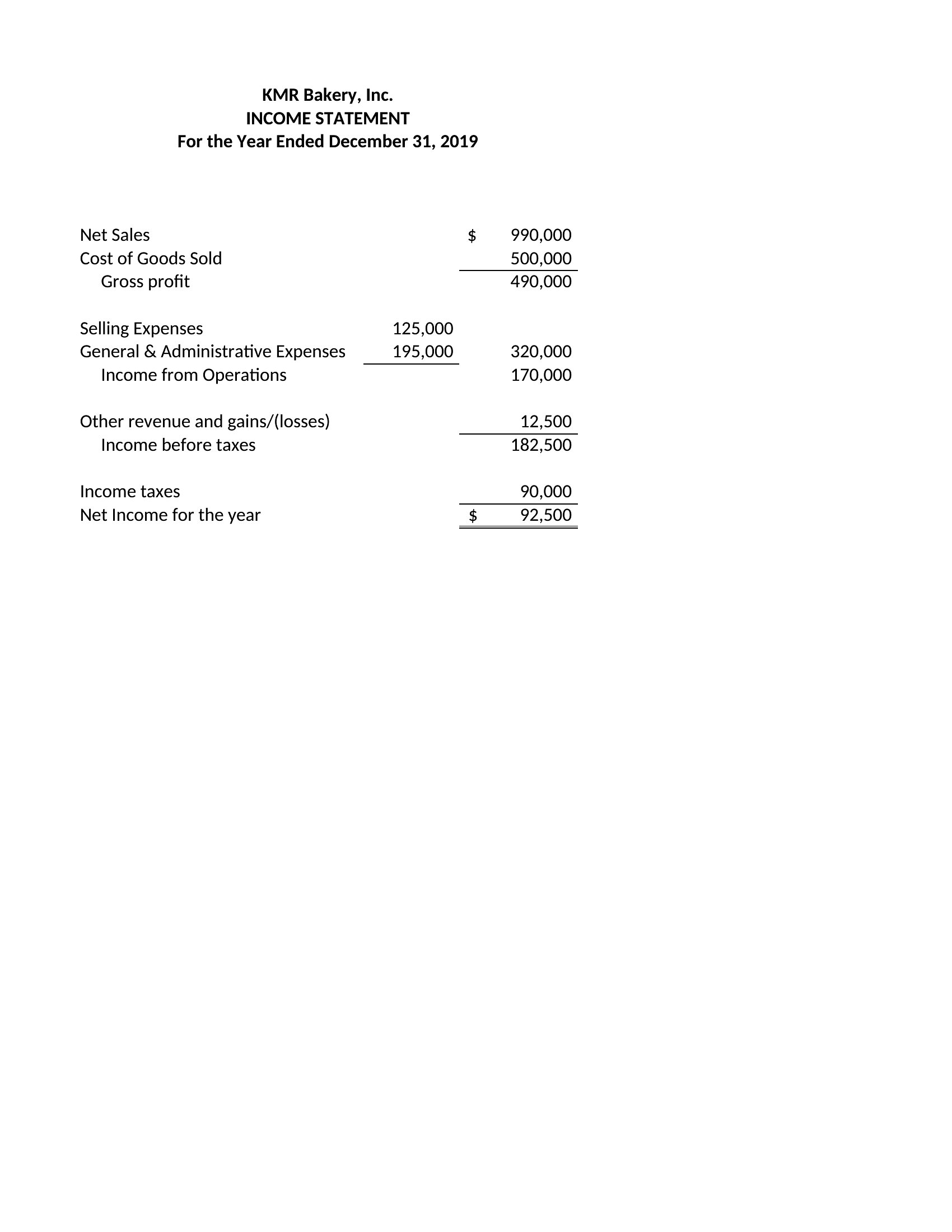
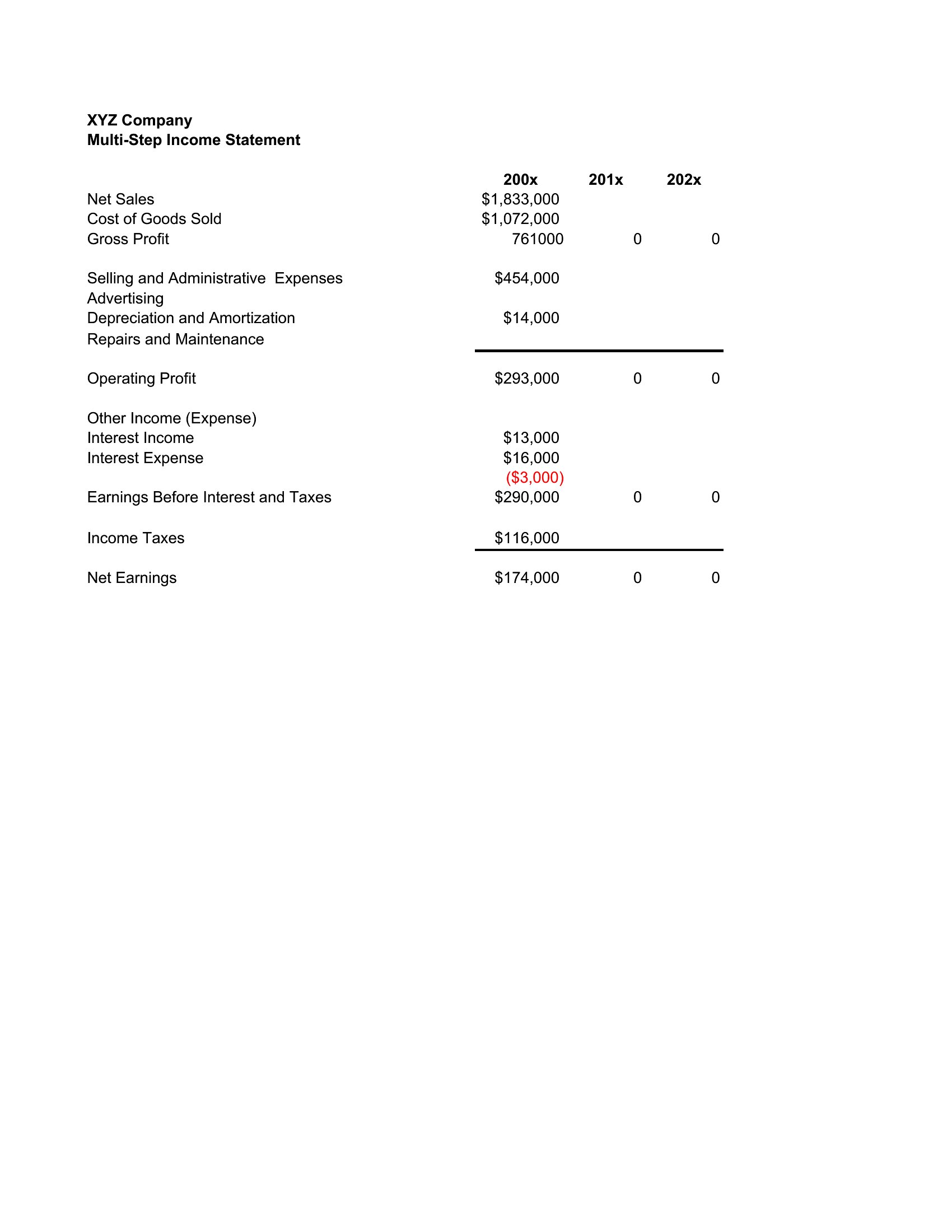
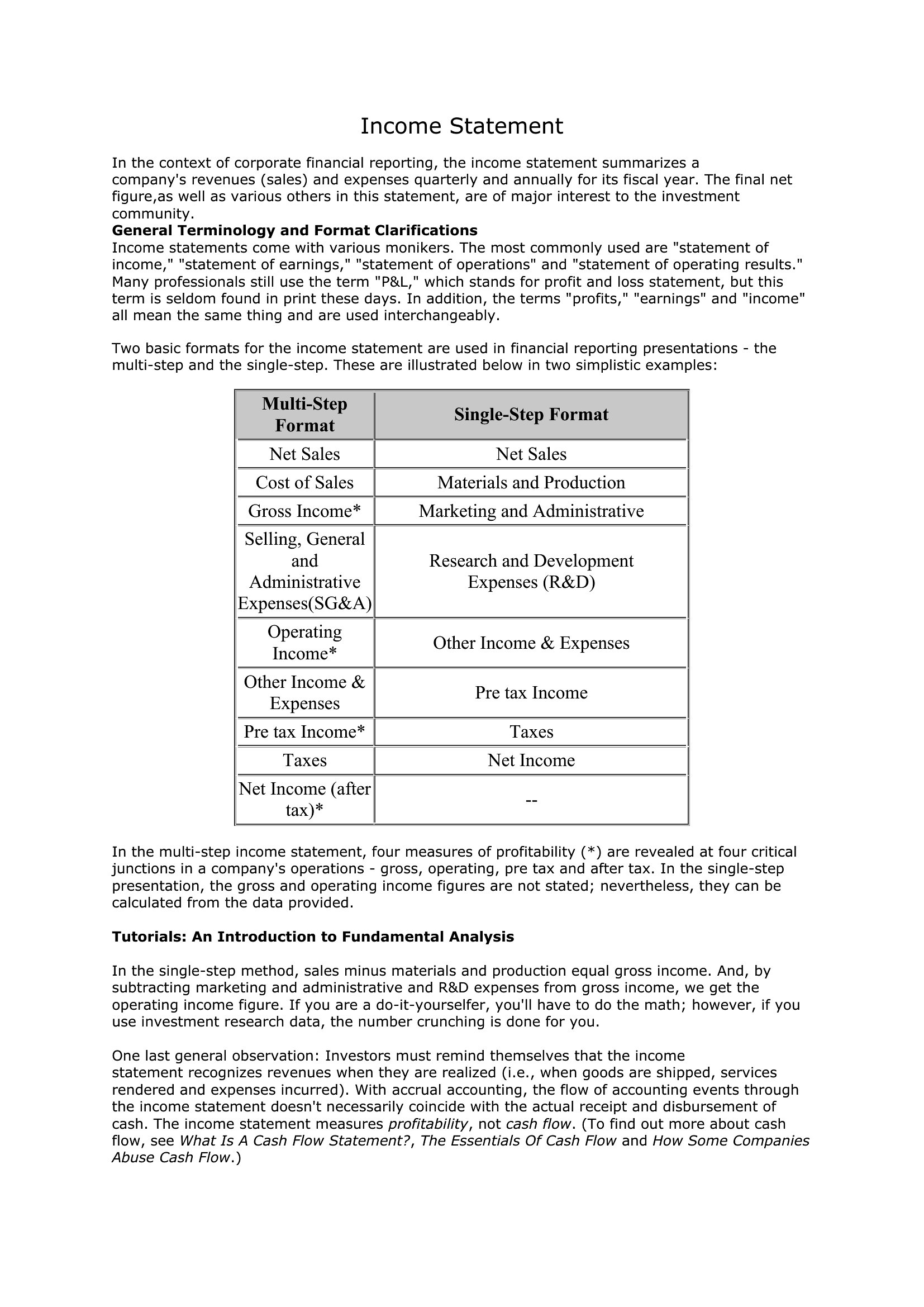
A multi-step income statement separates operating results from the rest, so you can see gross profit, operating income, and the bottom line at a glance. This collection of 31 templates helps accountants, students, and small-business owners build a clear report instead of cramming everything into one total.

Pick editable Word files, Excel sheets that calculate each subtotal as you enter figures, or print-ready PDFs for handouts and filings. Accounting treatment can vary, so have a professional review the numbers before you act on them. Download the version that fits your needs and turn raw figures into a statement that actually reads clearly.

When to use this Multi-Step Income Statement template

  • A freelance graphic designer tracking quarterly revenue from client projects and material costs needs to calculate gross profit margins—use the Excel format to automate subtotals as expenses and income are entered.
  • A small-business owner with limited accounting knowledge wants to file taxes accurately and show lenders clear profit trends—choose the Word templates to manually adjust categories while keeping a structured layout.
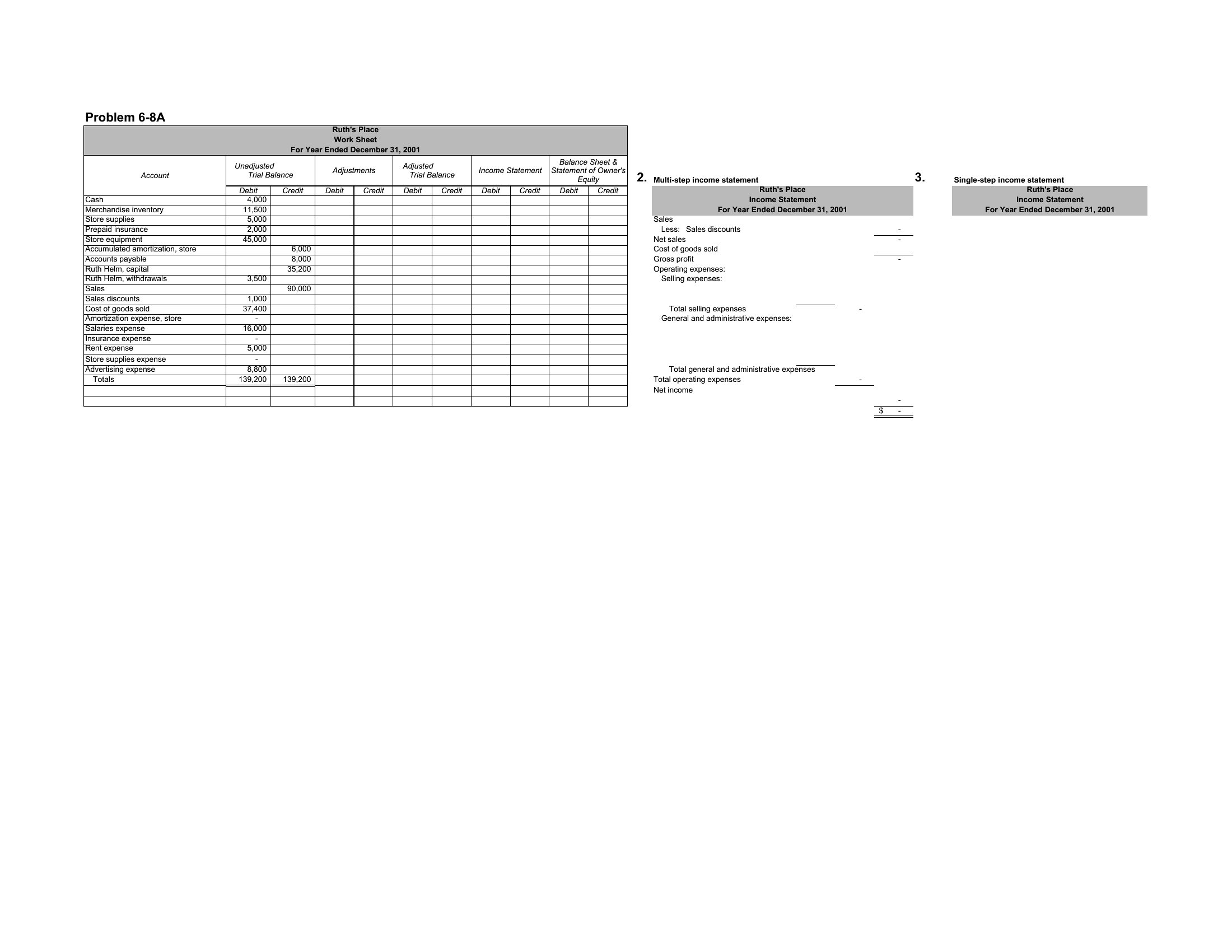
  • Accounting students preparing for exams must practice breaking down revenues like sales, cost of goods sold, and operating expenses—select the PDF templates to print and fill in sample scenarios for study.
  • A startup’s CFO reviewing the team’s first-year performance needs a clean, professional income statement to share with investors—opt for the Excel or PDF formats to ensure precision and a polished presentation.

Which format should I download?

WordExcelPDF

Pick Word if you’re preparing a one-time report where you’ll need to edit text descriptions (like expense categories) or combine the income statement with other documents. Word is best for manual adjustments and narrative explanations. Excel is ideal for dynamic financial analysis—use it if you’re entering real-time data, want automatic calculations for gross profit or operating income, or plan to reuse the template monthly. For a final, shareable version requiring no edits, PDF is the clear choice. It locks in formatting for presentations or printed copies, ensuring numbers and sections stay aligned.

How to use this Multi-Step Income Statement template

How do I decide which expenses belong in ‘operating’ versus ‘non-operating’ sections?

Operating expenses include direct costs tied to running your core business, like salaries for your team, rent for office space, or utilities. Non-operating expenses cover one-time or secondary items such as interest on loans or investment losses. Review your chart of accounts and group items by frequency and relevance to daily operations. For guidance, check IRS guidelines or consult a CPA before finalizing your template.

Can I use these templates to reconcile discrepancies between my actual income and what’s reported on the statement?

Yes, these templates help organize your figures so you can spot inconsistencies, like missing revenue streams or overstated expenses. For reconciliation, compare each line item to your bank statements or invoices. If you’re dealing with complex adjustments, consider using the Excel format to add columns for corrections or consult an accountant to review the final numbers.

What’s the difference between ‘gross profit’ and ‘operating income’ in this template, and why does it matter?

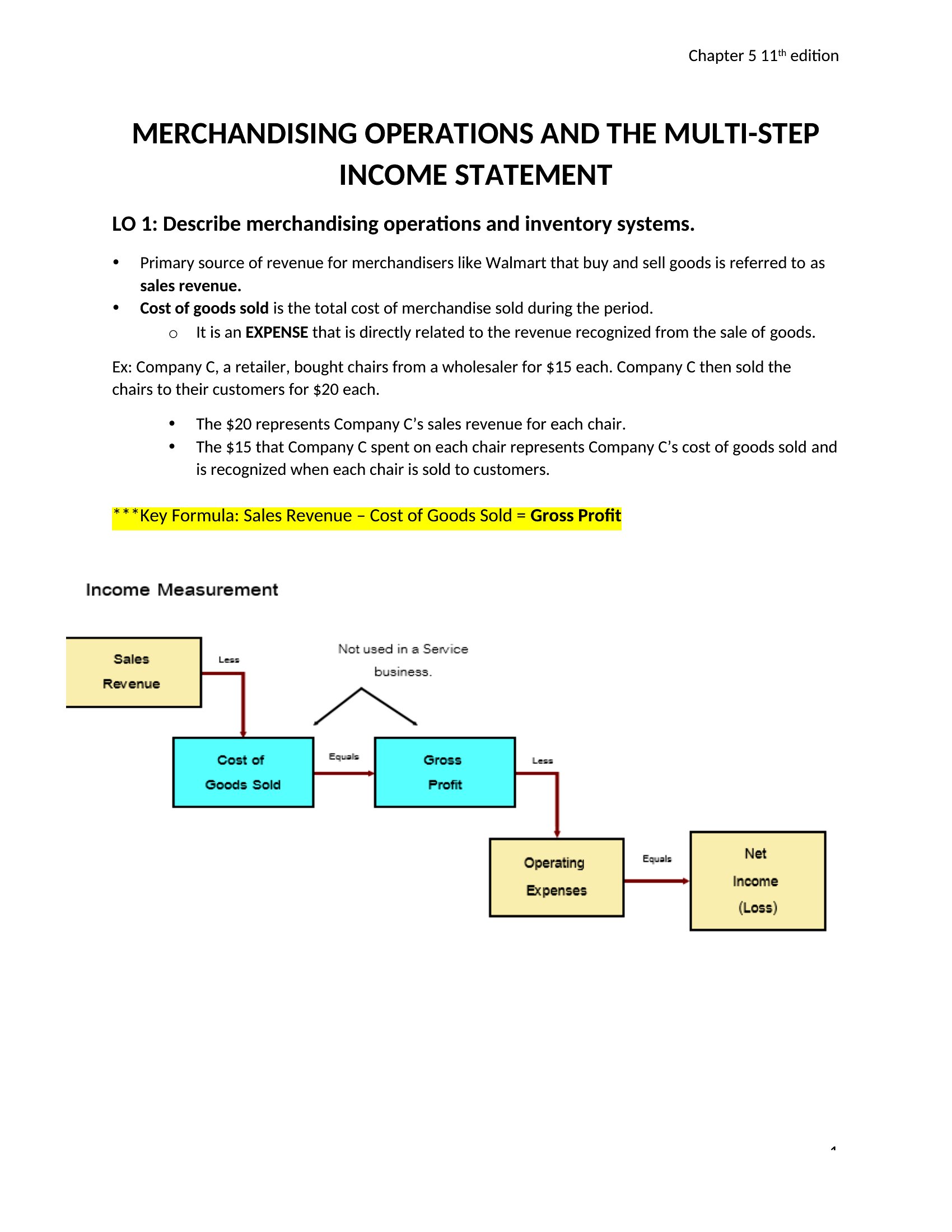
Gross profit subtracts only the cost of goods sold (COGS) from revenue—it shows how efficiently you produce or source your product. Operating income, meanwhile, deducts all operating expenses (like marketing or admin costs) from gross profit, revealing your core business profitability before taxes or interest. Investors and lenders care about both to assess sustainability and efficiency.

Comments

Join the conversation

Sign in to share your thoughts and leave a comment on this resource.

Newsletter

Get Weekly Design Updates

Join our community to receive curated resources and inspiration.

Weekly Tips Resources Early Access

We respect your privacy. Confirmation email required. Privacy Policy